Memoket Gem Review: I Wore an AI Note Taker for a Week
I wore the Memoket Gem, a $199 AI note taker that clips onto an Apple Watch band, through about 20 meetings. What worked, where it struggled and who it's for.
 By Moe Lueker
For a week, a recorder the size of a quarter sat on my wrist and caught every conversation I cared about. Then I asked it what I had talked about with one specific person the week before, and it answered in seconds. I never wrote a note.
That is the Memoket Gem. I've reviewed a lot of AI note takers, so I wanted to answer one question: does wearing one change how you work, or is it another gadget that ends up in a drawer?
What the Memoket Gem is#
The Gem is a small pill-shaped recorder. It weighs 0.4 ounces, the battery lasts up to 20 hours, and it has two microphones built for clear voice capture. It comes in two colors and costs $199.
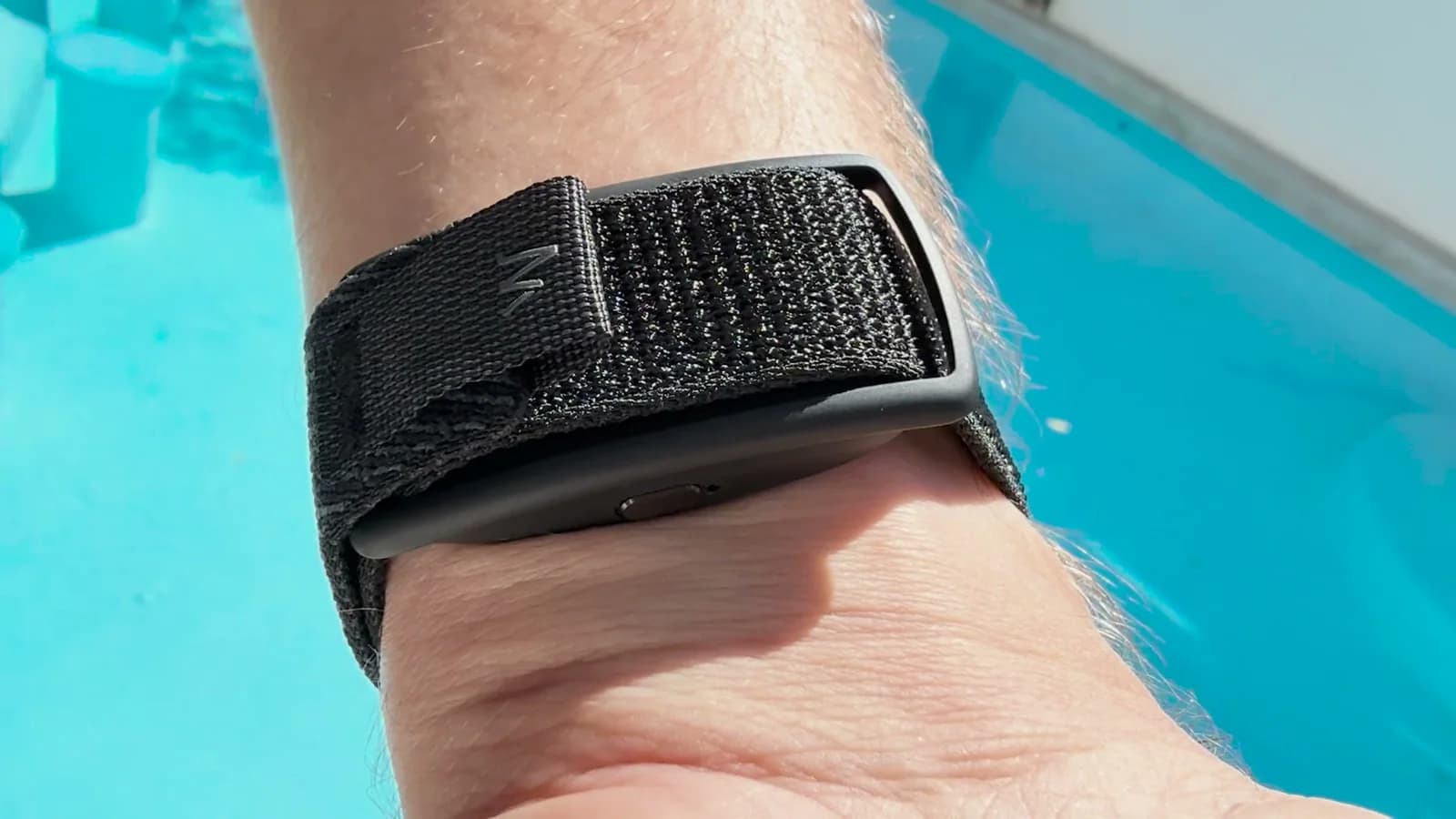
Most AI note takers either join your calls as a bot or clip onto your shirt, where everyone stares at them. The Gem sits on your wrist. You can wear it four ways:
- On the band of the Apple Watch you already wear, right next to the watch
- As its own wristband
- As a pendant
- As a clip on your clothing
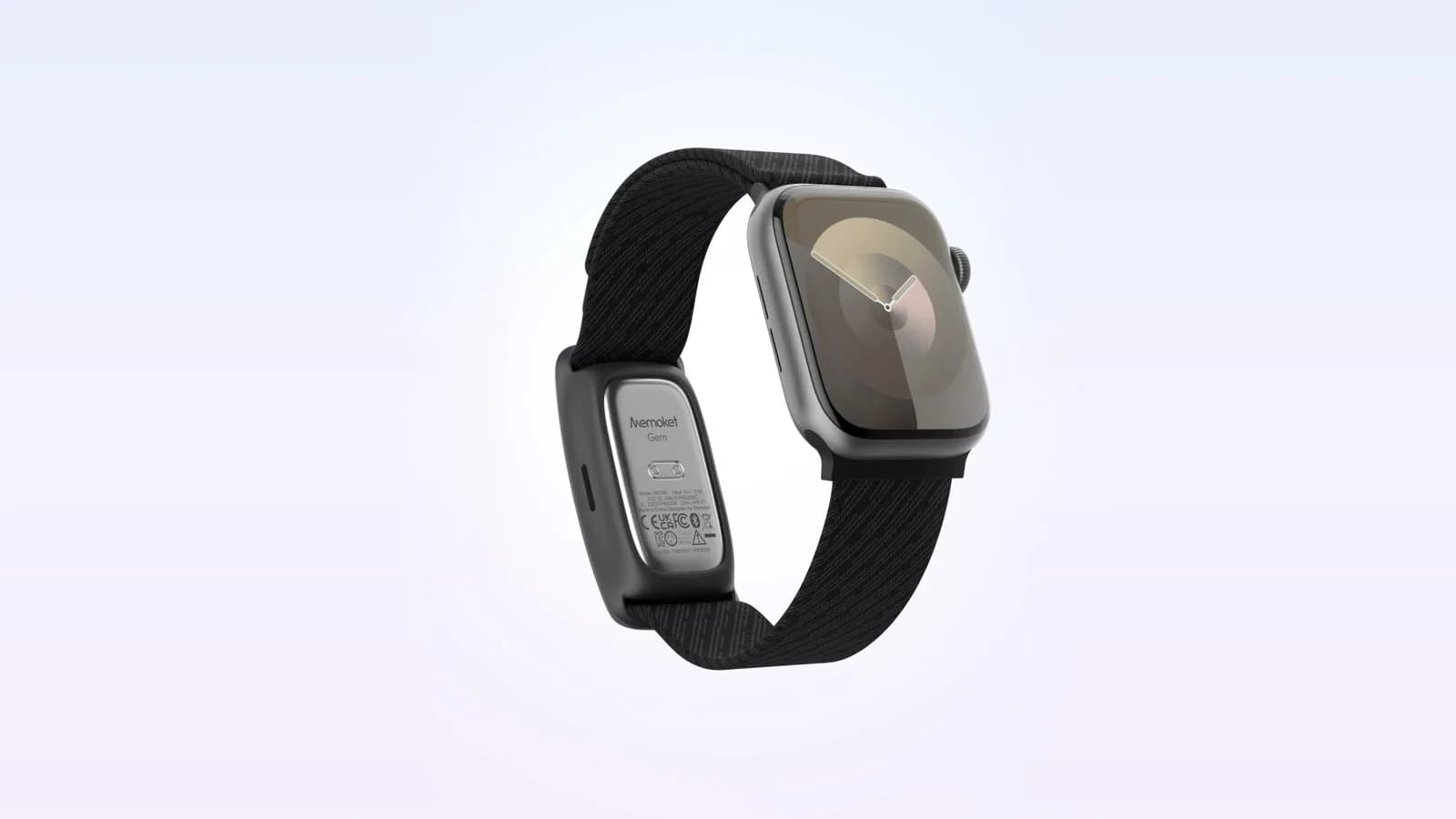
I wore it with my Apple Watch, and that mattered more than I expected. I already put the watch on every morning, so I never had to remember a second device.
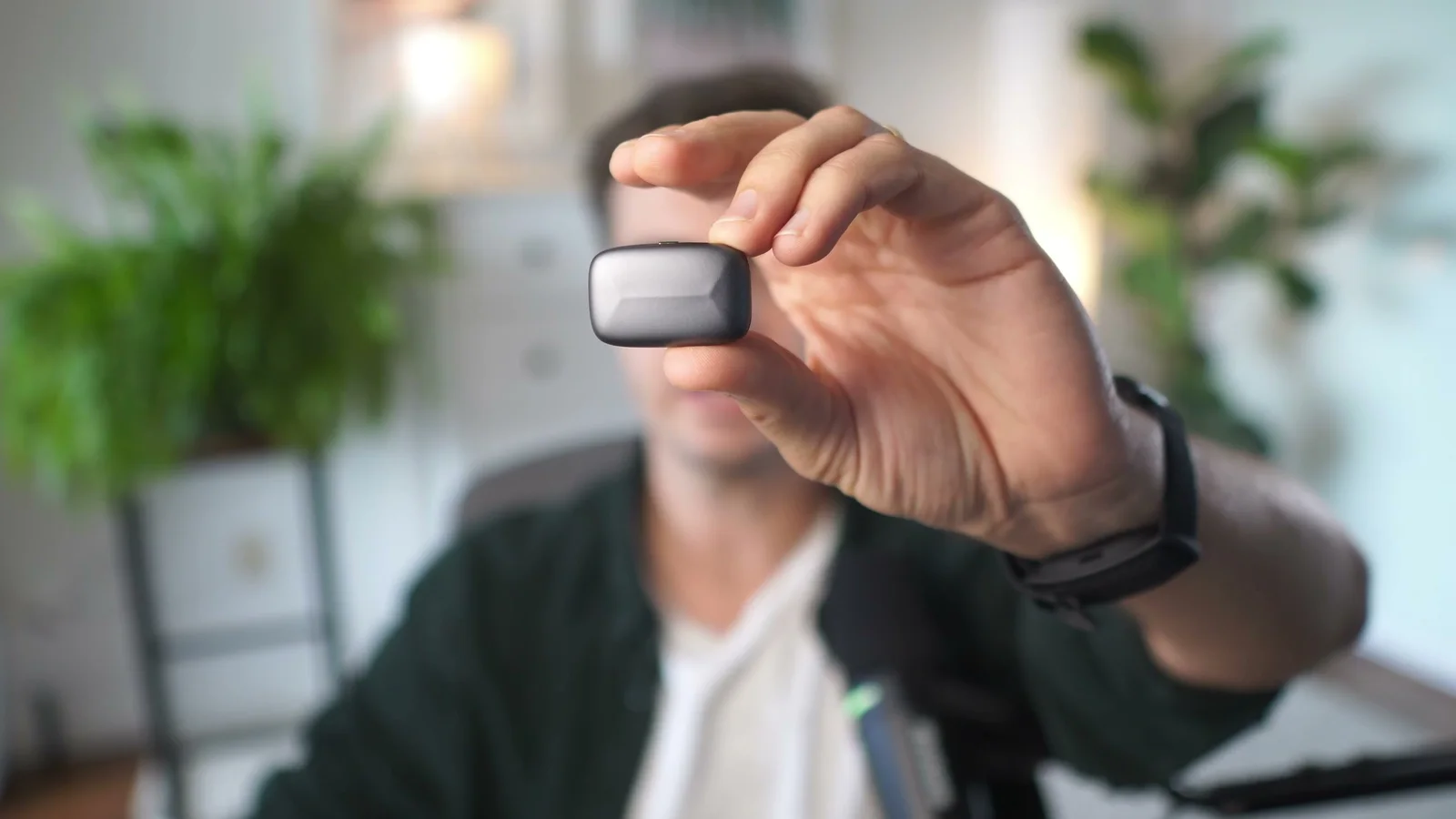
Recording is one press. A red light comes on. Press and hold again and it stops. You never take your phone out.
Memoket sponsored the video this post is based on, and I only agreed to it on the condition that I could share my real opinion, including the part where it didn't work well.
Ask before you record#
The red light tells you it's recording, but on a wrist or as a pendant other people may not notice it. So tell them. Some states require everyone's permission, and the app reminds you of that during setup.
My habit after a week: "Hey, is it fine if I take a quick note of this and record it?" If they say yes, I press the button.
What the app does with a recording#
The hardware is the simple part. The app is what surprised me.
After a week I had about 20 recordings: a keynote I attended, a discussion about AI models, a networking event, and one conversation at home about chores. Each recording turns into:
- A brief with action items it pulled out on its own
- A summary and an easy-to-skim one-pager
- A full transcript with speakers you can rename
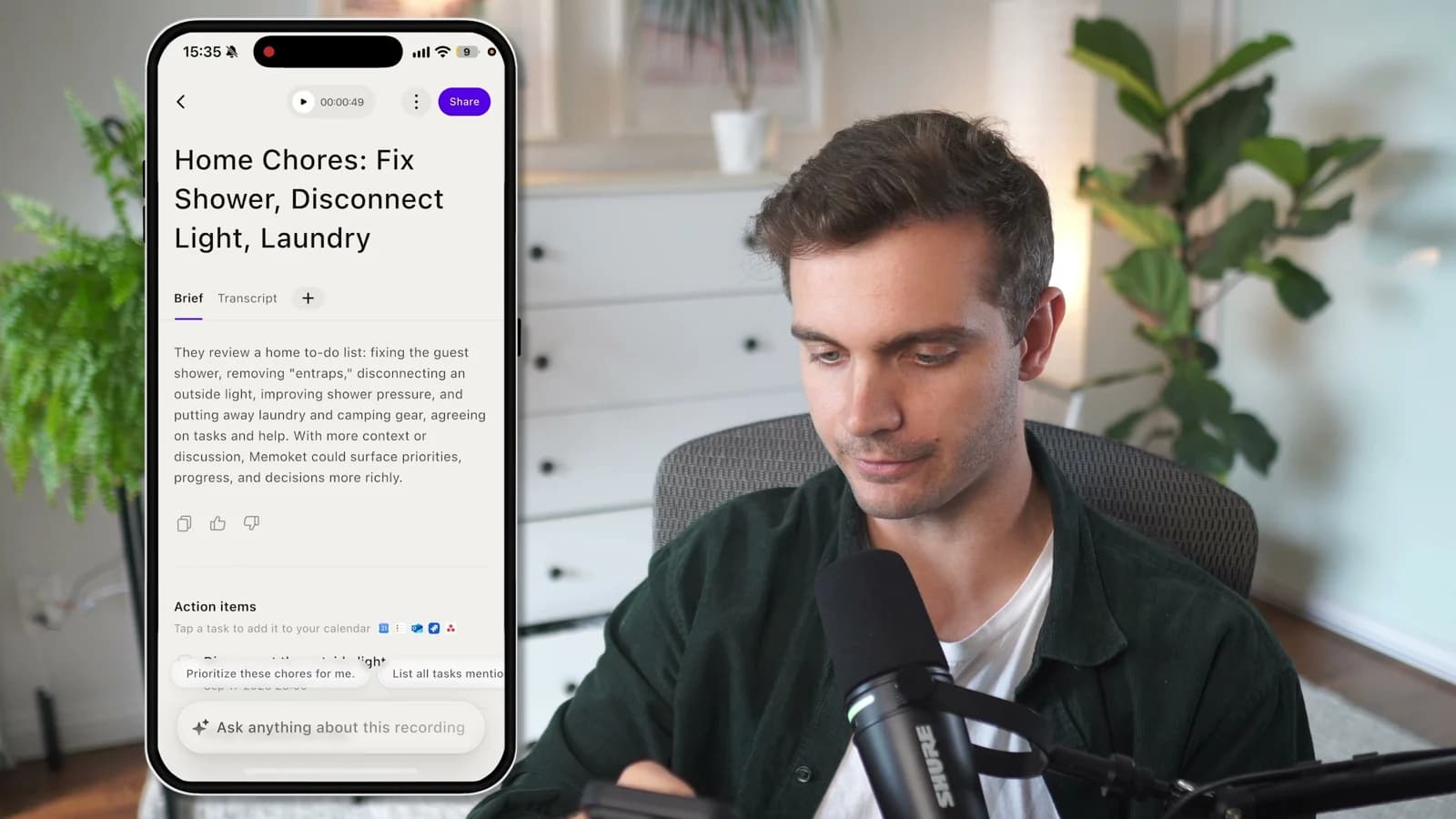
The action items are the part I used most. You can send them to Reminders with one tap, or let them sync on their own to Google Calendar. From there it also connects to Slack, Notion, Jira and Google Drive.
It handled German too. I recorded a conversation in German and the summary, the one-pager and the transcript all came back in German. One follow-up question later I had the summary in English.
Memo Chat is the feature that changes things#
A year ago I would have pasted a transcript into ChatGPT to get anything useful out of it. Memo Chat does that inside the app, in two ways.
Inside one recording, you ask about that conversation. After the keynote I asked what the foundation's goals were and got a short answer I could save as a note.
Across all recordings, you ask about everything. I asked, "What learnings from the last two weeks can I apply to my YouTube channel?" The answer pulled from nine different conversations: a chat with another creator about content strategy, the keynote, and a talk about a new AI model. Then I asked it to turn that into an email for my team, and it did.
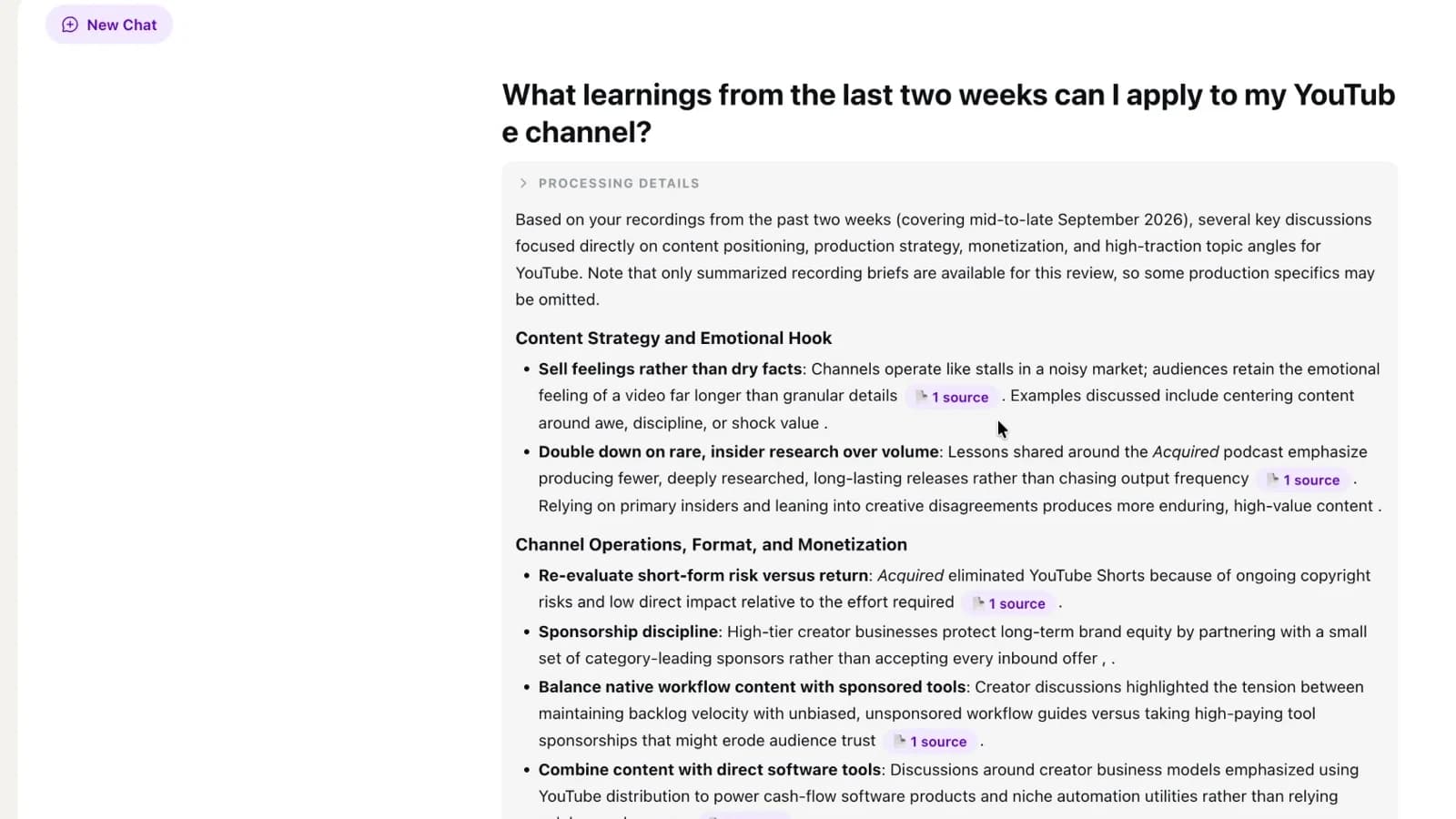
That second mode is the reason to wear a note taker instead of opening an app for one meeting. The notes stop being a pile of separate files.
If you're on the Pro or Unlimited plan, you can also connect it to ChatGPT or Claude through MCP. I asked ChatGPT what I had talked about with someone I met at an event, a conversation I had asked permission to record, and it found the recording and summarized it. That is useful if ChatGPT already holds the rest of your work.
Phone, desktop and online meetings#
There is a Mac and a Windows app that mirrors what the phone does. The desktop app also records Zoom, Google Meet and Teams calls directly, even if you're wearing headphones, so no bot has to join the call.
"Why not record on your phone?" is the fair question. You could. In real life you won't. By the time you have taken the phone out, asked for consent, pressed record and put it away again, the moment has passed, and then you forget it's still running. One press on your wrist removes all of that.
Where it struggled#
In most of my 20 recordings it worked well. The exception was a loud networking event with music and a full room. The audio wasn't clean enough and the transcript suffered.
If you want to use it in bars, clubs or loud events, expect gaps. Wearing it as a pendant, or keeping your sleeve off your wrist, helps.
What it costs#
The Gem is $199, or $179 with code 639TNAYW through the end of October. The code works on memoket.ai and on Amazon.
The app has a free Starter plan with 300 transcription minutes a month. That is enough to find out whether you'll use it. If you record more than that, or you want the ChatGPT and Claude connector, you need one of the paid plans.
Who it's for#
Get it if a lot of your important conversations happen in person: client meetings, events, hallway talks, planning sessions with a partner. It catches what you would never write down. It's an even easier decision if you wear an Apple Watch every day.
Skip it if nearly all of your meetings are on Zoom and you don't mind a bot joining. A regular meeting note taker will do that job. I reviewed two that work without a bot: see my Radiant review and my Quill Meetings review.
So did it end up in the drawer? No. After a week I stopped thinking about it. I just press the button when something matters.
Watch the full walkthrough on YouTube: https://youtu.be/AejX1jao3vI
Some links above are affiliate links, so I may earn a commission at no extra cost to you. I only recommend tools I actually use.
Moe shares tool walkthroughs and lessons from real projects. Mechanical engineer, then venture capital, now building AI tools for creators and small businesses. More about Moe
Get new videos in your inbox
Weekly AI workflows. No fluff.
No spam. Unsubscribe anytime.