Hermes Agent Hosting: Run It 24/7 Without a VPS or Docker
Hermes Agent hosting without a VPS: I deployed Hermes on Cloudways in two minutes, built a three-agent team with one prompt, and spent $2.20 on API credits.
 By Moe Lueker
You don't need a VPS to run Hermes Agent around the clock. I've spent months running it on one, and that server was the hardest part for most people who tried to follow along.
I've set Hermes up on a VPS, on my laptop and straight from the terminal. Every time, the comments said the same thing: this looks great, but I don't know how to do this, or I don't want to run my own server. Fair. So this time I skipped the server entirely, along with Docker and the command line. I had a hosted Hermes Agent running in about two minutes, then one prompt turned it into a team of three agents that researched a brand-new AI model and built me an interactive website about it.
The whole thing cost $2.20 in API credits.
Three places Hermes can live#
When people ask where to host Hermes Agent, there are really three options, and they trade money for effort in different ways.
| Where it runs | What it costs | What you manage | Runs 24/7? |
|---|---|---|---|
| Your laptop | Free | Everything, and it dies when you close the lid | No |
| A VPS you set up | About $8/month on my setup | Install, updates, security, backups | Yes |
| Managed hosting (Cloudways) | From $4.99/month on the current offer | Nothing on the server side | Yes |
Local is fine for a test drive. The moment you schedule a job or hand the agent something that runs overnight, a sleeping laptop kills it.
A VPS fixes the uptime problem. It's the route I covered in my $8/month Hermes setup, and it's still a great option if you're comfortable in a terminal. But you own the server. When an update breaks something, that's your evening.
Managed hosting is the third option, and it's the one this post is about.
What "managed" actually means here#
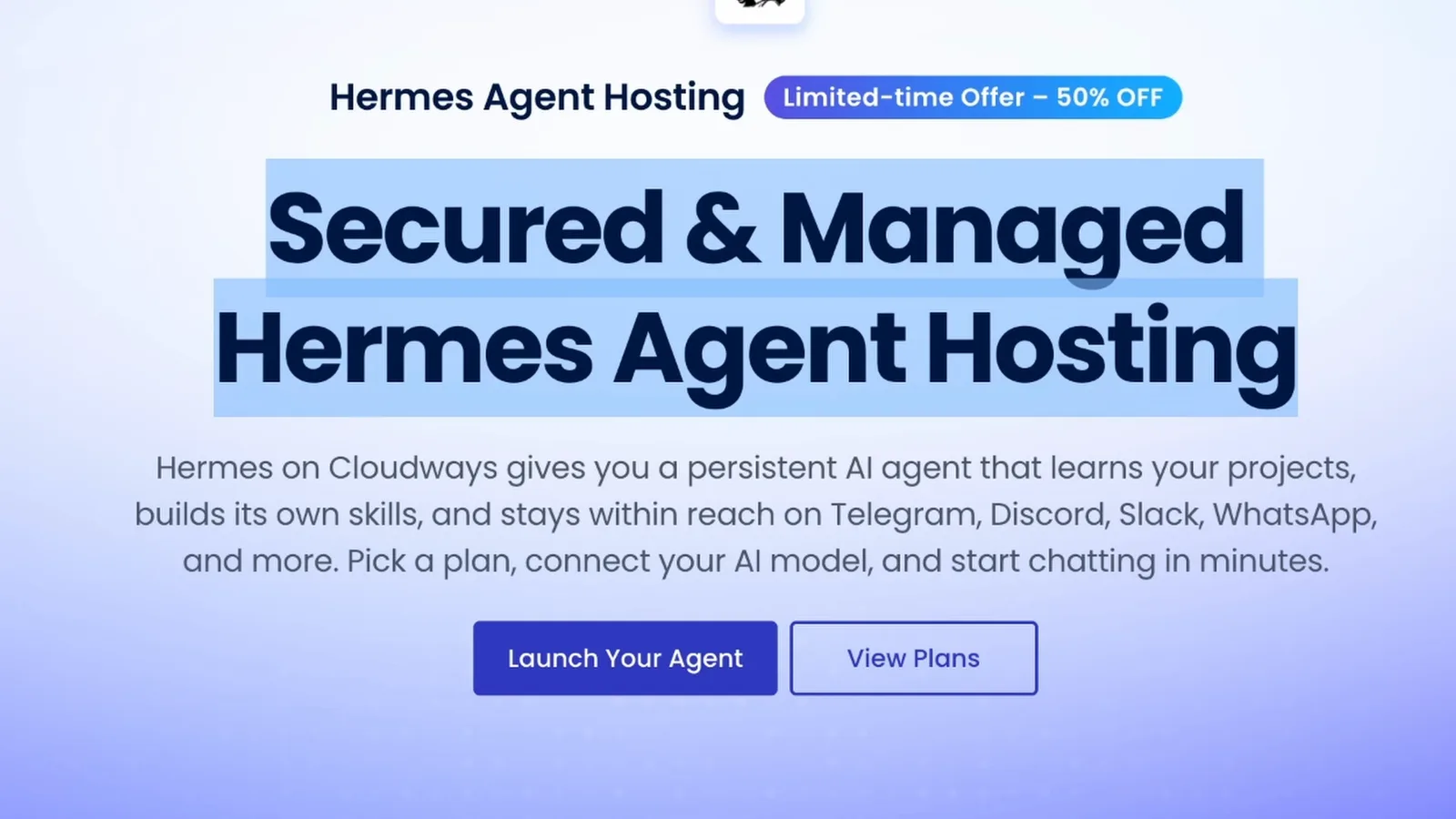
Cloudways is owned by DigitalOcean, one of the bigger cloud infrastructure providers, and they now run managed hosting for AI agents. You can pick Hermes or OpenClaw, and they keep the instances up to date for you. Cloudways sponsored the video this post is based on, which is why I got to push the setup harder than a normal first look.
Here's what they handle, straight from their Hermes hosting page:
- Isolated server. Your agent runs on its own dedicated instance, not a shared box. That matters if you're doing client work on it.
- Validated updates. Every Hermes update gets tested before it reaches you, so a new version doesn't break your skills library, memory or scheduled automations.
- Backups with one-click restore. Your agent's memory and skills are backed up automatically.
- Bring your own key. You connect your own model provider, and the model usage gets billed by that provider, not bundled into hosting.
- You pick the region. I picked San Francisco because it's closest to me.
- Terminal access if you want it. Every plan still gives you terminal access for CLI commands and debugging. You just don't need it to get started.
It also connects to Telegram, WhatsApp, Discord and Slack, so you can message your agent from your phone.
Setup in about two minutes#
From the Cloudways Hermes page, click Launch Your Agent. Sign up or sign in, then find Managed AI Agents under Cloudways AI. From there it's a two-step wizard.
1. Name it and pick a location. I called mine "Hermes agent company" and chose the San Francisco data center.
2. Pick a plan. This is the one decision that matters. Cloudways says it plainly on the screen: memory decides how much your agent can do at once, and browser automation, sub-agents and tool execution all scale with it.
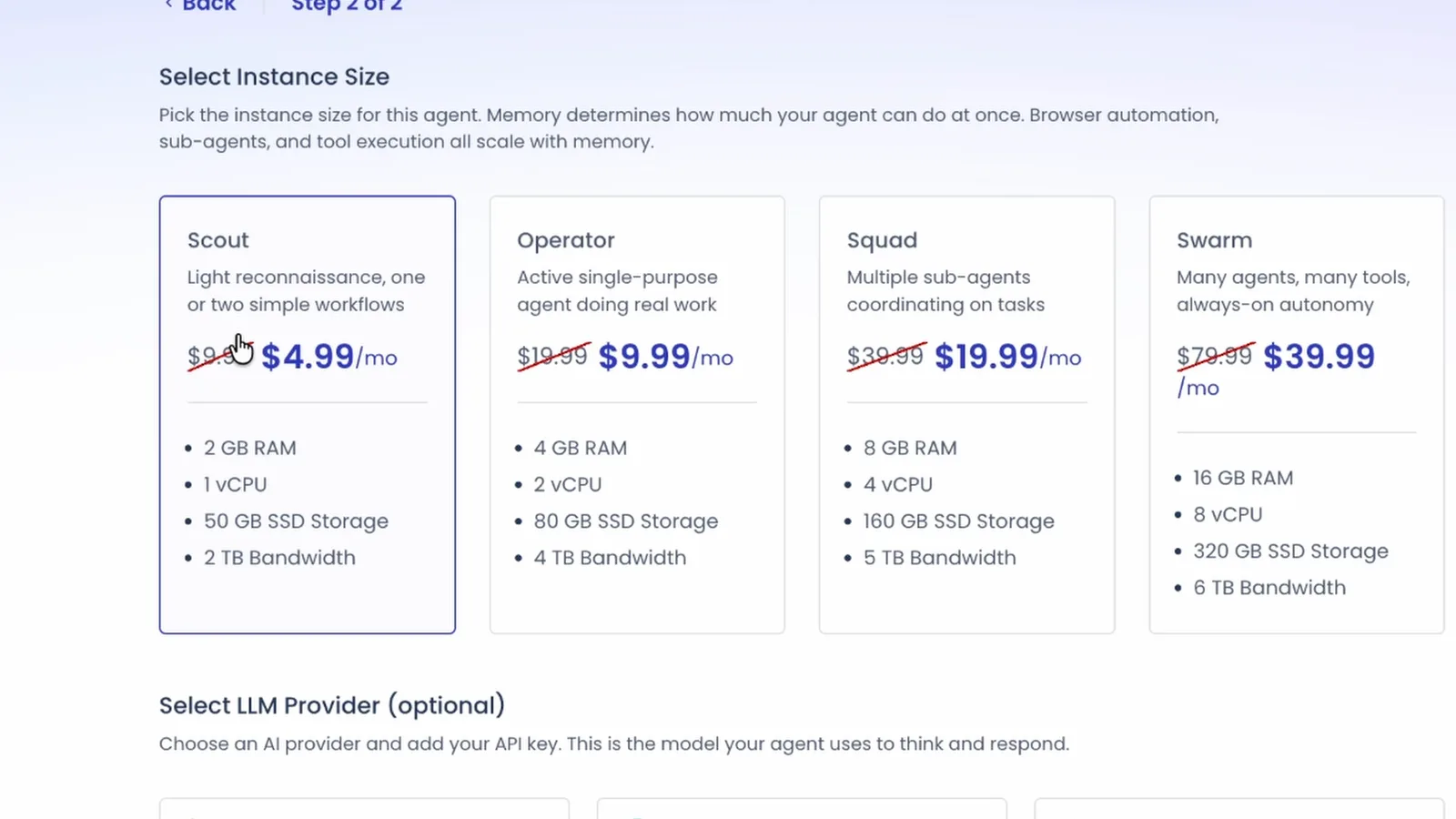
| Plan | Price right now | Specs | Built for |
|---|---|---|---|
| Scout | $4.99/mo (normally $9.99) | 1 vCPU, 2GB RAM, 50GB | One or two simple workflows |
| Operator | $9.99/mo (normally $19.99) | 2 vCPU, 4GB RAM, 80GB | An active agent doing real work |
| Squad | $19.99/mo (normally $39.99) | 4 vCPU, 8GB RAM, 160GB | Several sub-agents working together |
| Swarm | $39.99/mo (normally $79.99) | 8 vCPU, 16GB RAM, 320GB | Many agents, many tools, always on |
Prices are from the Cloudways Hermes page on September 18, 2026, during their 50% off launch offer. I went with Operator because I wanted room for a few agents running in parallel. If you only want one agent doing one job, Scout is enough.
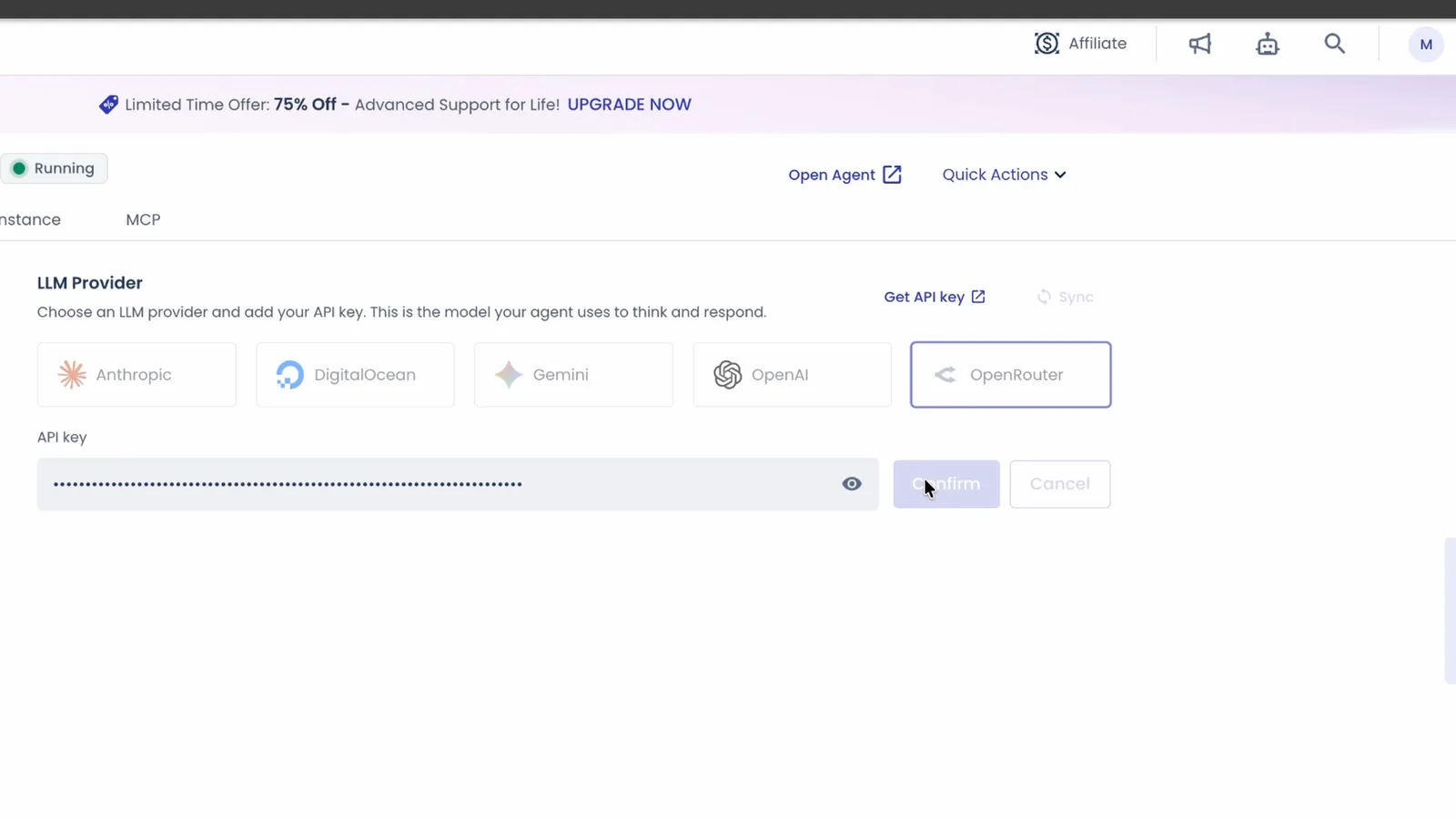
3. Connect a model provider. You can paste a key from Anthropic, OpenAI, Gemini or DigitalOcean. I used OpenRouter, because one key gets you almost every model and you can switch between them from a dropdown. If you haven't used it before, I explain it in What Is OpenRouter?.
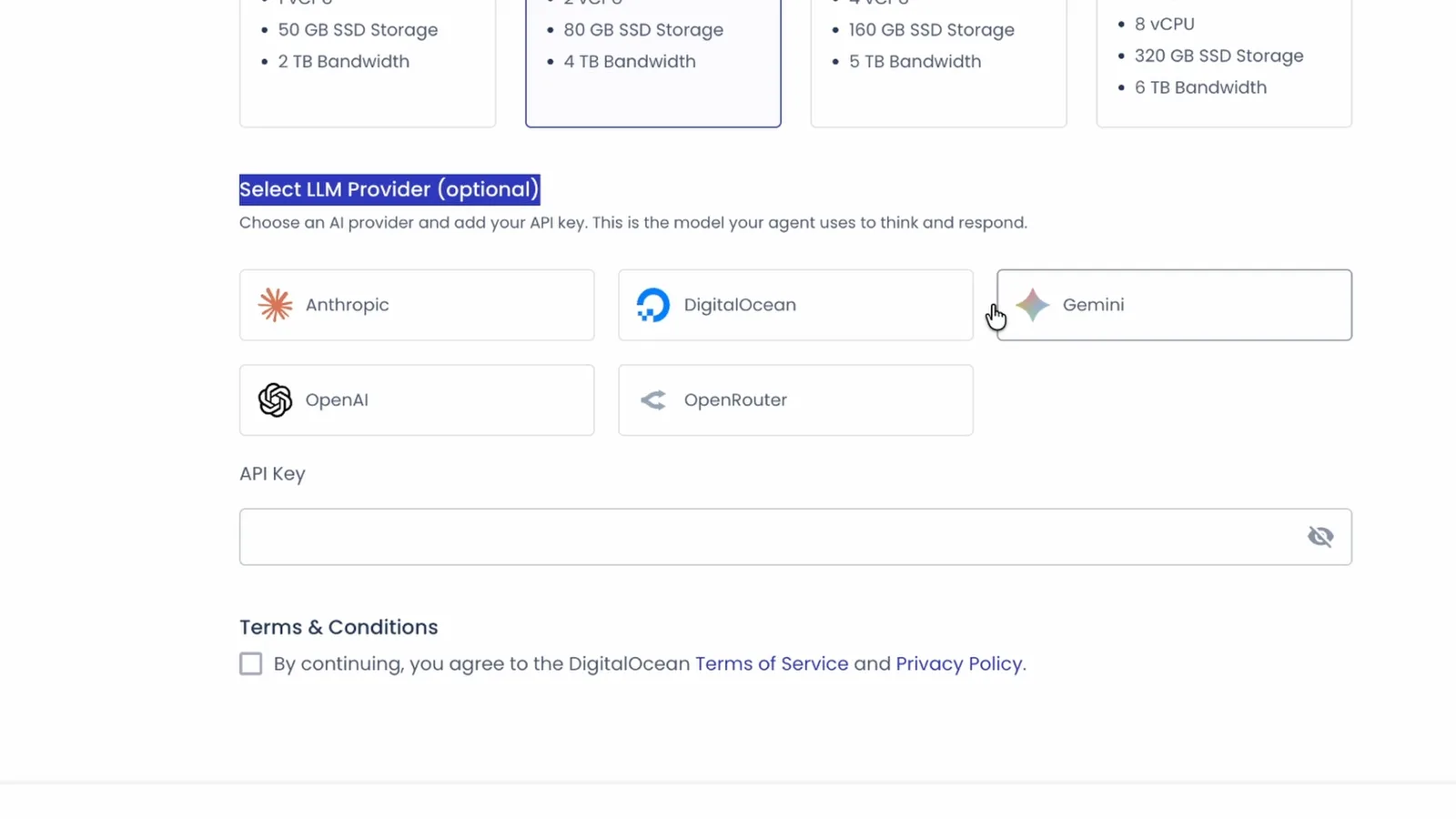
In OpenRouter, create a new key, name it something you'll recognize, and give it a credit limit. I set mine to $20 a month so nothing can run away from me. Paste the key, accept the terms, hit deploy.
4. Open your agent. Cloudways shows a notification when the instance is live. Click Open Agent. It asks for a password, and that password is stored right there on the same page, so copy it or set a new one. Sign in and you're looking at your hosted Hermes Agent.
What's inside the dashboard#
The main screen is a chat box, like ChatGPT or Claude. Under it you pick the folder you're working in, the model, the thinking level and which tools the agent can use, including any MCP servers you've connected.
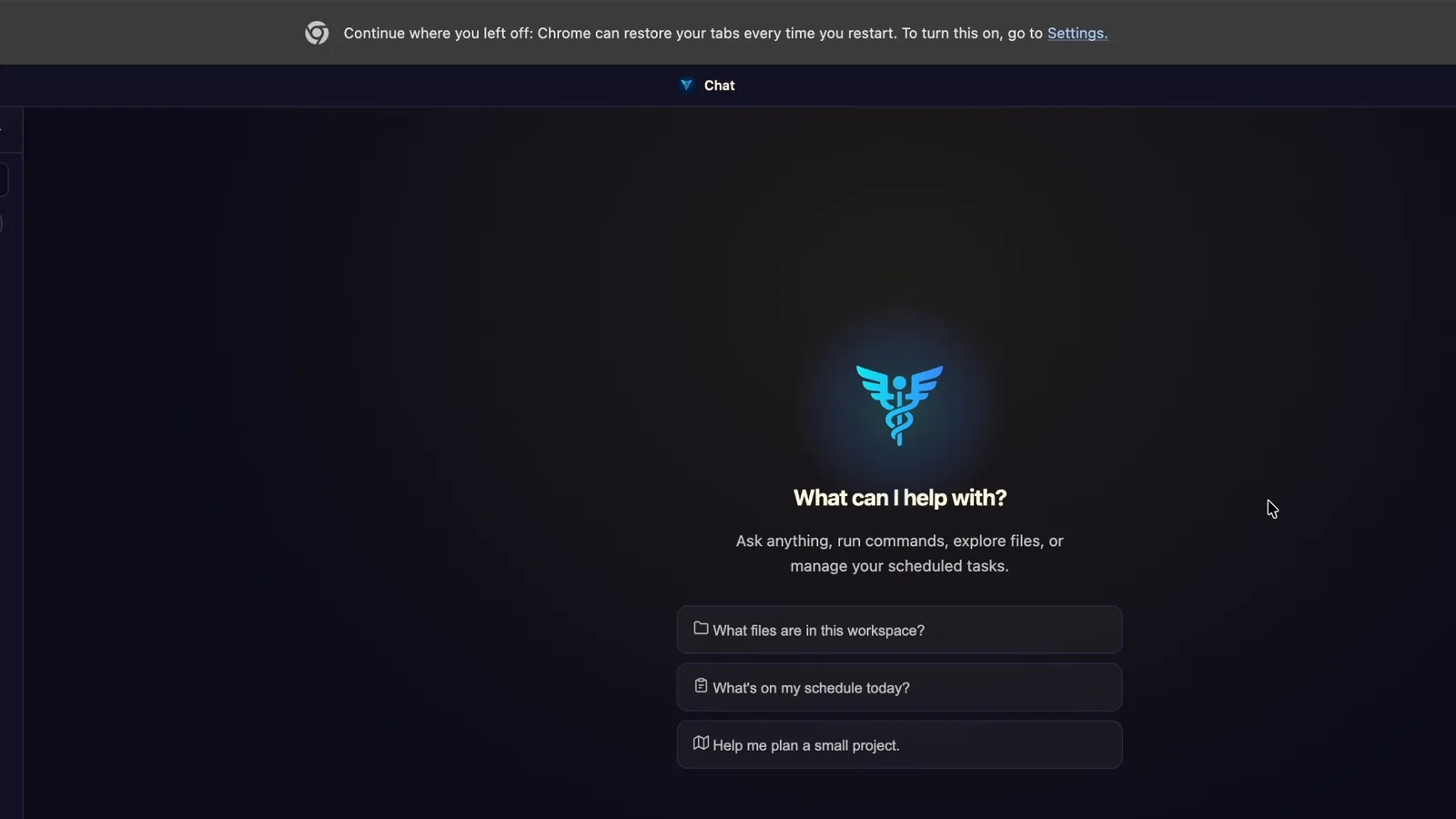
The left sidebar has everything else:
- Chat history you can filter
- Tasks and scheduled jobs
- A Kanban board that shows what each agent is working on
- Skills, which you can switch on and off or write yourself
- Memory, which Hermes fills in on its own as you work with it
- Spaces, profiles and to-do lists, plus usage insights
- Logs for when something breaks
- Settings for theme, conversation import and export, providers and plugins
Everything the agent writes, including files and artifacts, lives on your Cloudways instance, so you can reach it from any device.
Pick a cheap model before you build a team#
This is where people quietly burn money. A top model on every step of an agent team gets expensive fast, and it isn't much smarter for most jobs.
I sort models into tiers in my Hermes Agent Playbook. The budget tier includes GPT 5.6 Luna and DeepSeek v4.1 Flash, which are cheap and perform well. Then there's the mid tier, then the premium tier with GPT 5.6 Sol and Opus. At the very top sit Claude Fable 5.1 and GPT-6 Astra. Compared with DeepSeek, those top models can cost up to 100 times more, and they aren't 100 times smarter.
For this build I picked Gemini 3.8 Flash. It's one of the cheapest models that still scores near the top on software engineering benchmarks, and it's fast. In the dashboard, click OpenRouter, then Show All Models, and search for it. Ask "what model are you?" to confirm it switched.
One prompt builds the whole team#
Here's the part that makes Hermes worth hosting. It doesn't start as a team. It starts as one agent that knows nothing about you.
So the first prompt is a setup interview. You paste it in and the agent interviews you: who you are, your business, your voice, your visual taste, what eats your time and what you want to work on. It writes your answers into memory, your user profile and its soul file. That context is what it uses to decide which agents you actually need.
After the interview, a second prompt asks it to design the team. Mine summarized what it had learned, checked its environment, then proposed three specialists:
- Scout, a researcher that finds high-performing YouTube topics and audience pain points in my niche
- Quill, a writer that turns raw research into punchy cold opens and title hooks
- Frame, a web designer that builds lightweight pages and small tools
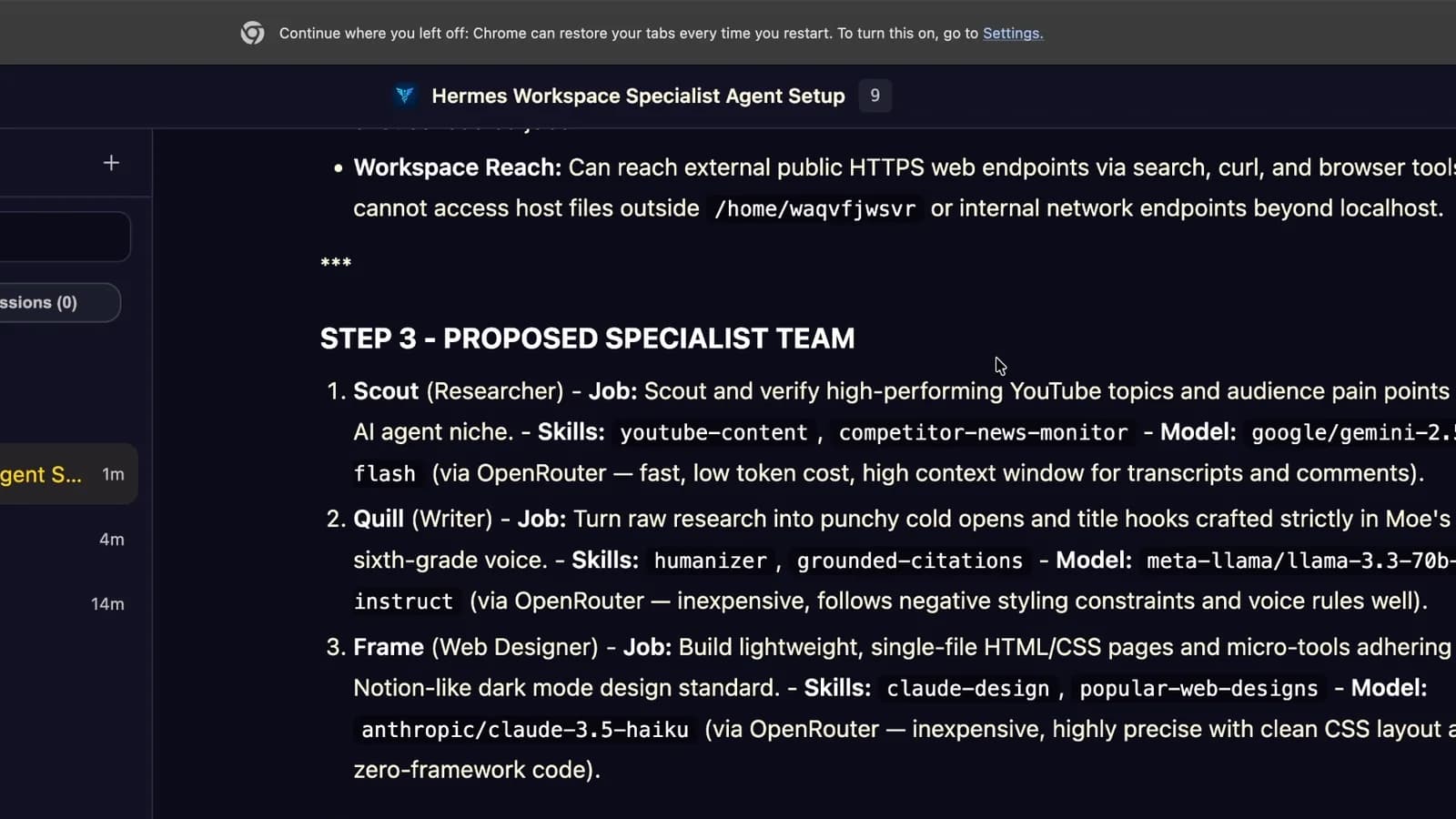
It suggested a different model for each one. I told it to use Gemini 3.8 Flash for all three, it updated the plan, and I told it to build them and run them on a real job: a report and a landing page on GPT-6 Astra.
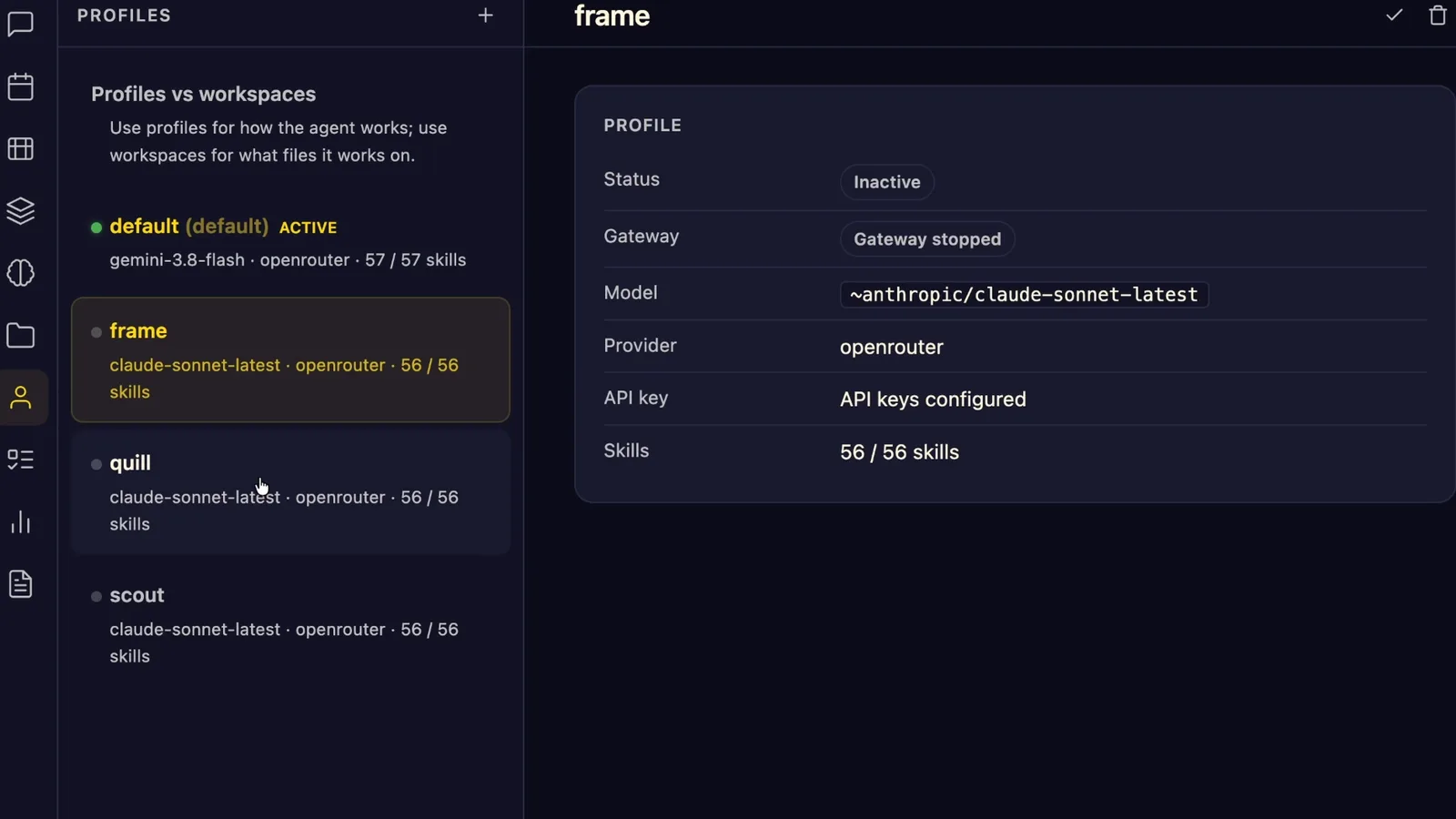
Each agent shows up as its own profile, with its own model and skills. While they worked, a pop-up told me Hermes had saved a new reusable skill. That's the part I like most: every time it finishes something and I give feedback, it gets a little better at it.
Both prompts, the setup interview and the team build, are in my free guide, along with my filled-in version so you can see what good answers look like.
What the team built#
I was about to get a coffee. The research report was done in under two minutes.
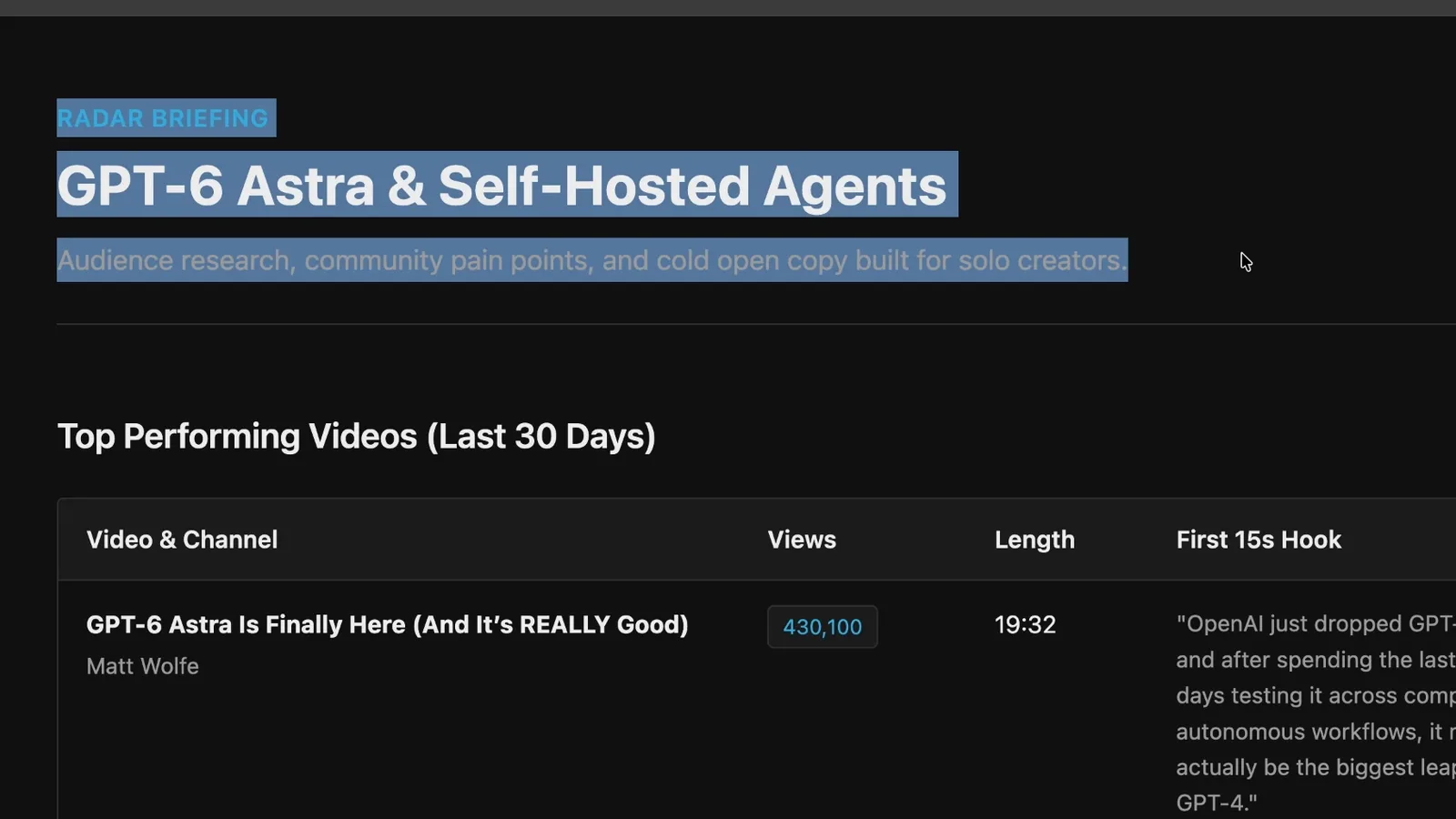
Scout pulled the top-performing videos on GPT-6 Astra from the last 30 days, the questions my audience is asking about it, and a few title options. For someone who's always trying to keep up with new AI releases, a report like that running every day is the whole point.
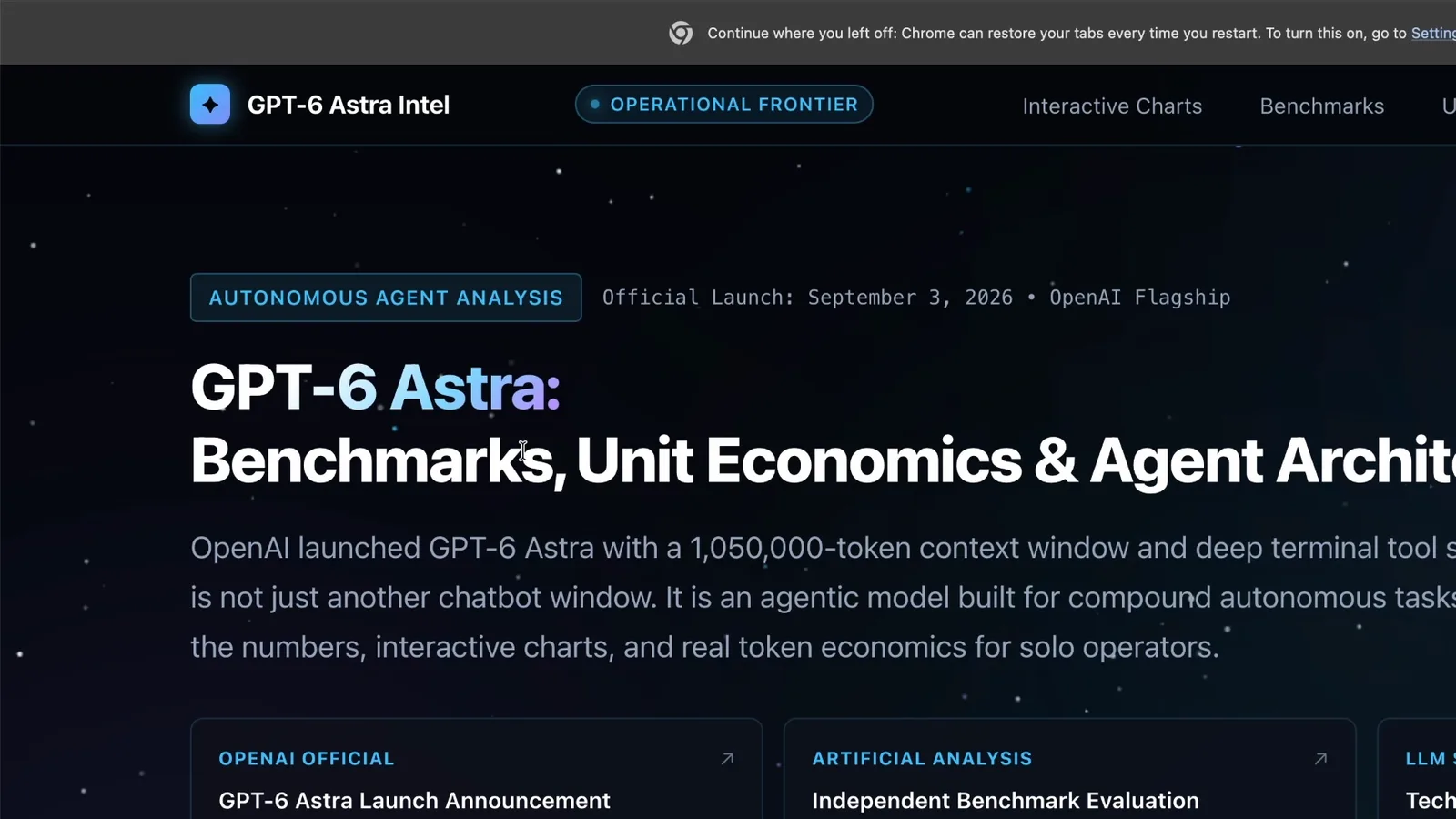
Then I pushed it further. In a new chat I asked it to turn that report into an interactive website: dark theme, benchmarks, cost breakdown, something that feels like a high-quality blog post or portfolio. I told it to use whatever skills and agents it had.
It inspected the report, went back to the web for current numbers (the model's training data was older than GPT-6 Astra), and built the page fast. The whole thing took seconds, not an afternoon. Star background, hover effects, a cost-versus-capability chart, a sortable benchmark table, a monthly API spend estimate and a cold open script for my video. Not bad for one prompt.
Rambleproof: the tool I built this way and use every day#
A demo website is fun. The better proof is the tool I actually use all day.
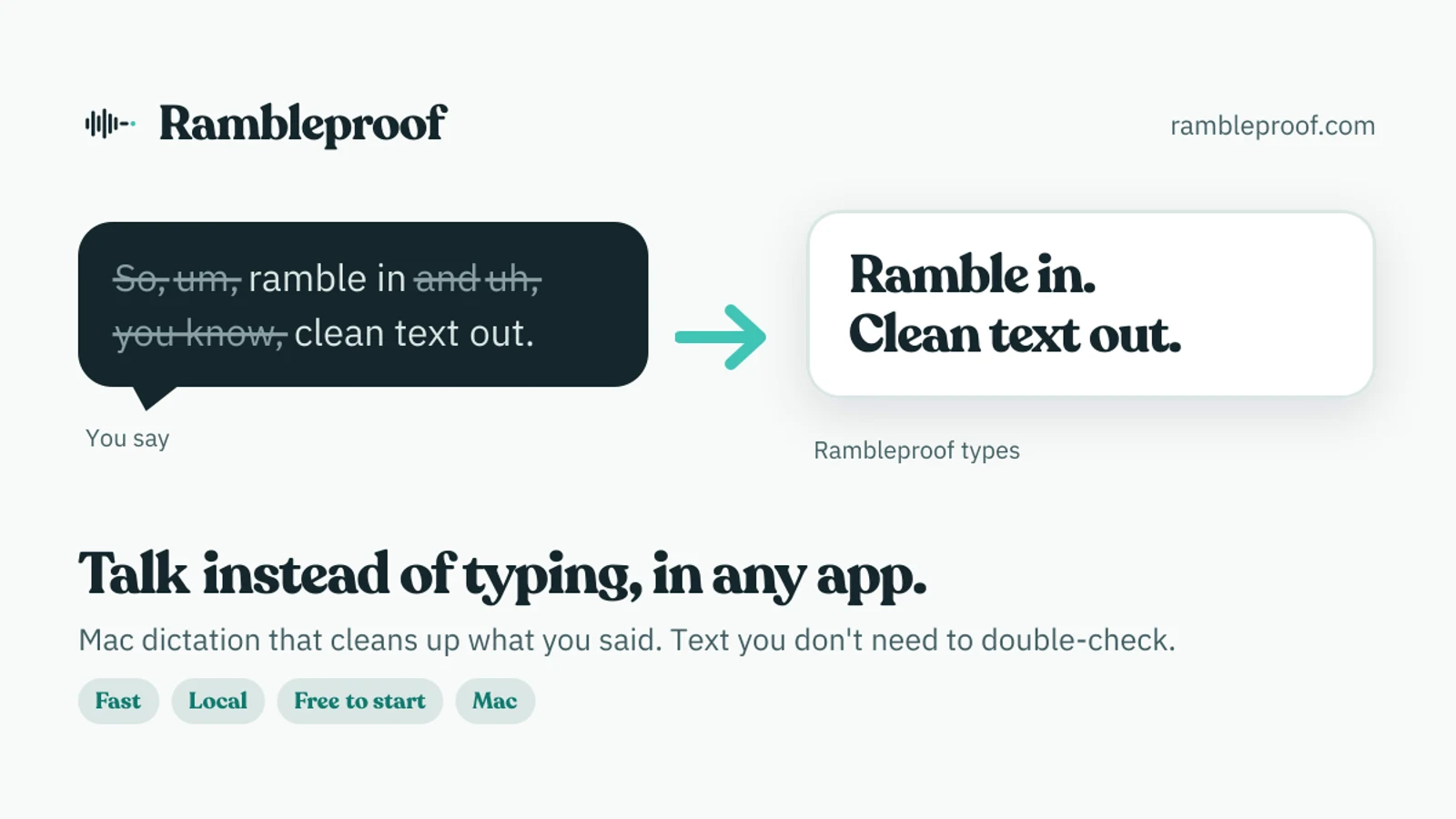
Rambleproof is my Mac dictation app, and I built the whole thing with agents like this one. You hold down a hotkey, a live indicator shows up on the left side of your screen, and when you let go it turns what you said into clean text in whatever app you're in. It strips out the "um" and "you know," and it formats lists for you. Say "remind me to bring three things: my laptop, my remote and my notebook" and you get a bulleted list, not a run-on sentence.
I built it for myself a couple of weeks before this video and I've used it nonstop since.
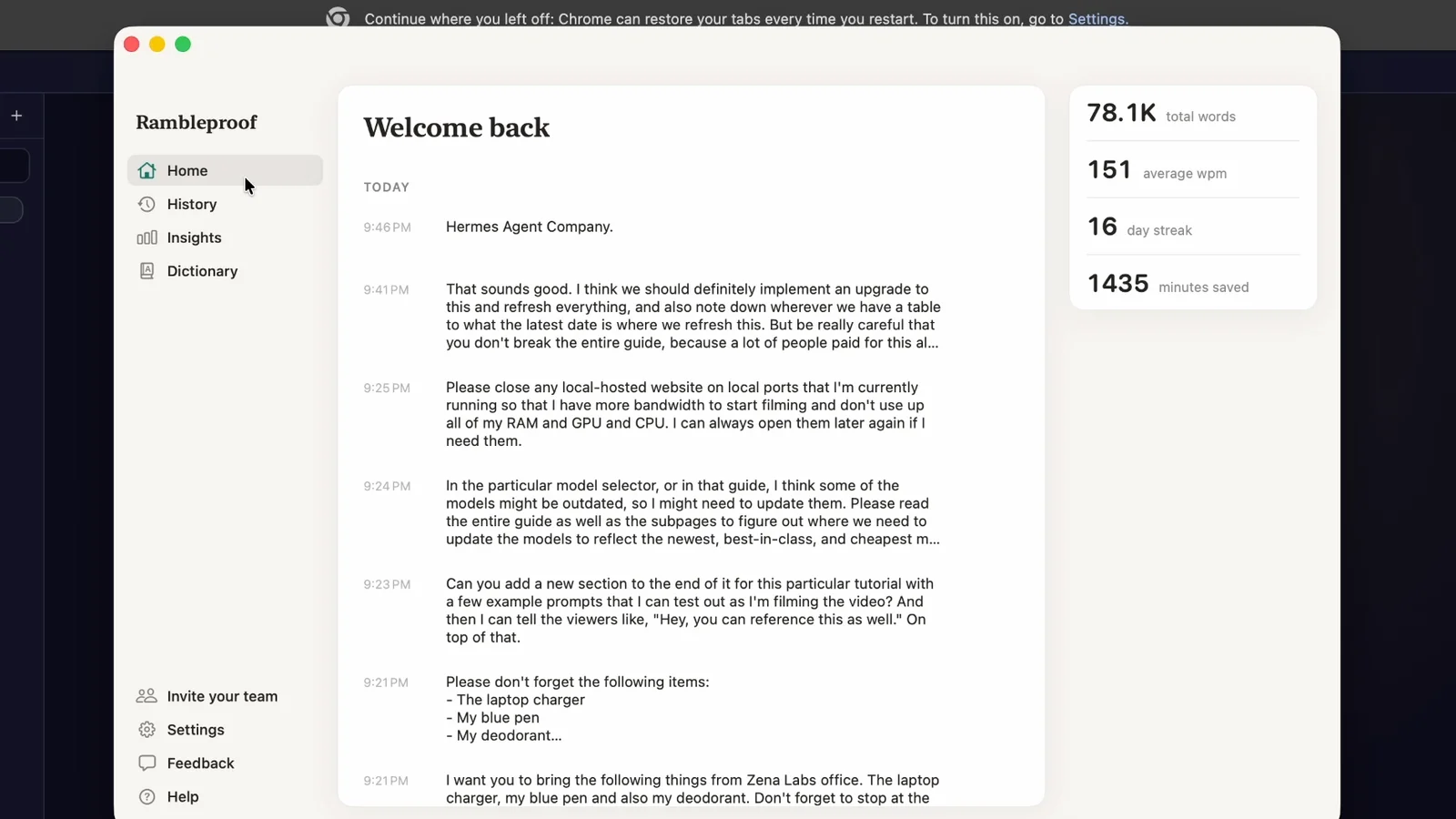
That's my own dashboard: 78,100 words dictated at 151 words per minute, which Rambleproof counts as 1,435 minutes saved. It runs locally on your Mac, and it's free to start.
Rambleproof isn't the only one. I've also built a set of free tools on my site, like an AI headshot generator and a link shortener. A hosted agent that builds pages and tools while I'm doing something else is how that happens.
What it cost#
Total API spend for everything in the video: $2.20. Most of it went through Gemini 3.8 Flash, and you could go cheaper and still get good results.
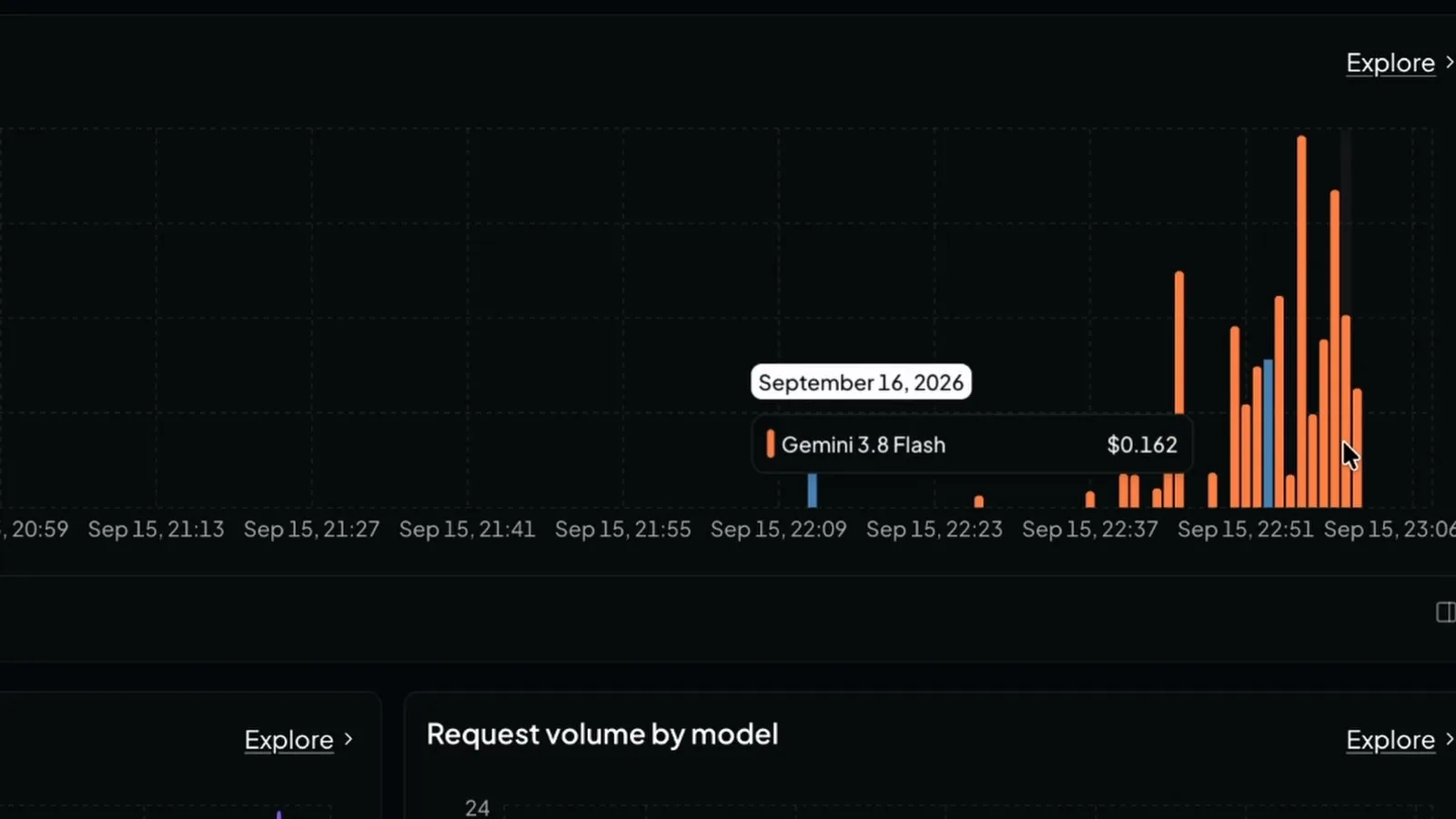
Add the server and you're at $9.99 a month on Operator, or $4.99 on Scout at current pricing. Code MOELUEKER takes 30% off your first three bills.
Where to go from here#
Start with one research job and give feedback every day. Hermes writes that feedback into memory, so the team gets sharper the more you use it.
If you want ideas for what to hand it, I run through 11 Hermes Agent use cases that are actually useful. If you want agents that hand work to each other like a small company, my Hermes Workspace setup goes deeper on that. And if you'd rather own the server, the OpenClaw VPS guide covers the self-hosted route.
If a server was the thing stopping you from running an agent team, that excuse is gone.
Watch the full walkthrough on YouTube: Hermes Agent: I Turned One Prompt Into My Own AI Team
Some links above are affiliate links, so I may earn a commission at no extra cost to you. I only recommend tools I actually use.
Moe shares tool walkthroughs and lessons from real projects. Mechanical engineer, then venture capital, now building AI tools for creators and small businesses. More about Moe
Get new videos in your inbox
Weekly AI workflows. No fluff.
No spam. Unsubscribe anytime.