What Is OpenRouter? One API Key for Every AI Model
OpenRouter gives you hundreds of models behind one key and one endpoint. Here is what it actually does, what the free models really cost you, and when it beats going direct.
 By Moe Lueker
I have not typed an OpenAI API key into anything in about a year. Same for Anthropic, Google and DeepSeek. One key covers all of them, and when a new model ships I paste an ID into a settings field and keep working.
That key is OpenRouter. If you have been putting off understanding what it is, this is the short version from someone who has been billing through it across four different agent setups.
What OpenRouter Actually Is#
OpenRouter is one API endpoint that fronts hundreds of models from dozens of providers. Their own docs describe it as access to hundreds of models through a single endpoint, with automatic fallbacks and routing toward the most cost-effective option for a given request.
Mechanically it is a proxy with a billing layer. You top up credits with OpenRouter, you get one key, and that key works against OpenAI, Anthropic, Google, DeepSeek, Mistral, Qwen, Moonshot and a long tail of others. You never create an account with any of them.
The part that makes it drop-in rather than a migration project: the API is OpenAI-compatible. Their docs are explicit that you can point the OpenAI SDK at OpenRouter as a straight replacement. If a tool can talk to OpenAI, it can talk to OpenRouter, usually by changing one base URL.
That compatibility is why it shows up as a provider option in basically every agent framework now.
Why People Use It Instead of Going Direct#
Three reasons, in the order they actually matter.
You stop being locked to one vendor's billing. This is the real one. Every direct integration is a separate account, a separate card, a separate spend dashboard and a separate key to rotate. I ran that way for a while and it was genuinely annoying at four providers.
You can use a model the day it launches. New models land on OpenRouter fast, and because the interface never changes, adopting one is a string swap rather than an integration. A model that came out this morning is a model ID you paste in.
You can match the model to the job instead of the contract. Cheap fast model for the boring 90 percent of an agent's work, frontier model for the 10 percent that is actually hard. When you are paying one vendor directly there is a quiet pressure to use their model for everything, because that is the key you have.
That last one is the difference between a $200 month and a $20 month once you are running agents unattended. I broke the math down properly in my writeup on what $20 of API credit actually buys you.
For the newest models, I mapped that split with real cost-per-task numbers in Claude Opus 5.5 vs GPT-6 Sol and Luna: Luna for the boring 90 percent, Sol for well-specified work, Opus 5.5 for the hard 10 percent.
Is OpenRouter Free?#
The service takes a small cut on top of provider pricing. The credits you buy are real money and they are spent at roughly what the underlying model costs.
There are genuinely free models on the platform. They are real, they work, and I have used them. What they are not is unlimited: free tiers carry rate limits, and OpenRouter documents those limits in their FAQ rather than promising a fixed allowance. Treat them as excellent for testing, for low-stakes background jobs, and for the parts of an agent loop that do not need to be smart.
If you want to see how far the genuinely free end of the model spectrum goes, I have a separate walkthrough on running a capable model without paying for it.
The thing I would actually tell you to do on day one has nothing to do with which model you pick.
Where the Key Actually Goes#
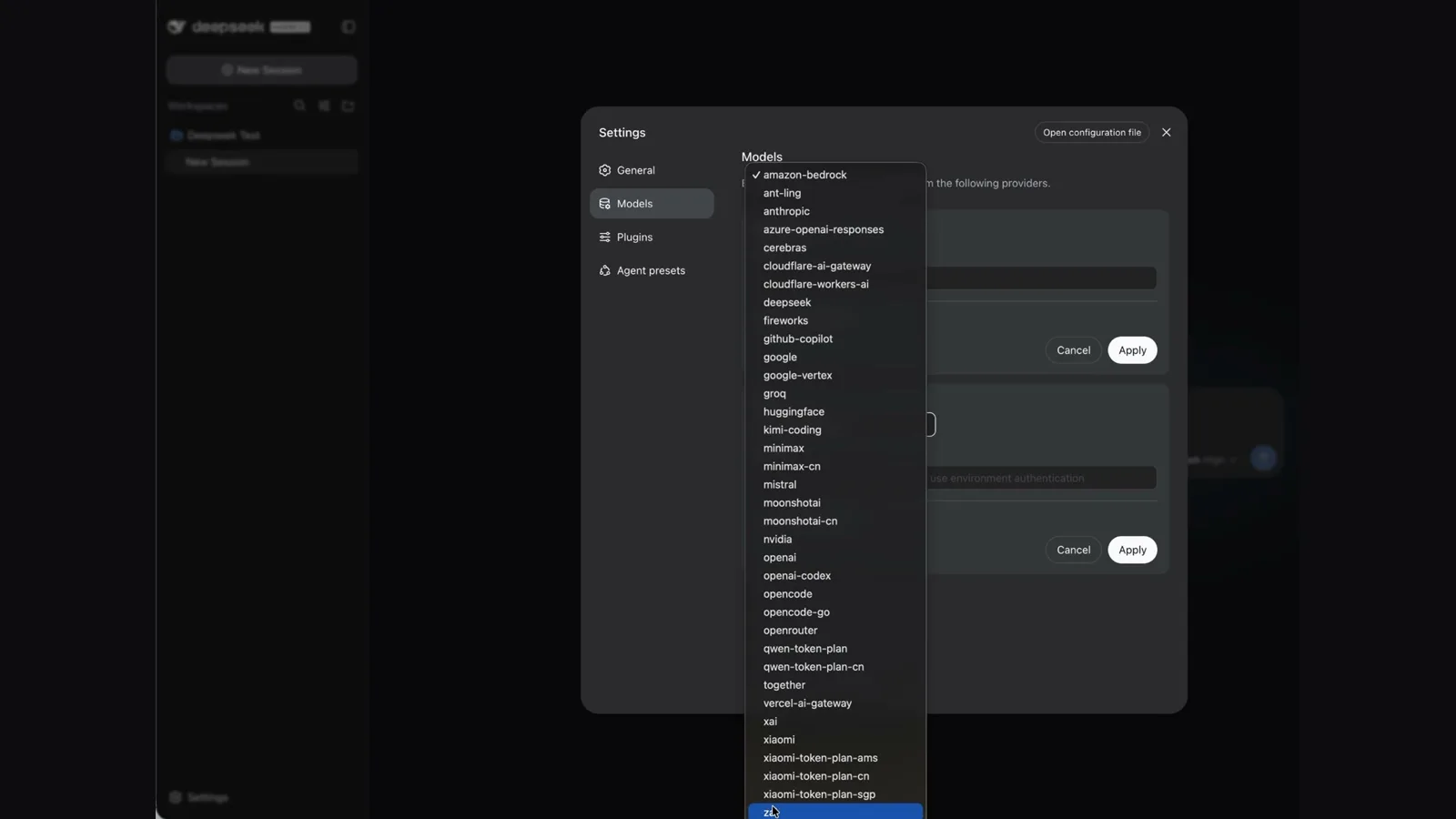
Every agent tool I use takes an OpenRouter key in roughly the same three steps: add a provider, paste the key, fetch the available models.
Do the fetch step. Most tools will let you pull the full catalogue into the local model picker, which turns switching models into one click instead of a config edit. Skipping it is why people end up with OpenRouter configured and still using one model forever.
As one example, DeepSeek Harness asks for a DeepSeek key on first run. You can skip past that and add OpenRouter instead, and the harness immediately stops being tied to DeepSeek's models at all. I walk through that specific setup in my DeepSeek Harness build, but the same pattern works in Claude Code, OpenClaw and Hermes.
If you want the version with the exact fields and the mistakes to avoid, the model setup section is in this:
When You Should Not Use It#
I am not going to pretend it is the right answer for everything.
If you are building one production application on one model and you have a contract, enterprise support or compliance requirements with that vendor, go direct. You are adding a hop and a middleman for benefits you do not need.
If you need a provider-specific feature the moment it ships, direct access sometimes gets it first.
And if you are only ever going to use one model, the flexibility is worth nothing to you. The value here is optionality. If you are not going to exercise it, do not pay for it.
For anything agent-shaped, though, optionality is the whole game. Agents burn tokens in volume, on tasks of wildly different difficulty, using models that get replaced every few weeks. That is precisely the situation where one key and a dropdown beats four accounts.
The Practical Setup#
If you are running agents rather than calling an API from an app, the model key is only half of it. The other half is having somewhere for the agent to live that does not switch off when you close your laptop.
I run mine on a small VPS. The agent sits there, the OpenRouter key sits in its config, and scheduled jobs fire whether I am at my desk or not.
Two habits that have saved me the most money. Default to a cheap fast model and escalate only when the output is wrong, rather than starting at the top. And write longer prompts, because a detailed prompt to a cheap model beats a lazy prompt to an expensive one almost every time. I dictate mine with Rambleproof for that reason, since nobody types a 200-word prompt but everybody can say one.
If you are already in Claude Code and wondering whether any of this applies to you, it does, and switching the model there is the fastest way to feel the difference.
The mental shift is small but it changes how you build: stop picking a vendor, start picking a model per task. OpenRouter is just the thing that makes that switch cost nothing.
Some links above are affiliate links, so I may earn a commission at no extra cost to you. I only recommend tools I actually use.
Moe shares tool walkthroughs and lessons from real projects. Mechanical engineer, then venture capital, now building AI tools for creators and small businesses. More about Moe