 Free Chrome extension
Copy a complete Gmail thread for AI.
Turn the conversation open in Gmail into clean, structured text for ChatGPT, Claude, Gemini, or another AI. Keep every sender, date, message boundary, link, table, signature, and attachment in context.
Free to use. No Google OAuth. No extension account. No automatic AI upload.
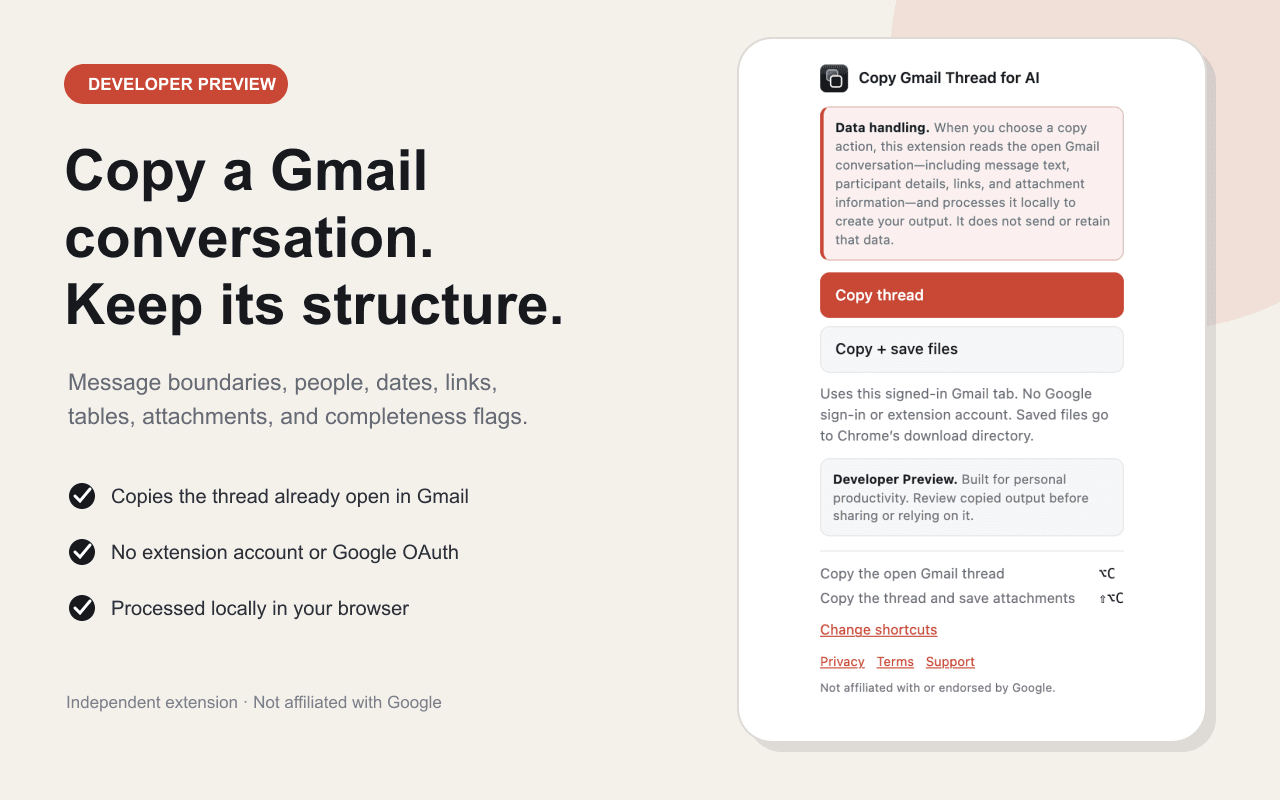
Local processing
The extension prepares the thread in your browser.
No OAuth
It uses the Gmail session already open in Chrome.
You choose the destination
Nothing is sent to an AI service automatically.
How it works
Install once. Copy in Gmail. Paste anywhere.
The workflow takes three steps and does not require a separate login, API key, or connection to an AI provider.
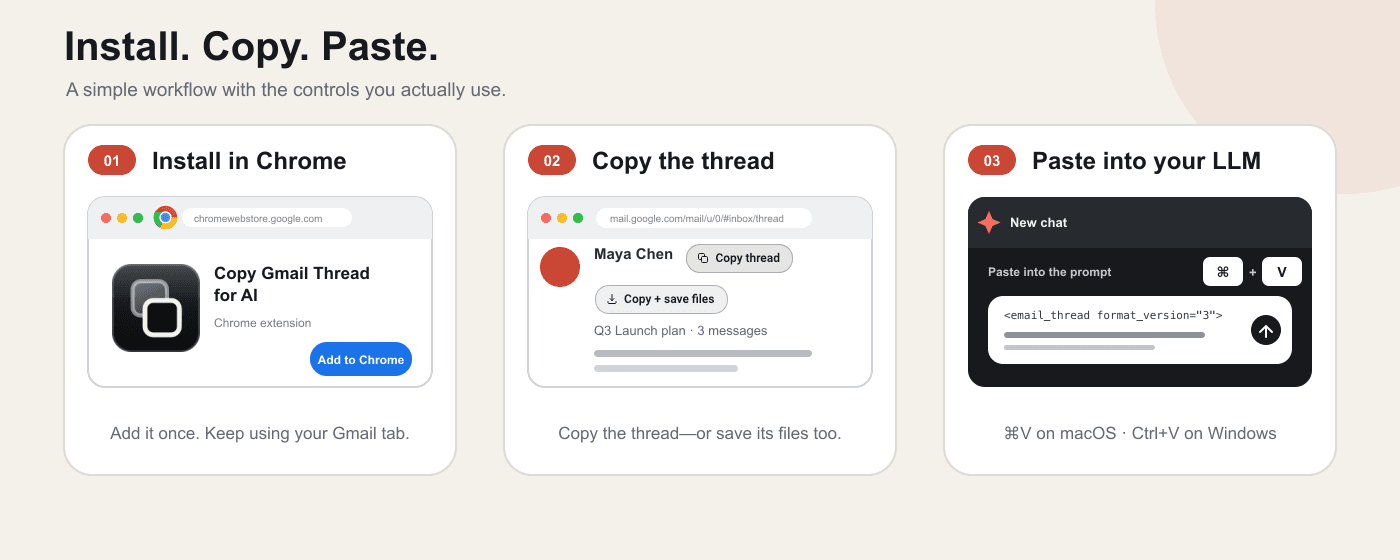
- 01
Install in Chrome
Add the extension from its official Chrome Web Store listing.
- 02
Copy the open conversation
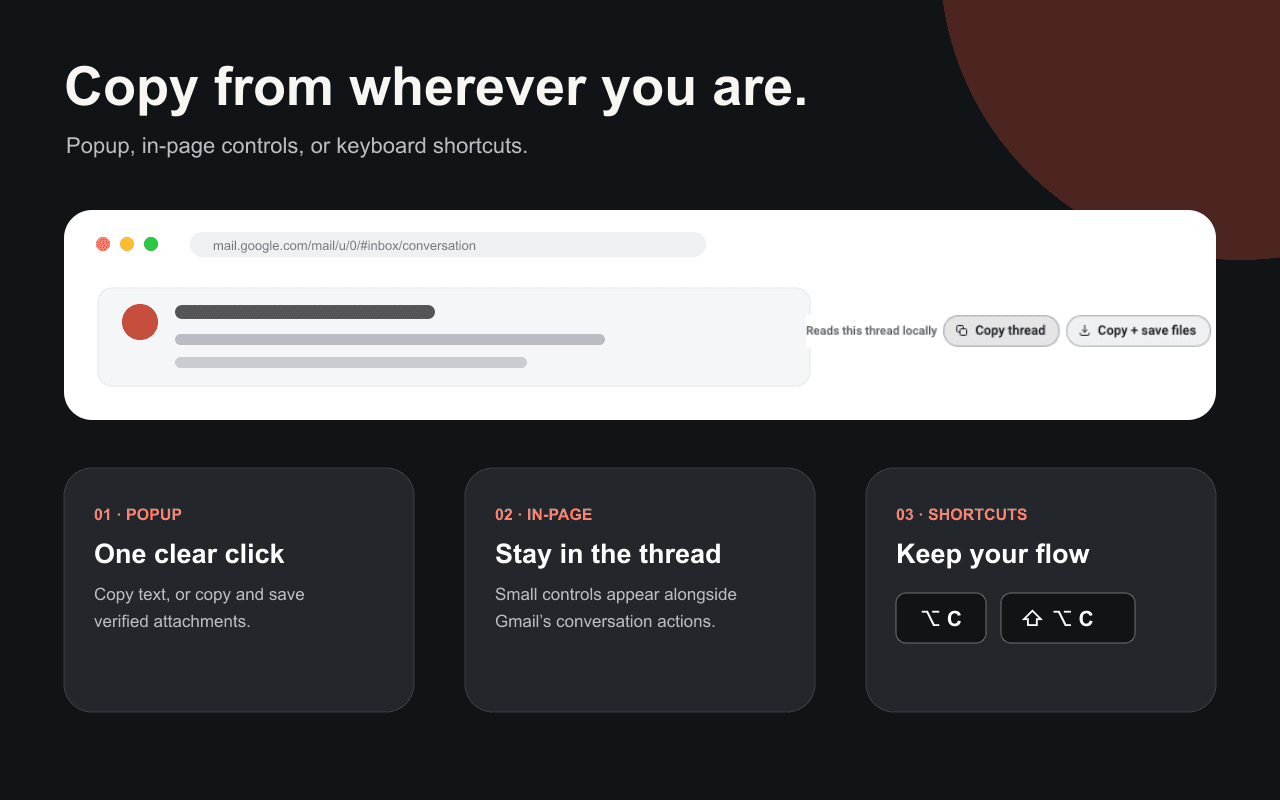
Choose Copy thread, Copy plus save files, or a configurable keyboard shortcut.
- 03
Paste where you choose
Put the structured text into an AI prompt, document, ticket, or project handoff.
Why not normal copy and paste?
A thread can look complete while missing context.
Copying the visible Gmail page can omit collapsed messages, repeat quoted history, flatten tables, lose links, and separate attachments from the messages that carried them.
Read the complete copying guideComplete conversation context
The extension requests Gmail's full view of the open conversation, including messages that may be collapsed on the visible page.
Clear message attribution
Every message keeps its sender, recipients, date, body, signature, and attachment context so an AI can tell who said what.
Warnings you can act on
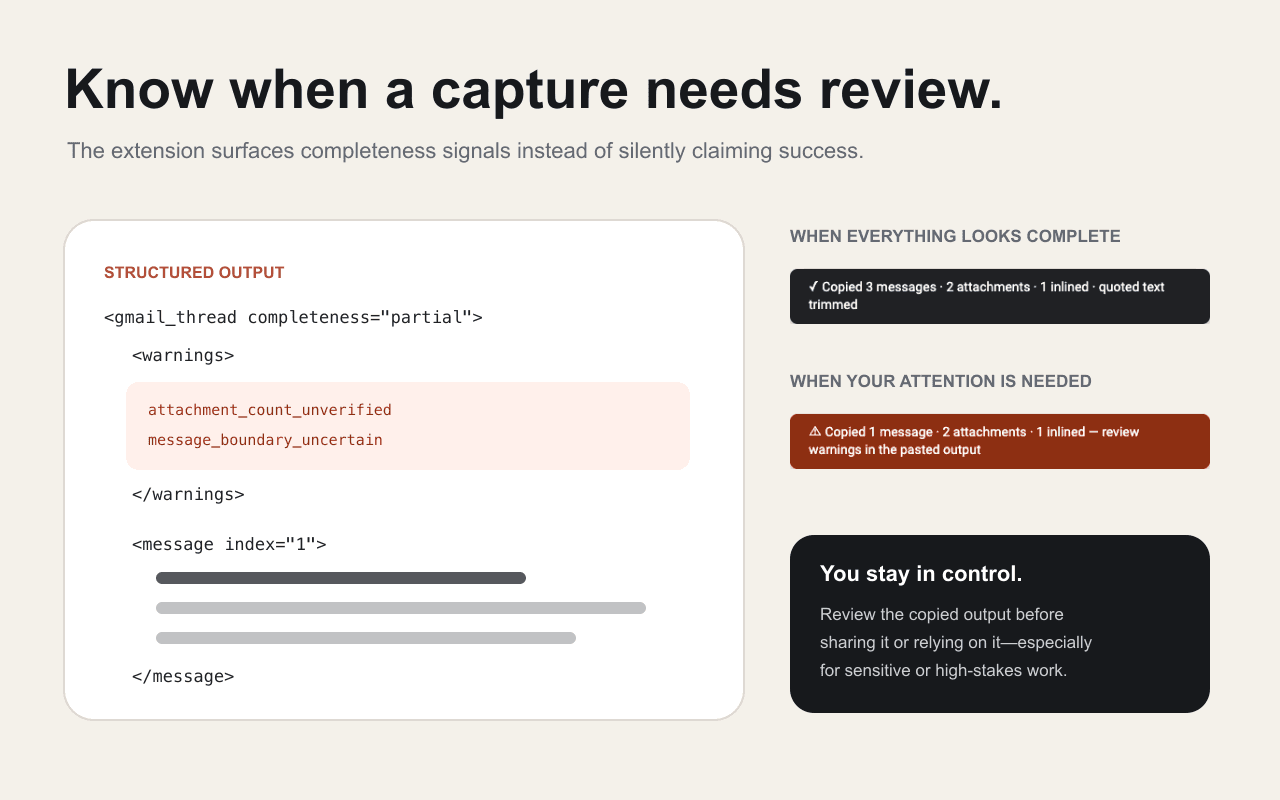
If Gmail returns an uncertain or partial capture, the copied document includes field-specific warnings instead of pretending it is complete.
Useful structure for AI
Links, lists, tables, message boundaries, and bounded text attachments become readable Markdown inside a strict XML envelope.
Designed for honest captures
It tells you when a thread needs review.
Copy Gmail Thread for AI verifies the conversation identity and records message, header, and attachment completeness separately. Unknown values stay unknown instead of being guessed.
Privacy by design
Your thread stays local until you paste it.
The extension has no publisher server, analytics, telemetry, ads, remote code, stored account, Google OAuth flow, or API key. It reads Gmail only when you choose a copy action.
Email and attachment text can still contain sensitive information or prompt injection. Review the capture before sharing it or asking an AI to act on it, especially in high-stakes work.
What you can do with it
One clean thread. Better answers.
The extension does not summarize or write replies itself. It gives the tool you already use a more complete, reviewable source.
Draft a complete reply
Give your AI the full history, then ask it to answer every open question without repeating points that were already resolved.
Summarize a long thread
Extract the timeline, decisions, disagreements, owners, commitments, and next actions from one reviewable source.
Prepare a handoff
Turn a client, vendor, recruiting, or project conversation into context another person can understand quickly.
Review commitments
Ask what each participant requested, promised, rejected, or left unresolved, with message-level attribution.
Gmail thread guides
Start with the exact job you need to finish.
These guides cover copying, downloading, forwarding, and summarizing a Gmail conversation without forcing one answer onto every use case.
How to copy an entire email thread in Gmail
The fastest exact workflow, plus what ordinary copy and paste can miss.
Guide 2How to download an email thread from Gmail
Choose the right format for a PDF record, an attached email, or AI-ready text.
Guide 3How to forward an entire email thread in Gmail
Use Gmail's native option, or share cleaner context when the destination is an AI tool.
Guide 4ChatGPT for Gmail without connecting your inbox
Give ChatGPT one complete conversation while keeping the paste step under your control.
Guide 5How to summarize a long email thread with AI
A practical prompt for timelines, decisions, open questions, and next actions.
Questions
Copy Gmail Thread for AI FAQ
How do I copy an entire Gmail thread?
Install Copy Gmail Thread for AI, open the conversation in Gmail, and choose Copy thread from the popup or the small control beside the subject. The complete structured conversation goes to your clipboard, ready to paste where you choose.
Does the extension connect ChatGPT to my Gmail account?
No. The extension does not connect an AI service to Gmail and does not upload a thread automatically. It creates structured text locally, and you decide whether and where to paste it.
Does it need Google OAuth or a separate account?
No. It uses the Gmail session already open in Chrome. There is no Google OAuth flow, extension account, API key, or publisher sign-in.
Can it include attachments?
It records attachment context per message. Copy plus save files can start downloads for verified Gmail attachments and save thread.xml in a thread-specific folder. Bounded text files can be inlined, while PDFs, Office files, images, archives, audio, and video are listed but not parsed.
What happens if Gmail does not return the whole thread?
The output includes completeness fields and machine-readable warnings. The interface also shows a warning state so you know to review the capture before relying on it.
Is Copy Gmail Thread for AI free?
Yes. The Chrome extension is free to install and use, with no extension account and no in-app purchases.
Is this affiliated with Google, OpenAI, Anthropic, or Microsoft?
No. Copy Gmail Thread for AI is an independent extension from Zena Labs LLC. It is not affiliated with, sponsored by, or endorsed by those companies.
Copy the whole conversation. Keep the context.
Install the free extension, open a Gmail conversation, and turn it into structured text with one click.
Add to Chrome, freeDeveloper Preview. Review copied output before sharing or relying on it.