How to Use Hermes Agent to Build AI Websites You Can Sell
I gave a Hermes agent a cafe's dated website and got a research brief, a new WordPress site and a pitch email. Here's the full system, for about $22 a month.
 By Moe Lueker
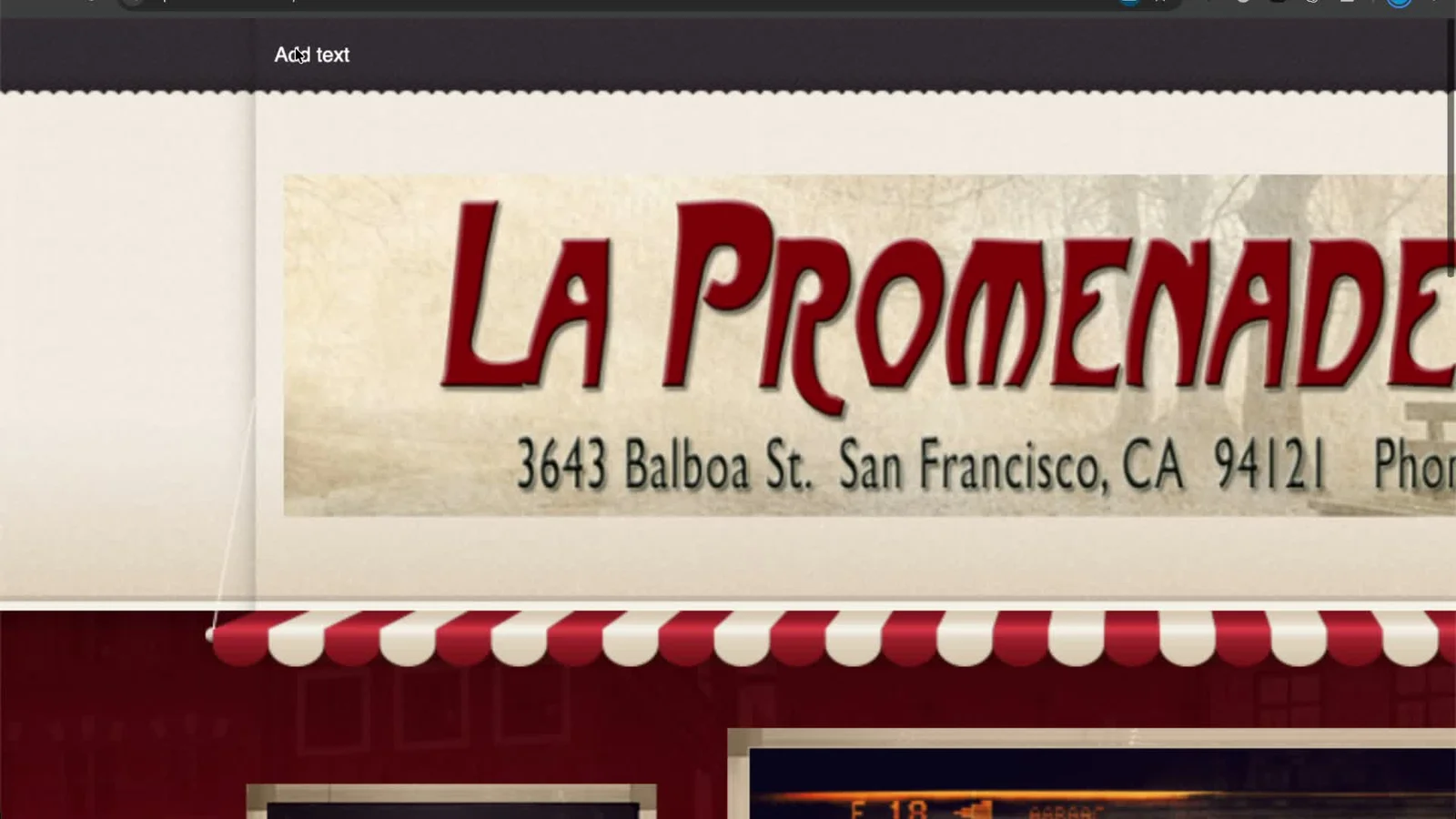
The website of a cafe in my neighborhood literally says "Add text" at the top. Somebody started a template years ago and never finished it.
I gave that link to my AI agent. A few minutes later I had a researched design brief, a working WordPress site with a menu, a map and a contact form, and a short email to the owner offering it as a free preview.
Anyone can make a website with AI now. The harder questions are whether it's good enough to sell to a real local business, how you find the businesses that need one, and how you do ten of them without repeating all the work. That's the system this post walks through.
Two tools, back and forth#
The whole thing runs on two tools, and you pass work between them.
Hermes Agent does the thinking and writing. It finds businesses with dated websites, researches each one and writes a website brief. Later it drafts the pitch email.
The Cloudways AI Website Builder does the building. You paste the brief in and it builds a real WordPress site on your own server.
Both run on Cloudways, who sponsored the video this post is based on. Thanks to them, I could take the full path from finding a business to putting a site on its domain, instead of stopping at a demo.
If you own a local business yourself, the same steps work for upgrading your own site. You just skip the pitch.
Step 1: Put Hermes somewhere it never sleeps#
The agent needs to run when your laptop is closed, especially once you put it on a schedule. That's why I stopped hosting Hermes on my own machine.
On Cloudways Managed AI Agents it took me about a minute. Deploy Agent, pick Hermes, pick the closest server (San Francisco for me), and choose a plan. I went with Scout, which was $9.99 a month when I recorded this. Operator and Squad give you more memory if you need it.
For the model provider I picked OpenRouter, because one key gives you access to nearly every model. I'm not affiliated with them. I created a key called "Hermes AI Website Builder", gave it a $20 monthly credit limit, pasted it in and deployed. One minute later the agent was live.
If you want the deeper tour of the dashboard and plans, I covered it in how I run Hermes Agent 24/7 without a VPS.
Step 2: Teach Hermes the job once#
A fresh agent knows nothing about what you're trying to do. So the first prompt is a setup prompt that teaches it the job and saves it as a reusable skill called local-site-pitch.
There's a quick version and a pro version. I recommend the pro one. It asks you a few questions before saving anything: which model writes the briefs and emails, whether to use a cheaper model for web research, and your name, what you do and your city.
I used Claude Sonnet 5.5 on high reasoning for writing and a cheaper Haiku model for research. When it finished, it had updated its config and saved the skill. From then on, every new business is one message.
I dictated my answers instead of typing them, with Rambleproof, the free dictation app I built and use all day.
Step 3: Find businesses that need a new site#
In a new chat, the find prompt asks for five local businesses with dated or broken websites. The agent already knew my city from the setup, so it searched San Francisco without me repeating it.
It came back with La Promenade Cafe, a few auto shops and a shoe repair shop. Open each site yourself before you build anything. Some were genuinely rough. One auto shop looked decent and just needed to convert better. Trades that already pay for marketing, like plumbers and lawyers, usually have good sites already, so cafes, shops and small trades are the better place to start.
Step 4: Turn one business into a real brief#
Next, the research prompt with one business link. Hermes read the cafe's site and listing, listed the problems with the current site and pulled three details only this cafe has. Then it wrote a brief for the website builder.
That brief is the whole trick. The builder has its own template prompts, and the cafe one is very generic. A generic prompt gives you a generic site. A brief with real details, real hours and a design direction gives you something an owner might actually want.
Step 5: Build it in the Cloudways AI Website Builder#
In Cloudways, open the AI Website Builder, paste the brief and pick a server. You can choose the Lightning Stack or the Hybrid Stack, and there's a "help me choose" option if you're unsure. For a small site, a 1 GB or 2 GB server is plenty.
The first build was a clean start: a minimal nav bar, the phone number up top, a menu you can filter by category, an embedded Google Map, opening hours and a contact form.
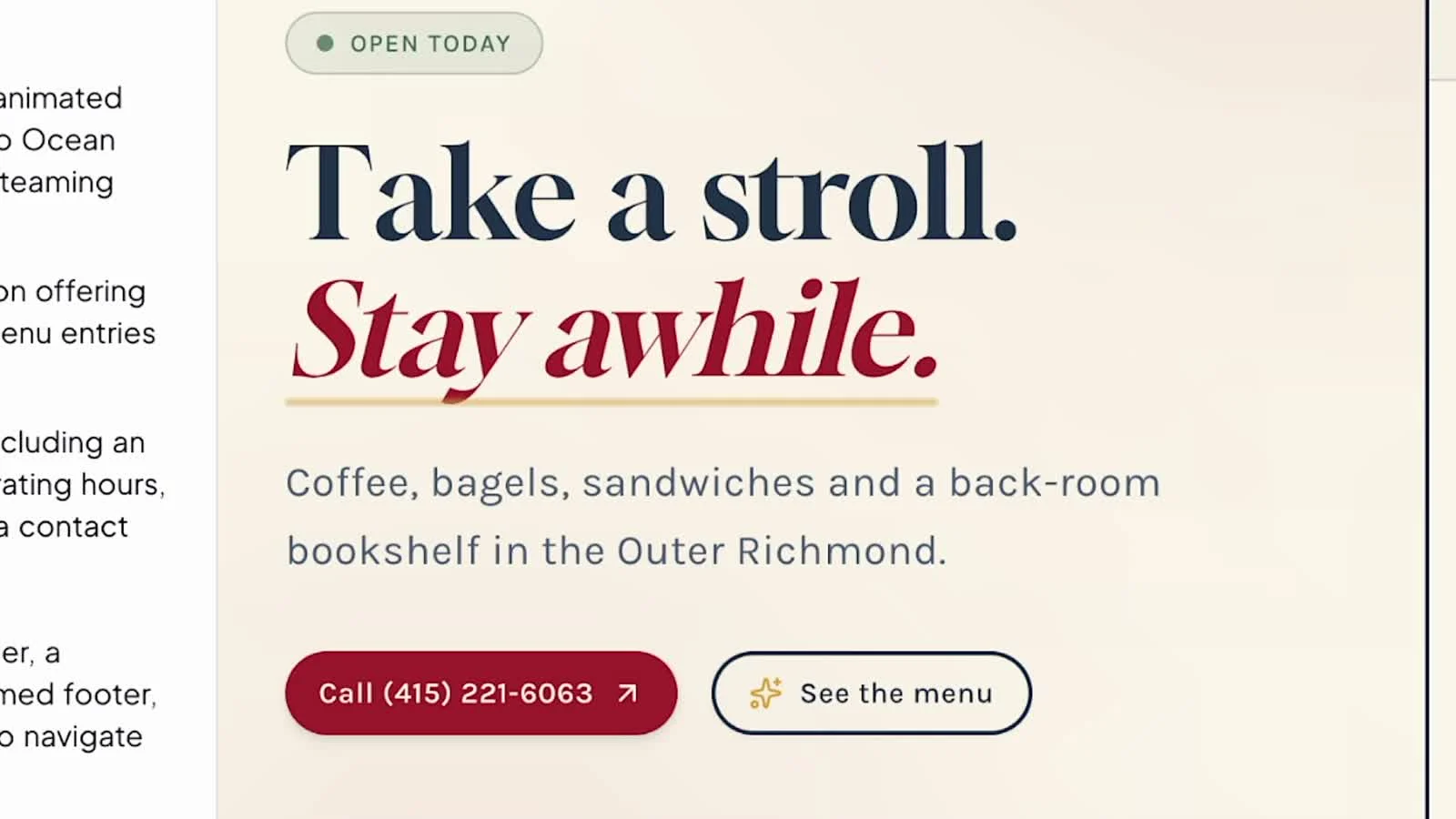
I wouldn't ship it exactly like that. Some images were AI generated, so you'd swap in real photos and the real menu before showing it to anyone. You can fix things two ways: prompt the builder chat for site-wide changes, or select one element and ask for a change to just that. Each chat edit uses an AI credit, so small text fixes are faster by hand in the visual editor.
Because it's WordPress on your own server, handing it over is simple too. You can create an account for the owner or give them admin access.
I then asked Hermes for a few more design prompts and pushed the cafe further. That version reacts to your cursor and has a scroll animation where the beans get ground, the espresso pours and the milk forms a little heart.

I did the same for an auto repair shop and a shoe repair shop. The auto shop got a clear list of services, a drop-off request form and a service reminder. The shoe repair shop leaned into its history since 1900, with a 3D boot you can pull apart layer by layer.
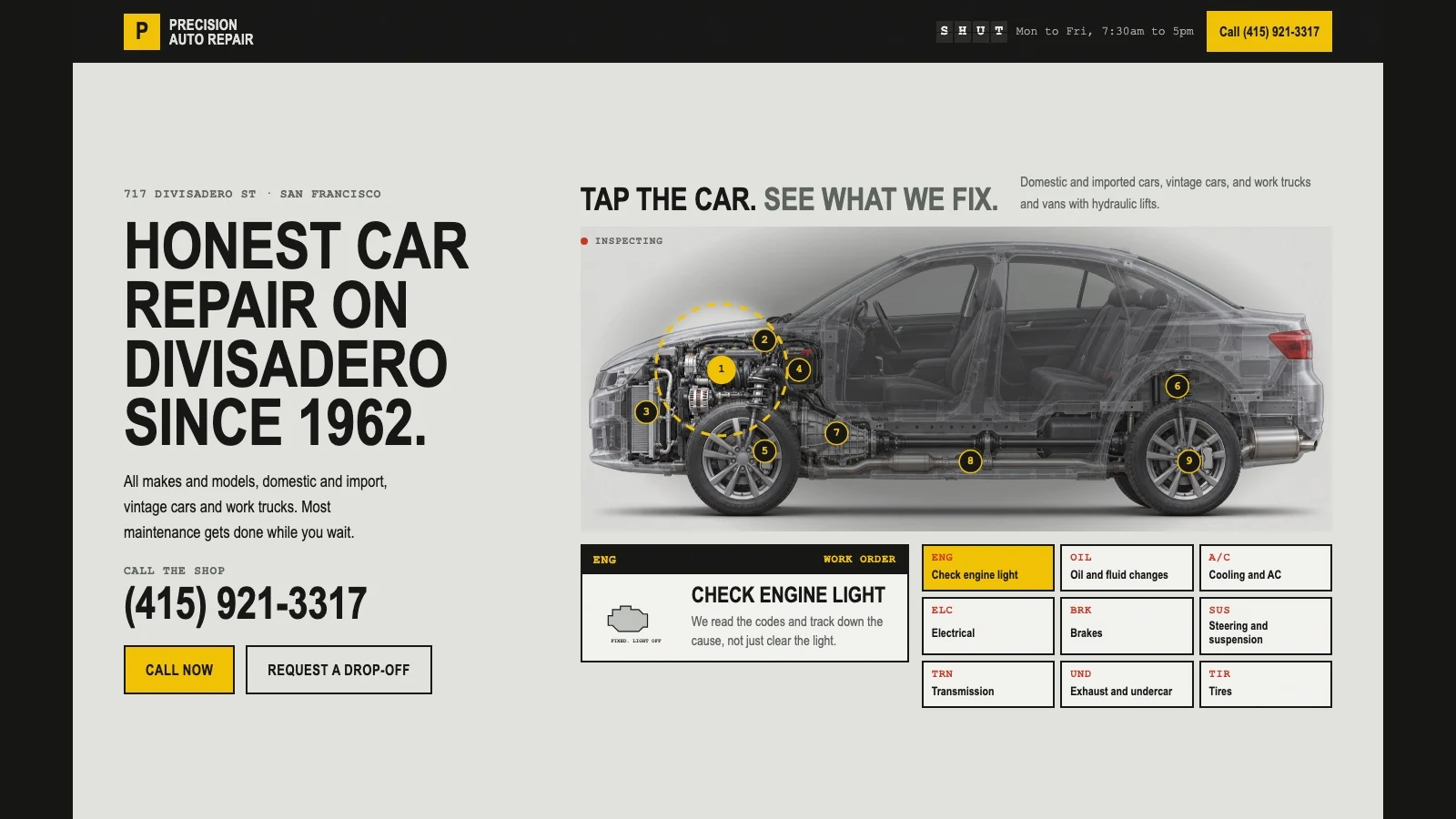

Honestly, I preferred the original for one of the three. The shoe shop's clean black-and-white site already fit them well. Not every business needs a redesign, and that's worth knowing before you pitch.
If you'd rather build sites like this in code, I walk through that route in how to build and deploy a website with Claude Code.
Step 6: Send the site, not a question#
While the site builds, go back to Hermes and run the email prompt with the preview link and password. Mine wrote a short note: who I am, one specific thing about the cafe, the free preview link and how to open it, and an easy way to say no thanks. You read it, change anything that doesn't sound like you, and send it yourself.
For years I sent the email first and built the site only if the owner replied. That works worse. Business owners are busy and rarely answer a cold email. A link they can click, showing a site that's clearly better than what they have, gets a lot more attention than a question.
Keep every preview password-protected so nothing goes public under their name, and describe the old site kindly.
Doing that work upfront for every business sounds slow, and that's exactly where the agent earns its keep. Put it on a schedule and the research, briefs and drafts are waiting for you every morning. I go deeper on scheduled Hermes workflows in 11 Hermes Agent use cases that actually work.
Taking it live#
Say the owner likes it. Inside Cloudways, open the app, go to Domain Management and add their domain, or connect one you already manage in Cloudflare. SSL is a short form and an Install Certificate button. One gigabyte runs a small site like this fine, and you can move it up to two from the dashboard if it gets busy.
One more tip if you run out of Claude Code or ChatGPT usage: the Cloudways MCP server. Create an access token and connect it to Claude or ChatGPT, and your own agent can manage the server too.
What it all cost#
- Hermes Agent on Cloudways: $9.99 a month on the Scout plan
- AI credits for the whole video: about $1.74 of Claude Sonnet 5.5 through OpenRouter
- Cloudways server for the sites: starting around $11 a month, and one server holds several WordPress sites
That's about $22 a month for an always-on agent plus a server for all the previews. What you charge depends on the site and where you are: a basic site, a lead generation site and a full e-commerce store are very different jobs. Quotes of about $2,000 to $10,000 are common depending on complexity.
The building part is now the easy part. Selling the site is the hard part, and the system above is built to make that easier: the work is done before you ever ask.
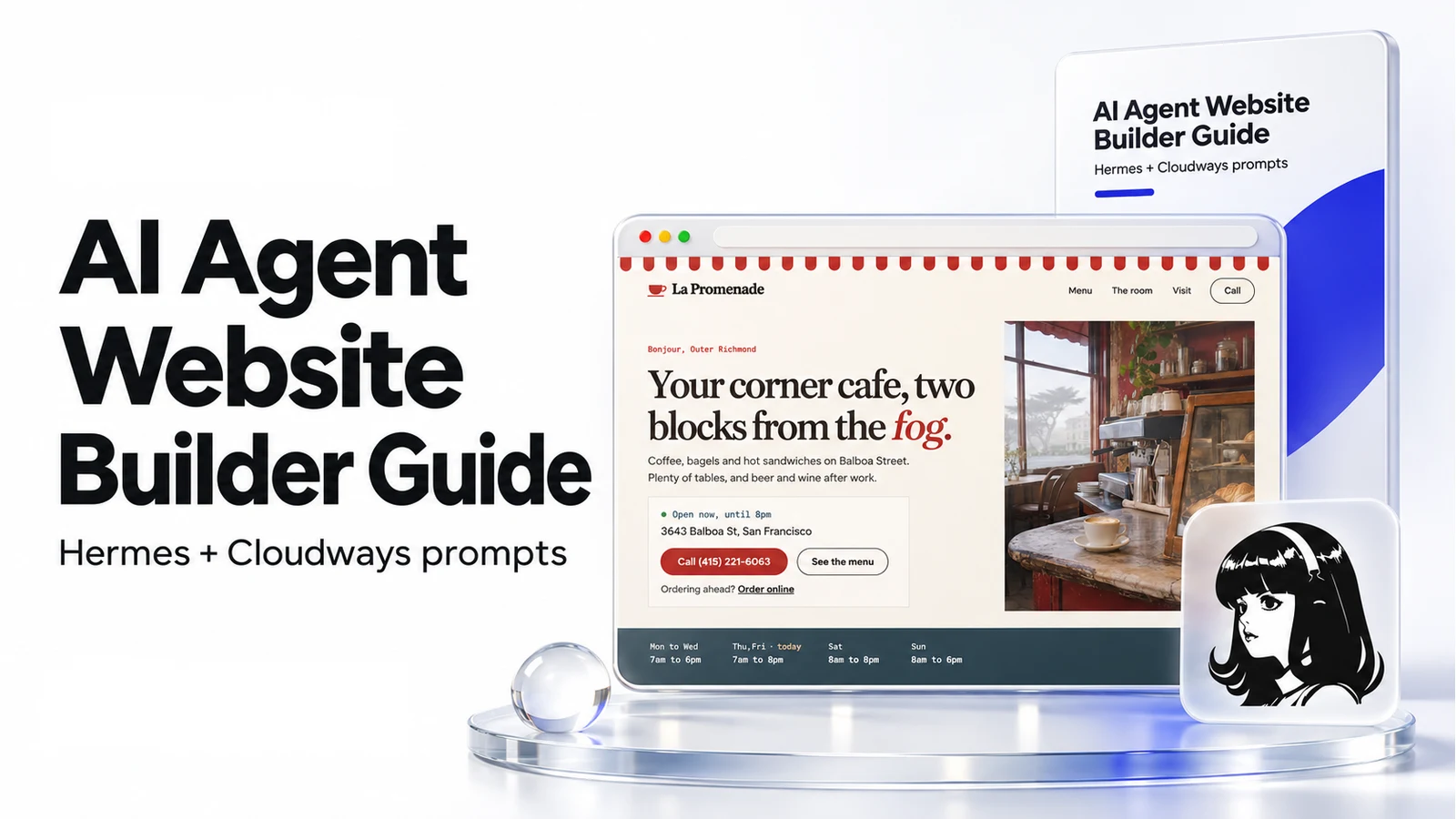
Every prompt I used is in the free guide, in the order you use them: both setup prompts, the find, research and email prompts, the builder fix prompts and the batch prompt for the next five businesses.
You can try the Cloudways AI Website Builder here.
Watch the full walkthrough on YouTube: How to Use Hermes Agent to Build AI Websites You Can Sell
Some links above are affiliate links, so I may earn a commission at no extra cost to you. I only recommend tools I actually use.
Moe shares tool walkthroughs and lessons from real projects. Mechanical engineer, then venture capital, now building AI tools for creators and small businesses. More about Moe
Get new videos in your inbox
Weekly AI workflows. No fluff.
No spam. Unsubscribe anytime.