How to Use REA: I Cloned My Own App and Put It Online
How to use REA (Reverse Engineer Anything): I pointed it at my Mac app with no source code, rebuilt its read-aloud feature and put it online for about $28.60.
 By Moe Lueker
I pointed the most viral repo on GitHub at my own Mac app, gave it no source code, and asked how the app works. It came back with the speech model, the voice and how the app is put together. Then Claude rebuilt the read-aloud feature as a web app, and I put it online where anyone can try it.
The tool is REA, short for Reverse Engineer Anything. It had 335.7K GitHub stars when I checked on October 19, 2026. Here is how to actually use it, what it found in my app, what the whole run cost, and what I think it means if you build or sell software.
What REA actually is#
REA is a free, MIT-licensed tool that plugs into your coding agent, like Claude Code or Codex. It doesn't do the reverse engineering itself. It connects your agent to tools that experts have used for years, like Ghidra and Hopper, and lets the agent drive them in plain English.
- You ask
One plain-English question about one feature
- Your coding agent
Claude Code, Codex, Cursor or Gemini CLI
- REA
An MCP server that picks the right tool for the target
- Analysis tools
Ghidra, Hopper or IDA, a browser, runtime capture
- The answer
A reconstruction, the evidence and a list of unknowns
Here is the part most people get wrong. REA does not give you back the original source code. That code is gone once an app is compiled. What you get is the agent's best reconstruction of the logic, the evidence for each claim, and a list of what it couldn't work out.
All of this was possible before if you had the skills and a few weeks. Now it takes a few hours, sometimes minutes.
The second half of my video goes past the local demo every other tutorial stops at: I put the rebuilt page online with Hostinger Connector, which lets Claude publish to your Hostinger account from the same chat. Hostinger sponsored this video, and I'm thankful for that, because shipping is the part most tutorials skip.
Why I pointed it at my own app#
Two reasons. Pointing it at someone else's product is wrong and legally questionable. And I wanted to check whether it really decoded how my app works, which only works if you have the source code. I do.
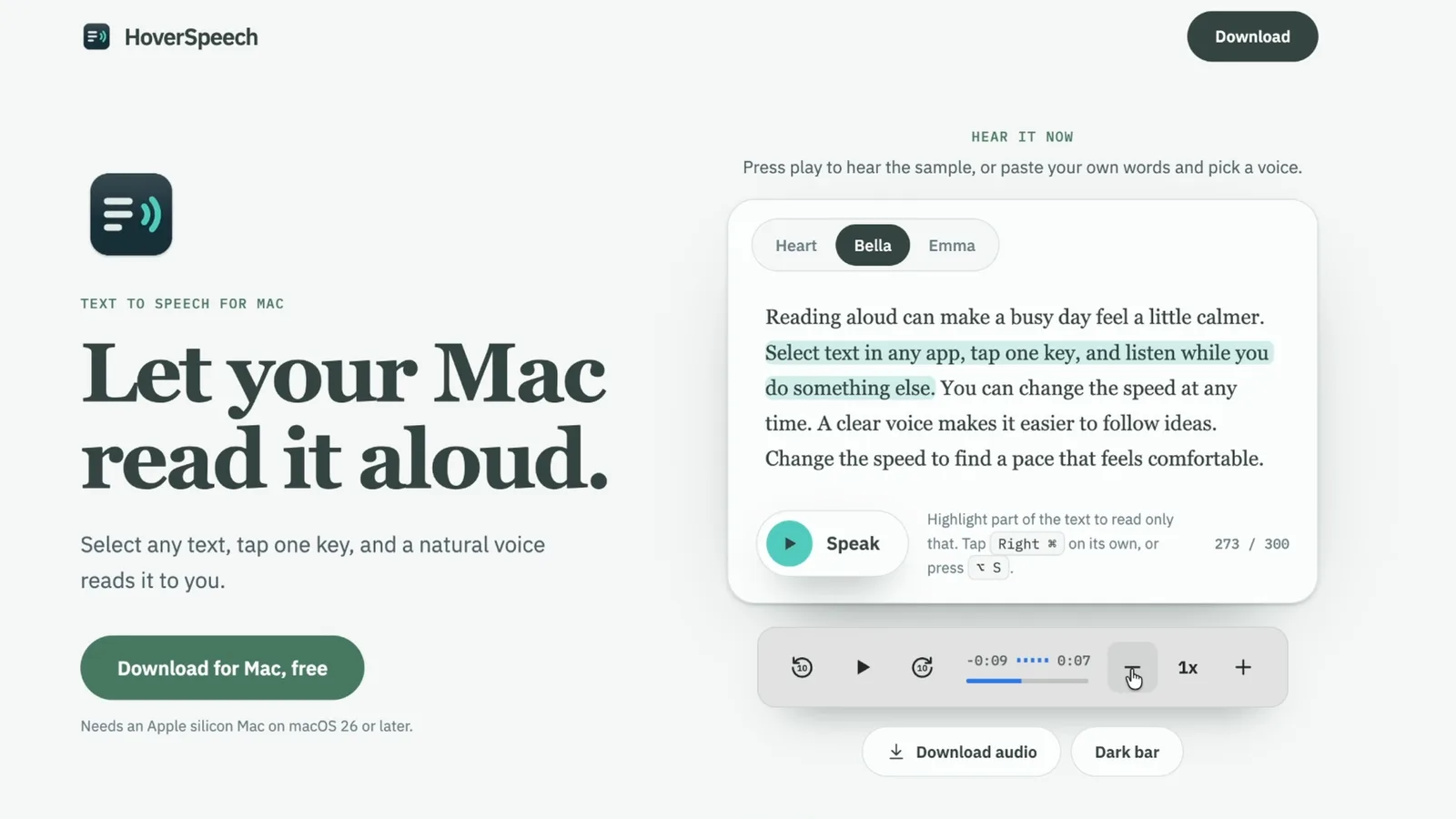
The target is HoverSpeech, a free Mac app I built and released. You select text anywhere, tap one key, and a natural voice reads it to you with a small floating playback bar. Nobody has its source code but me.
How to install REA#
If you're comfortable in Terminal and have Node.js installed, it's one command:
npx rea-agents setup
REA needs Node.js 22.19 or newer (or 24.11+, or 26+). The setup asks which agents to configure, shows you the changes and backs up your config before it writes anything.
The easier route is to ask your agent. I pasted the REA GitHub link into Claude Code and said this:
Install REA from https://github.com/morluto/rea. I'm using Claude Code on a Mac. Install it on this Mac, and tell me if it needs anything else, like Ghidra or Hopper.
Before touching anything, Claude laid out the plan: what it would download, which config file it would edit, and that neither Hopper nor Ghidra was on my Mac yet.
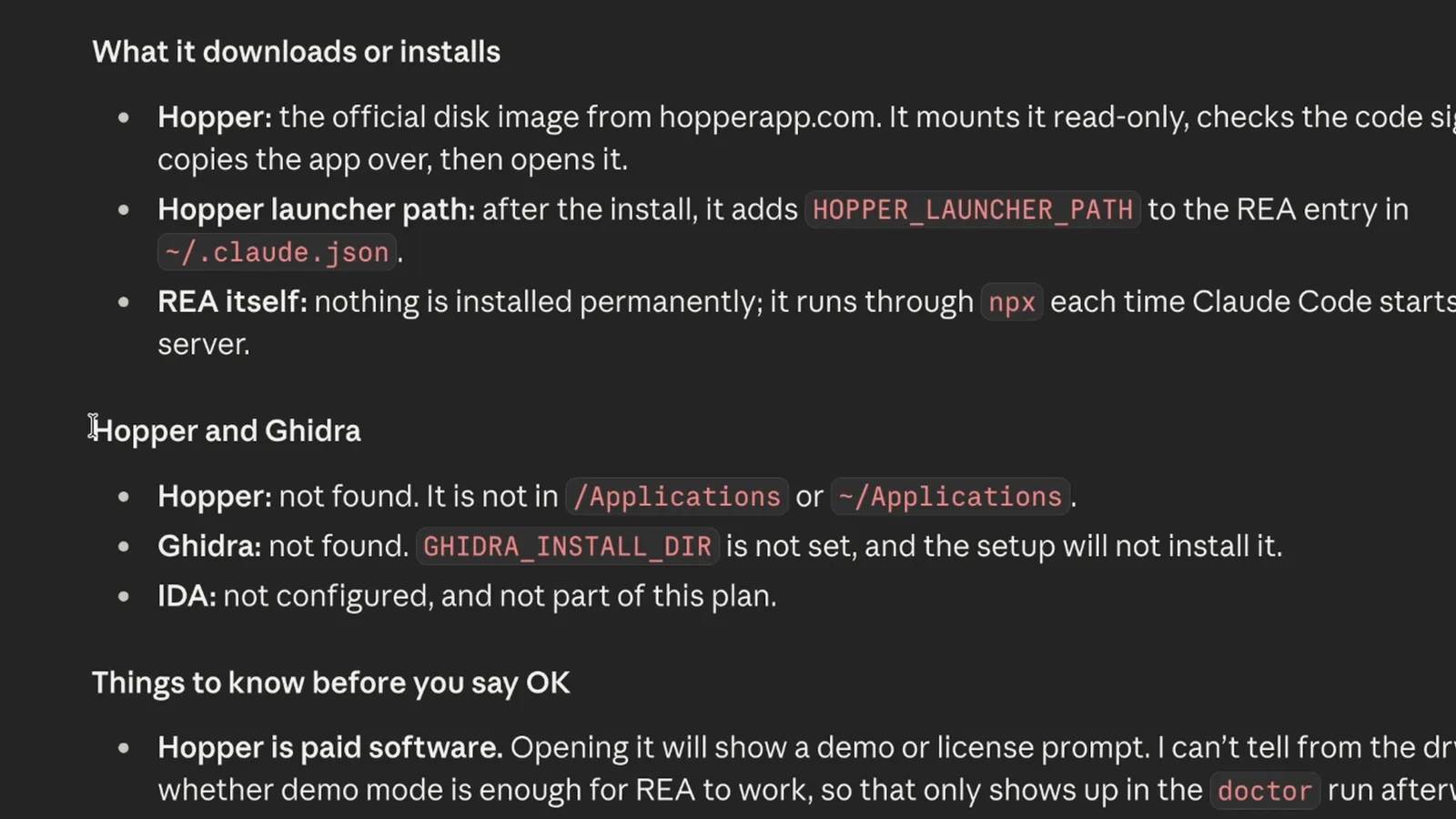
For a native Mac app you need a decompiler. Ghidra is free and Hopper is paid with a demo. Don't worry about picking one up front. Claude tells you which one the target needs, and you can ask it to install that for you. I went with Ghidra.
I dictate all of these prompts with Rambleproof, the dictation app I built. I speak about 250,000 words a week into it, which is why my prompts read like I'm talking.
Set up a fair test folder#
This is the step that makes the result mean something. I opened a brand new, empty folder, downloaded HoverSpeech from my own site the way a stranger would, and put it in a target folder. The agent had no way to read my source code.
Then, in that empty folder, I checked that REA was ready:
I want to start using the REA MCP. Please check if it is available and what tools you have within that MCP.
It listed a long set of REA tools. It looks intimidating. You never call them yourself, the agent does.
The reverse-engineering run#
My prompt asked one narrow question: how does HoverSpeech turn text into speech? Which engine, which voice, and what happens between the text coming in and the first word being spoken. I told it to sort every claim into what it could prove, what it inferred and what it couldn't see, to skip sign-in and update code, and to save everything to a file.
Claude Code ran the reverse-engineer-anything skill, opened the app's helper binary with REA, read its file list and plist, and started building a case.
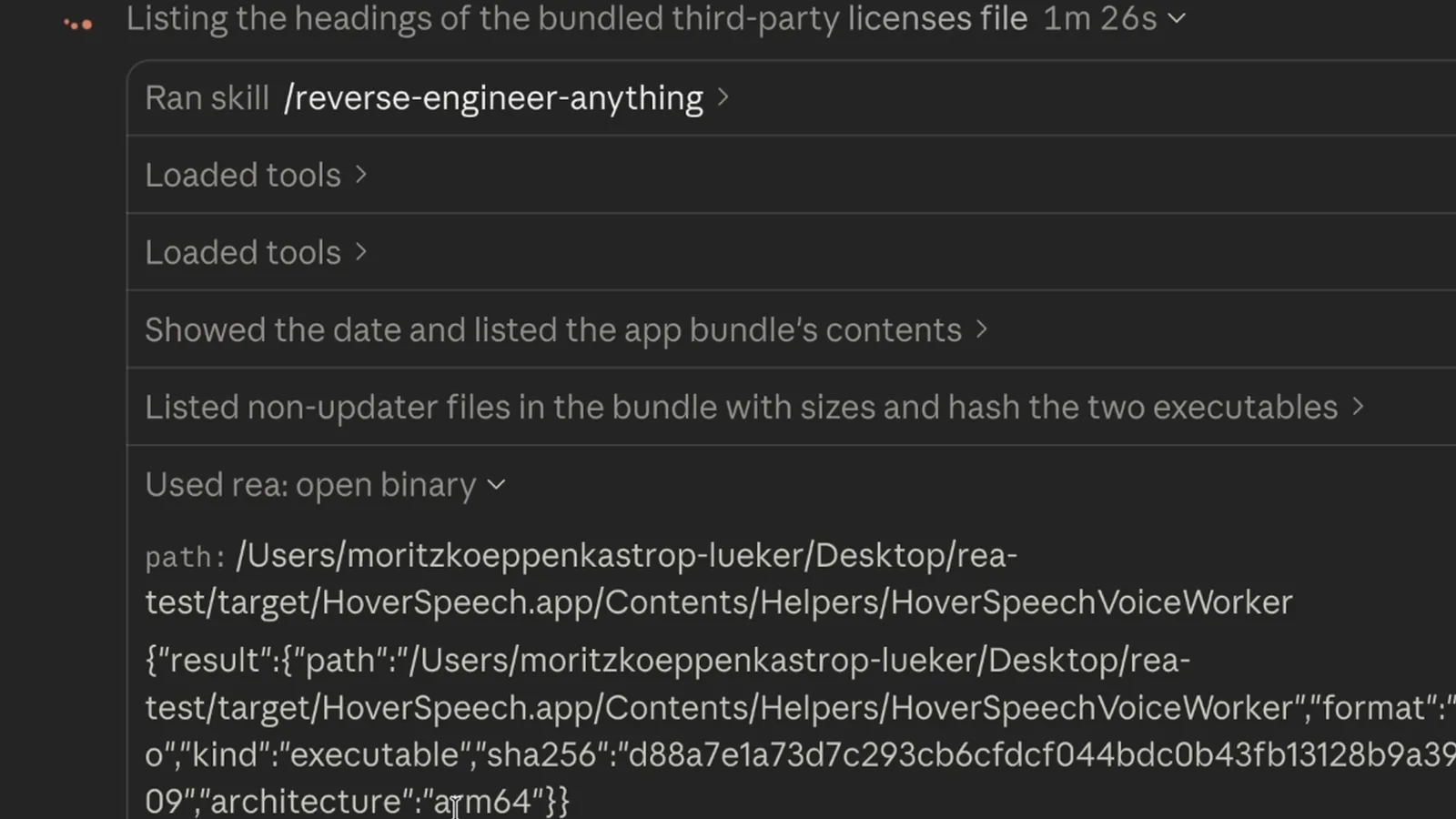
Then something broke. REA's Ghidra step timed out twice, after 330 seconds each, on the app's biggest file, a 16 MB helper. So the agent fell back to what it could read without a decompiler: text labels, the file list and the type names baked into the app.
It still got the important parts right. It found that the natural voice is the Kokoro-82M model running through the FluidAudio library, with the "Heart" voice, and that the model isn't shipped in the app but downloaded on request. That matches how I built it.
Proved from the files
24- Three speech engines: Kokoro, Apple's system voice and optional custom voices
- The natural voice is Kokoro-82M run through the FluidAudio library, voice "Heart"
- The model is not in the app: 49 files, about 95 MB, download on request
- The voice runs in a separate helper process, not the main app
Inferred, not proven
7- Text is split into sentence-sized pieces and voiced a little ahead of playback
- The helper process keeps a model crash away from the main app
- Speed changes happen after the voice is generated
Could not see
7- The actual logic: Ghidra timed out twice, after 330 seconds each, on the 16 MB helper
- What happens when the voice model is missing
- Sign-in and update code, which I told it to skip
The honest split is the most useful part. The agent didn't pretend it read logic it never saw. If a run stalls like mine did, ask the agent what it could and couldn't read, and point it at a smaller piece of the app.
The web clone next to the real app#
In the same session I asked Claude to use those findings and build a bare-bones local web app that does the one thing HoverSpeech does: read text aloud in the same voice, running on my Mac. A text box, a Speak button, sentence highlighting, and a playback bar copied from the app.
Then I put them side by side. The light bar on the left is the web clone. The dark bar at the bottom is the real HoverSpeech reading the same text.
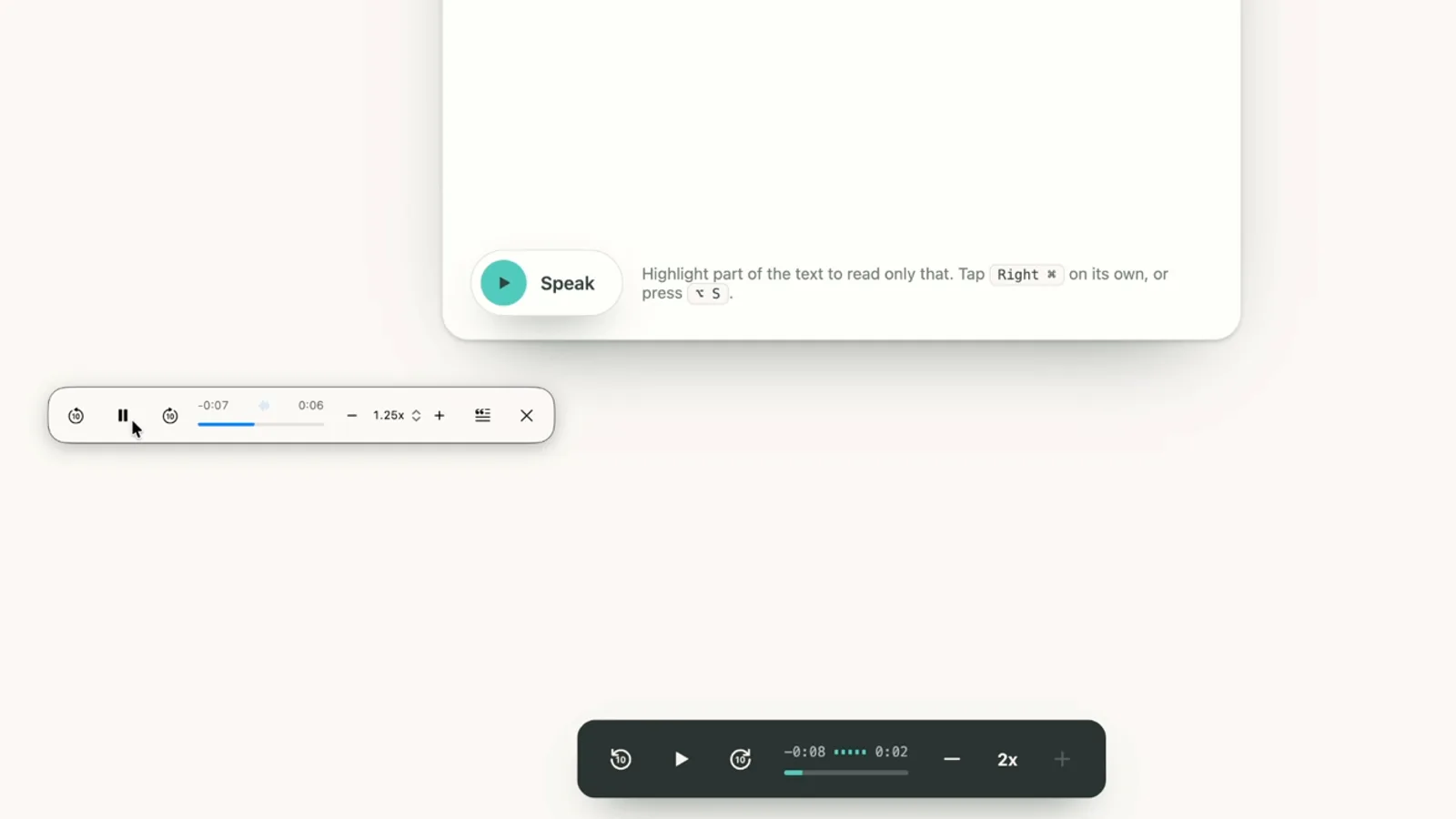
They look very similar. A few prompts later it had more voices, a light theme, a download button for each clip, and a button to get the real Mac app.
Put it online with Hostinger Connector#
Most REA demos stop on localhost. I wanted a page other people could use, and that needs two things: a place to host the page, and a server for the voice.
Hostinger Connector#
I've used Hostinger for years. Their connector links your Hostinger account to Claude Code and Codex, so the same agent that built the page can deploy it. You don't configure a VPS or set up Docker yourself.
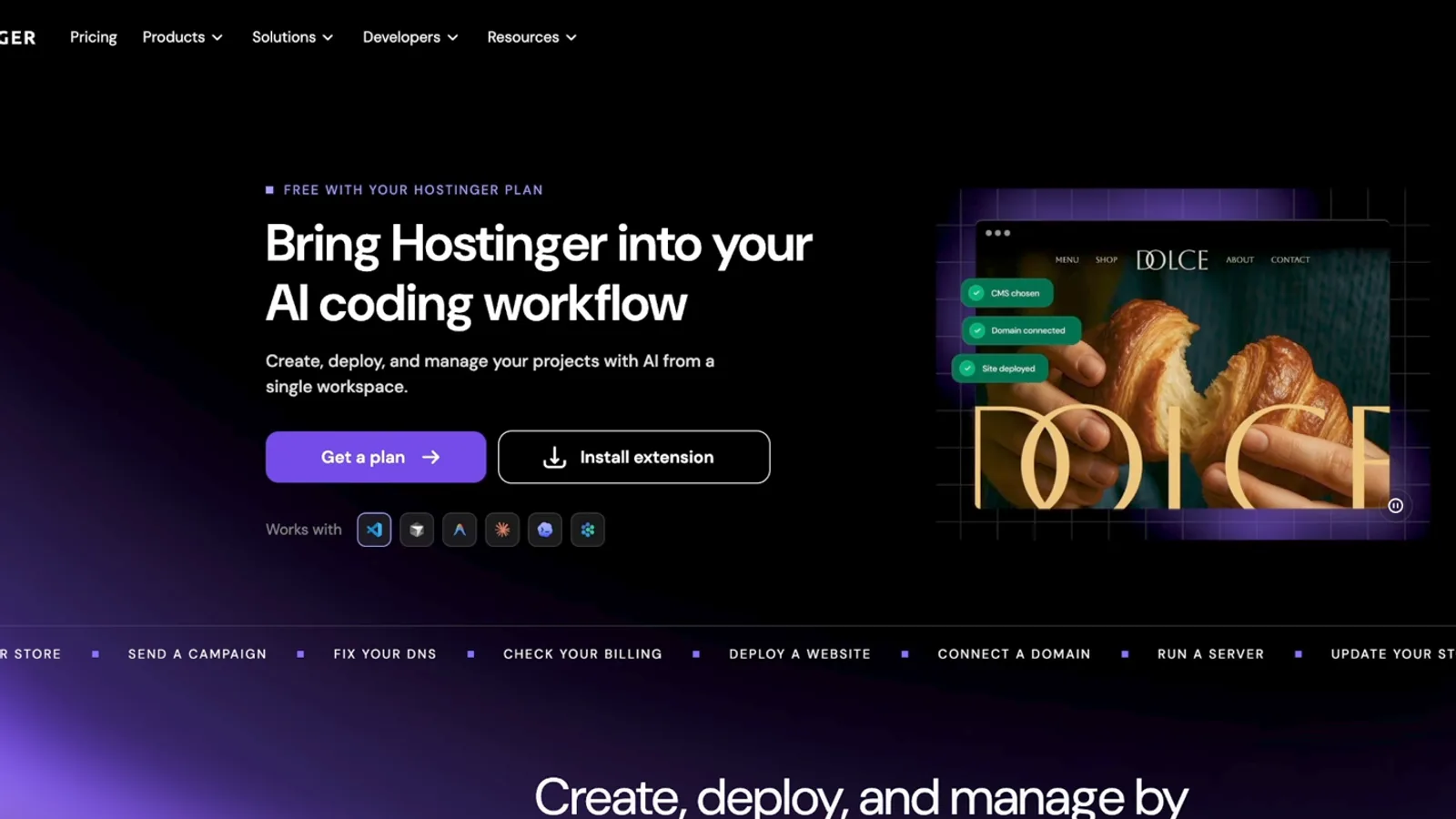
When I filmed, the plans started at $3.99 a month. I'd pick the unlimited plan if you want several websites and a free domain, or Cloud Startup if you'll host multiple web apps. The 48-month term is the cheapest per month. At checkout, code MOE-LUEKER gets you an extra 10% off through my Hostinger link.
To connect it in Claude: Customize, then Connectors, search for Hostinger, click the plus (or Reconnect), and approve access. You can choose what it's allowed to do. I allowed everything for this demo; you might want to be stricter.
Deploy with one prompt#
For the voice, I didn't run anything in the browser. My own Kokoro voice server already runs on a Hostinger VPS, so the page sends text there and gets audio back. Then one prompt did the deploy:
That sounds good. Can you now go ahead and use the Hostinger Connector in order to deploy this on my hosting account on a temporary website and connect everything so it's all working?
Claude deployed the page to a temporary domain on my Hostinger account and connected it to the voice server. It was off localhost and on a public address anyone can open.
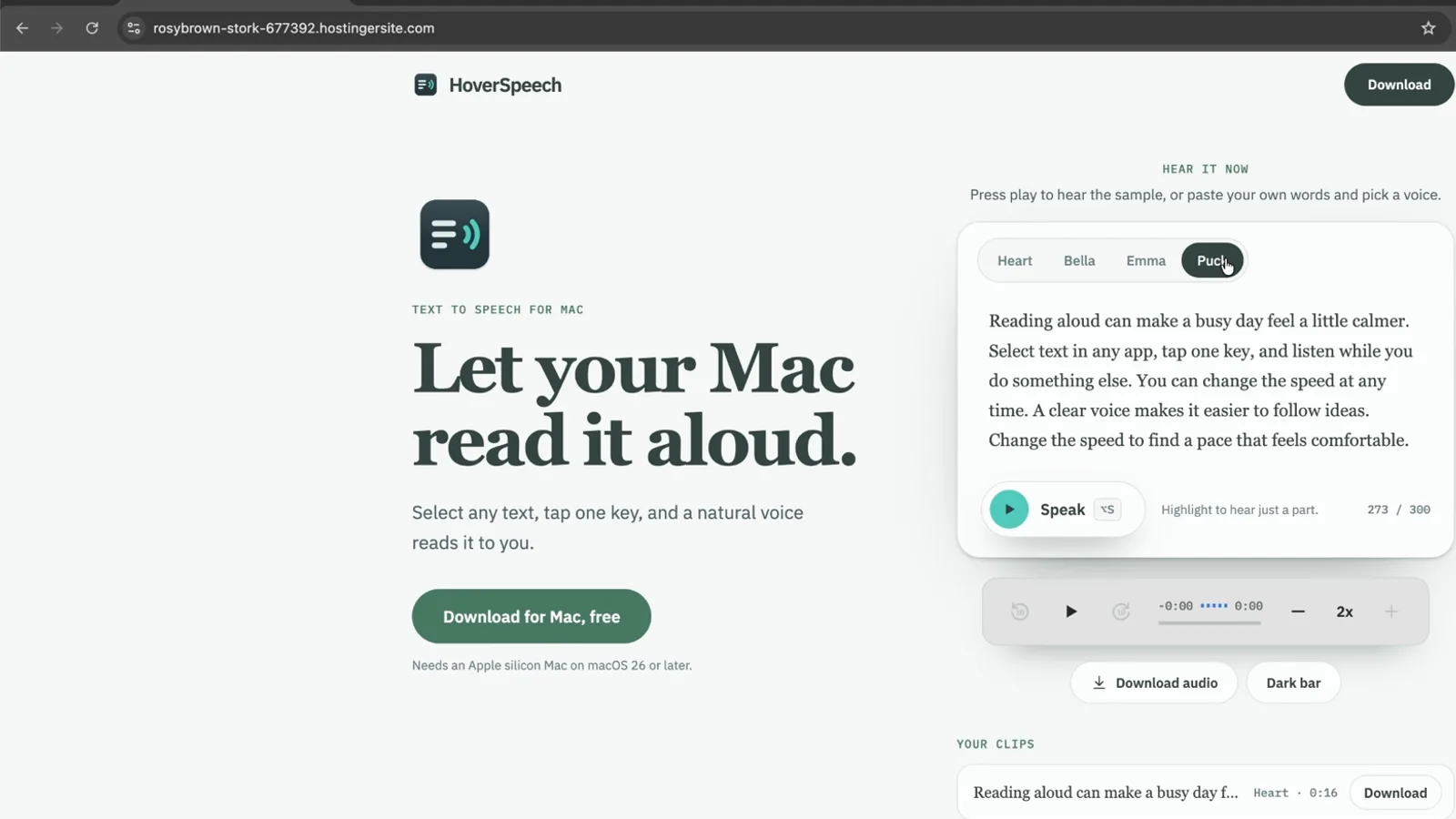
I go deeper on this deploy flow in how to build and deploy a website with Claude Code, and on what the plugin can and can't do in what Hostinger Connector is and how to use it.
Try the live page#
The page is still up. Paste up to 500 characters, pick a voice, press Speak, and download the clip. In the Mac app the voice runs on your computer; this web demo runs it on my server.
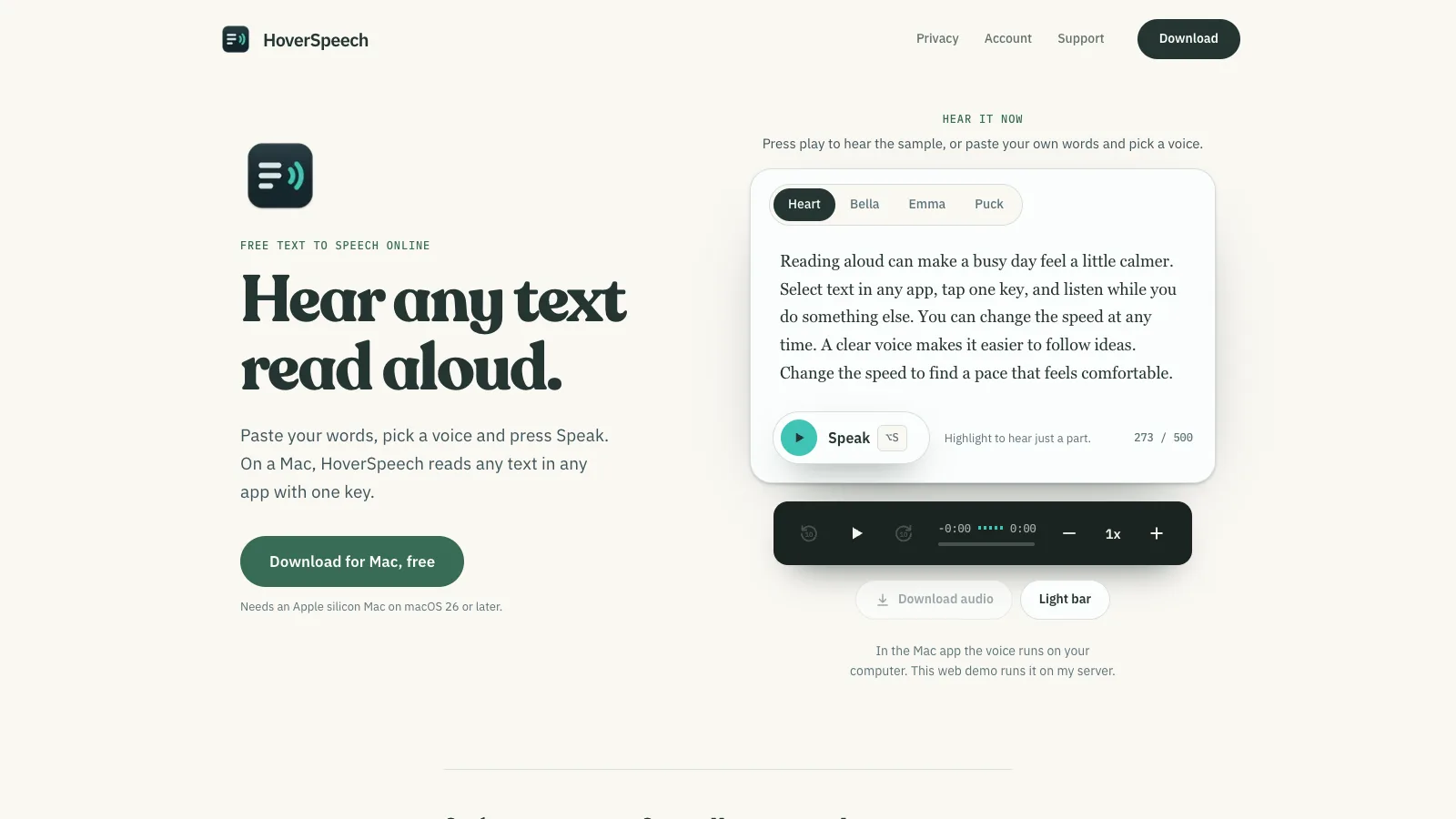
If you'd rather have it on your Mac with one key in any app, download HoverSpeech free.
What the whole thing cost#
The whole run, from reverse engineering to the deployed page, used about 56 million tokens. At API prices that's roughly $28.60. On my Claude plan it used about 2% of my weekly allowance. My session ran on Opus 5.5, which I tested in depth in my Claude Opus 5.5 review.
What this means if you build or sell software#
Honestly, I was surprised how well it worked and how easy it was to rebuild my own app and put it online.
For simple jobs, a normal coding agent like Claude or ChatGPT can do this without REA. For bigger targets, having a framework that collects evidence and admits what it can't see is really useful.
A finished app used to be protected by the cost of taking it apart. That took an expert, weeks of work and real money. Now an agent can do a lot of it for about the price of a dinner.
So your code isn't really what protects you anymore. What does: what runs on your servers, your users, your distribution and the insights only you have. If you build software, put your effort there.
Before you try this#
Only point REA at software you own or are allowed to examine. The project says the same thing in its own disclaimer. This isn't legal advice.
Keep the approval prompts on. REA runs with your permissions on your computer, and it is not a sandbox. Files you inspect can also contain text aimed at your agent, so treat an unknown app like an unknown email attachment.
Ask about one feature at a time. "Rebuild this whole app" gets you a mess. "How does the read-aloud start so fast" gets you an answer.
Every prompt from the video#
I put every prompt from this video, the Ghidra setup, the fair-test folder rules and a deploy prompt into a free guide: 13 copy-paste prompts.
The useful part of REA isn't copying anyone. It's learning how good software works and shipping your own.
Watch the full walkthrough on YouTube: https://youtu.be/wpV92IBwG88
Some links above are affiliate links, so I may earn a commission at no extra cost to you. I only recommend tools I actually use.
Moe shares tool walkthroughs and lessons from real projects. Mechanical engineer, then venture capital, now building AI tools for creators and small businesses. More about Moe
Get new videos in your inbox
Weekly AI workflows. No fluff.
No spam. Unsubscribe anytime.