I Built an AI Video Director Skill with Claude Code
My AI video director skill for Claude Code wrote, storyboarded and generated a 30-second ad through the Artlist MCP. The build, both ads and the real cost.
 By Moe Lueker
This ad for my app was directed by Claude Opus 5.5 using one skill I built for it. The skill wrote the script, planned every shot, generated every clip through Artlist and cut the final ad.
I didn't write a single prompt for the video generator. I gave it a short brief and told it which clips I liked.
The model matters, but the reason it works this well is the skill behind it. Below is the finished ad, how the skill works, how to build it yourself in five steps, a second ad in a completely different style, and exactly how many credits each one burned.
The ad: The Scribe#
A king dictates his war plan to a scribe. "We attack Wyvern's Keep on Monday. No wait, Tuesday. At dawn. No, dusk. The archers. No, the knights." The scribe writes every change of mind into the same page, and when the king says "Read it back," the parchment says "We attack Wife and Sheep."
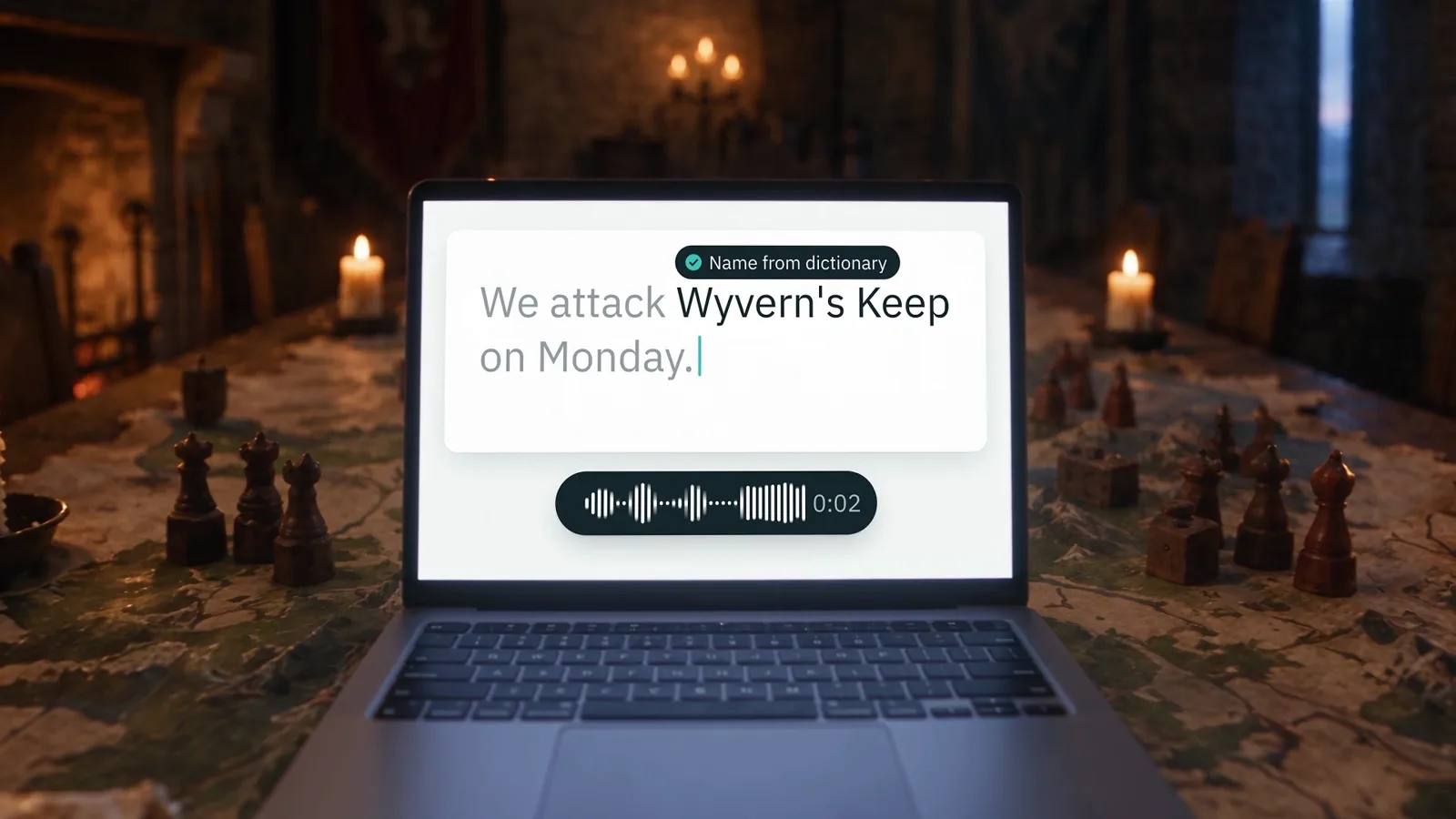
Then the twist: a laptop in the war room, and the order comes out clean. Rambleproof, "Royal dictation for Mac that cleans up after you."
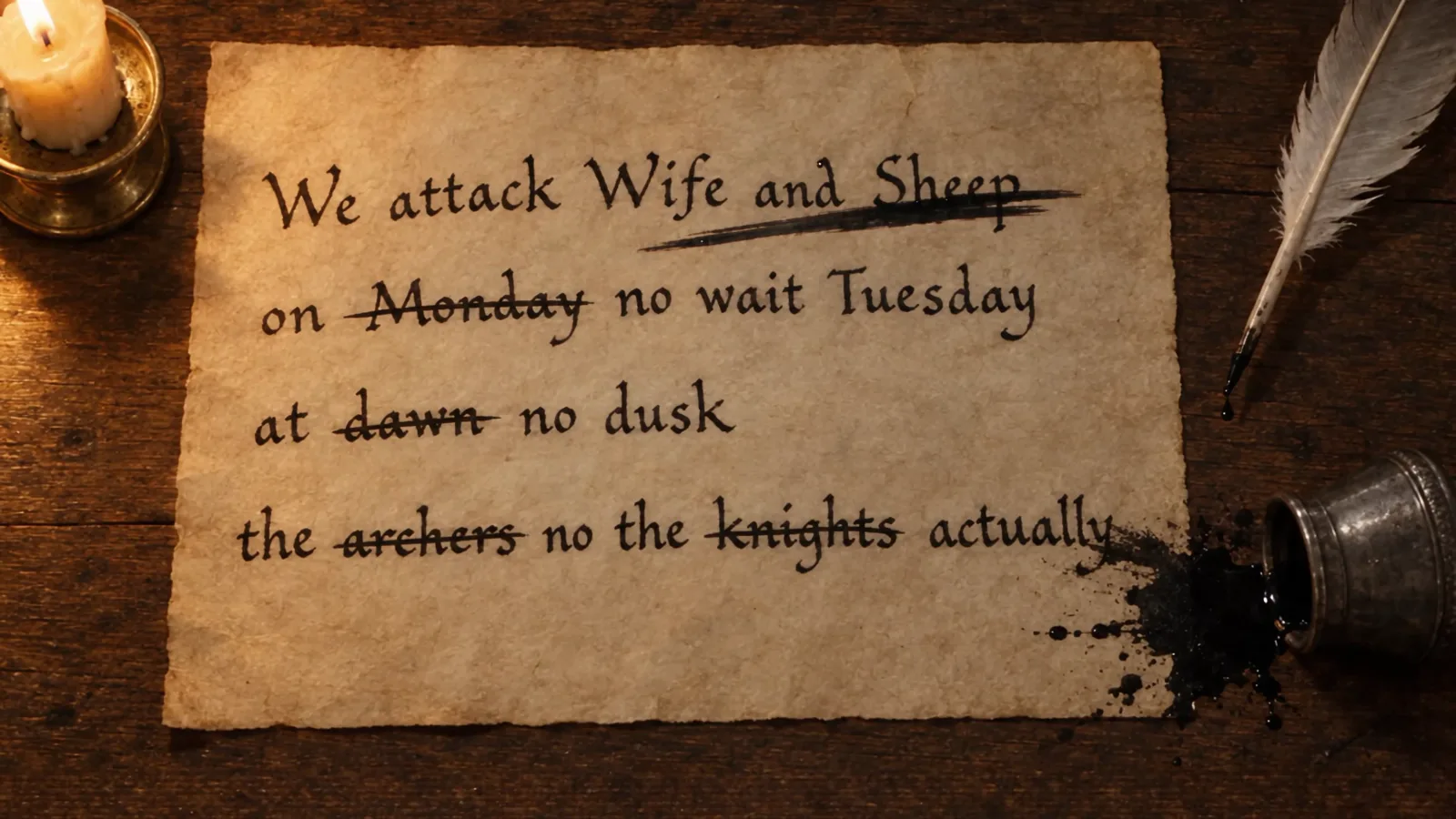
I love the mix of realism and fantasy. It feels like a real commercial. If you look at the scribe's face, you can't tell it's AI-generated. There are small giveaways, like how he holds the pen, but the push-ins, the pacing that speeds up with the tension, and the ink dropping on the paper at the end all land.
Why Claude needs the Artlist MCP#
I think Opus 5.5 is the best model right now at thinking through creative tasks step by step. I tested it in my Claude Opus 5.5 review. The problem is that Claude can't generate video footage on its own.
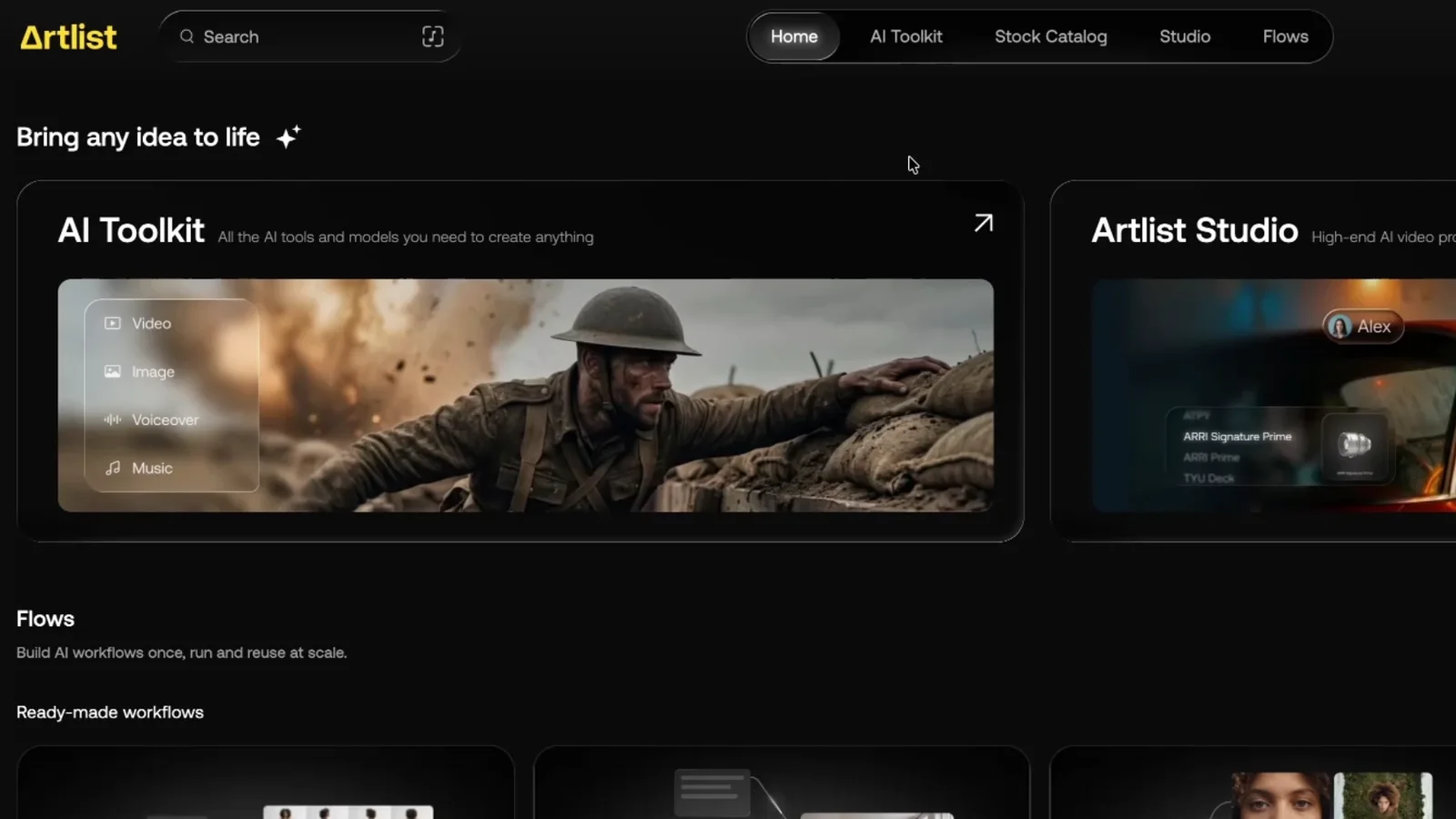
So I connected it to my Artlist MCP. That gives Claude access to the top image and video models, plus voiceovers and music, all from one account. If you're wondering what Claude can and can't do with video without a setup like this, I answer that in Can Claude make videos?
Artlist sponsored this video, and I'm grateful they let me build the whole thing on a real project. Honestly, the skill plus the MCP is the setup that makes Claude feel unstoppable for video.
Artlist#
Two honest limits#
AI video still can't draw readable text or real app screens. So the skill built the end frame, my real app on the laptop, with a motion design tool instead of the video model.
Every generation through the MCP uses credits. That includes models that are on the unlimited plan inside the Artlist app. That's exactly why the skill drafts on a cheaper setting first and only upscales the takes I approve.
How the skill works#
The skill has three phases:
- Plan. It brainstorms ideas with you and scripts the concept.
- Reference kit. You approve the look: characters, product and locations.
- Make. It generates the clips and stitches them together. A revision loop watches each frame, flags anything broken, takes your notes and fixes those shots.
If everything looks good, you get the finished video.
Brainstorm the concept#
I started a new Claude session and typed /video-director. You can also just ask for a video director and it figures out which skill to use. Effort on high, then this prompt:
I'm using my skill and I want to create a 30-second ad for my dictation app Rambleproof. And I want it to give me a cinematic commercial for this.
I described what the app does, and it came back with five concepts: Scratch That, The Robot Waiter, Long Way Home, The Toast and The Hold. They all sounded good. I said I liked Scratch That but had something else in mind, and described my own idea.
Storyboard and script#
Next it wrote a storyboard: each scene, roughly how long it runs, the shot, and the voiceover or sound design. You should always get this. If you don't, ask for a storyboard and script before anything gets generated.
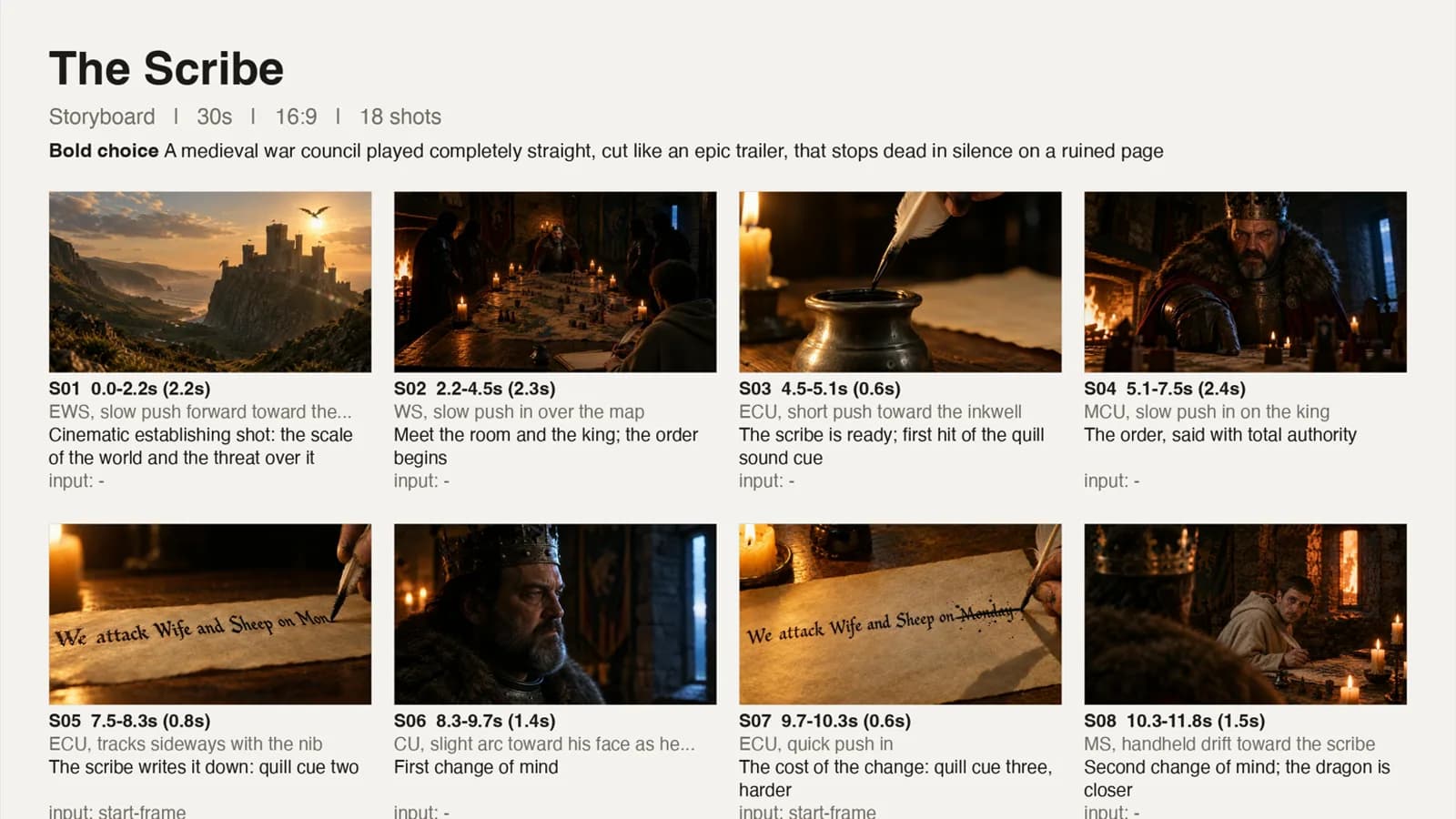
It also recommended a route. The premium route was Seedance 2.5 at about 60,000 credits, the cheaper one Seedance 2.0 at about 20,000. If that's too much, ask for an even cheaper model or a lower resolution. I go deeper on the model itself in how to use Seedance 2.5.
One change: the opening was an extreme wide shot pushing toward a castle on a cliff, and I wanted it at golden hour. So I followed up with "For shot 01, make this castle during sunset and golden hour." You fix one shot instead of re-running everything.
The look kit#
Then it generated a starting frame for every shot and built the reference kit: the two main characters, the palette, the locations, the props and the product. This is the last checkpoint before video credits get spent, and it's what keeps the characters and the product looking the same in every clip.
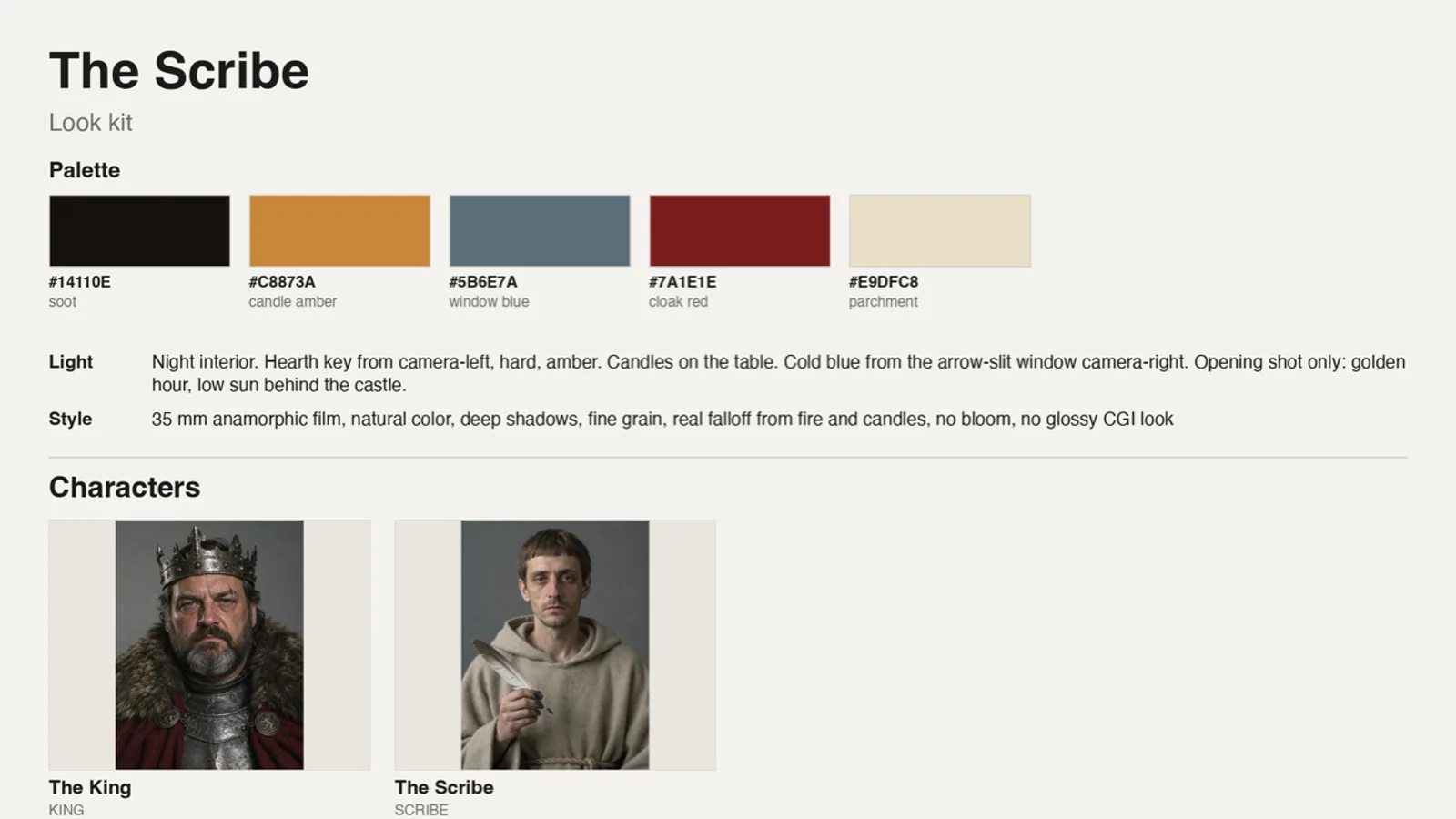
480p draft, then the 1080p render#
I said "That looks good. Please create this in 480p." It generated every clip and stitched them together. At 480p it doesn't take as many credits, so this is where you review and give feedback.
In full transparency, you usually do need a few revisions. This time it worked out on the first draft, because the skill had already reviewed the footage itself and cut it to fit.
Then I asked for the render pass at 1080p. It asked for approval again, because it expected about 30,000 credits. I approved, and it rendered the final ad.
Connect the Artlist MCP to Claude#
- Open the Artlist MCP page from this link. You can connect directly, which opens your Claude account, or copy the MCP URL.
- In Claude, click your account, open Settings, then Connectors.
- Click Add custom connector, name it Artlist and paste the URL.
- Click Continue, sign in with your Artlist account and authorize the app.
- Set the tool permissions. I always allow the read-only tools. Keep the write and delete tools on "needs approval" so Claude doesn't accidentally generate a batch of videos you didn't want.
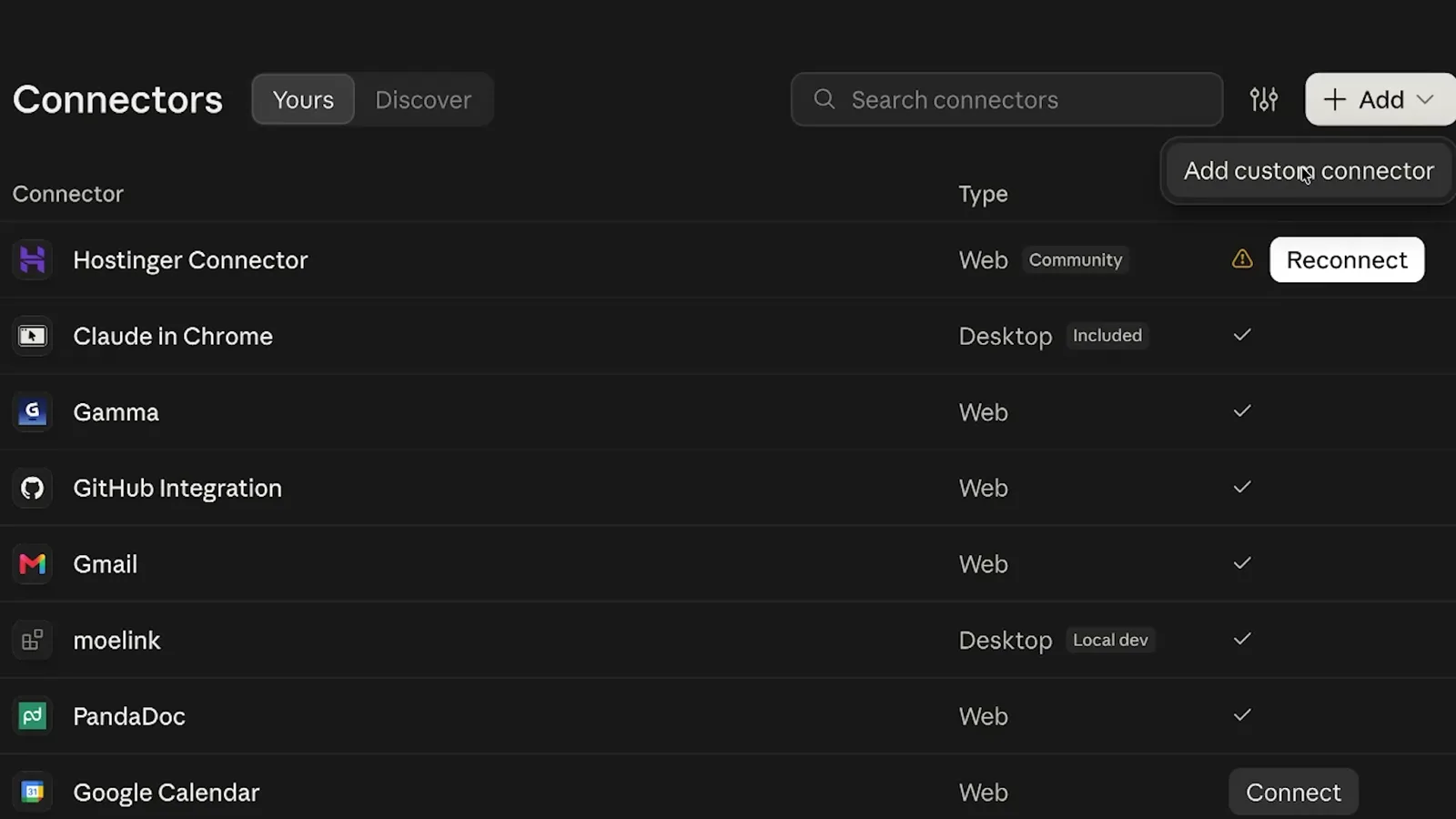
To check it works, ask: "List every image, video, voice and music tool you can call through Artlist with the main settings each one takes."
I ran everything on Opus 5.5 on medium or high effort. If you're on the $20 Claude plan, Sonnet 5.5 is good enough for all of this too.
Build the skill in five steps#
- Gather the research. Claude researched how real directors plan ads, comedy and short films and put it all in one organized folder, with a start-here file.
- Turn it into one knowledge file and today's model rankings. Each model has different strengths and prices, so the skill gets internal rules for when to use which one.
- Build the skill. I pasted one long prompt. You can also point Claude at the files from step 2 and tell it to build the skill for the best results. Tip: add "feel free to use Sonnet 5.5 sub-agents if this speeds up your work or improves the quality." The main skill came out at 99 lines, plus Python scripts, evals, references and a lessons file for your feedback.
- Give it eyes with Gemini. The skill needs a way to review its own work. I used my Gemini API key, because I think Gemini's video understanding is the best right now, and built a local backup that uses Claude.
- Test and iterate. Run a small project, give it feedback, and let it fix its own instructions.
You don't need to write any of the files yourself. Claude does that.
Every prompt from the video, step by step, plus the research library I built the skill from, is in the free guide: get the free guide and research. Use the research to build your own skill or agent without spending credits on the analysis.
The test: a short film for $2.86#
To test the new skill I asked for a short film: a small dog sitting alone in the rain under streetlights at night.
It loaded the skill, checked my balance and wrote the brief. Checkpoint one showed my credits, the budget and the script. Checkpoint two was the look kit, the storyboard frames and a core shot. Then it generated the clips one by one and stitched the final take. "He had been waiting a long time. Nobody stops in the rain. Almost nobody."

That was about 5,500 credits, which comes to about $2.86. It also took 20 or 30 minutes, so I asked the agent how it could speed up the process for future videos and told it to implement its ideas.
A second ad in a completely different style#
Same method, same skill. This time I didn't steer the concept. I picked one of Claude's ideas, Take 7, The Quiet Floor, and said "Let's go with Take 7." It made the shot list and storyboard, asked for approval and made this.
A guy whispers "Check the API" into his terminal and gets "a pie." A woman hides under her coat in a coffee shop to dictate a Slack message. Another guy finds a quiet room, which is a closet, to whisper into a spreadsheet. Then one person sits relaxed and talks normally, and the corrections happen as she speaks.
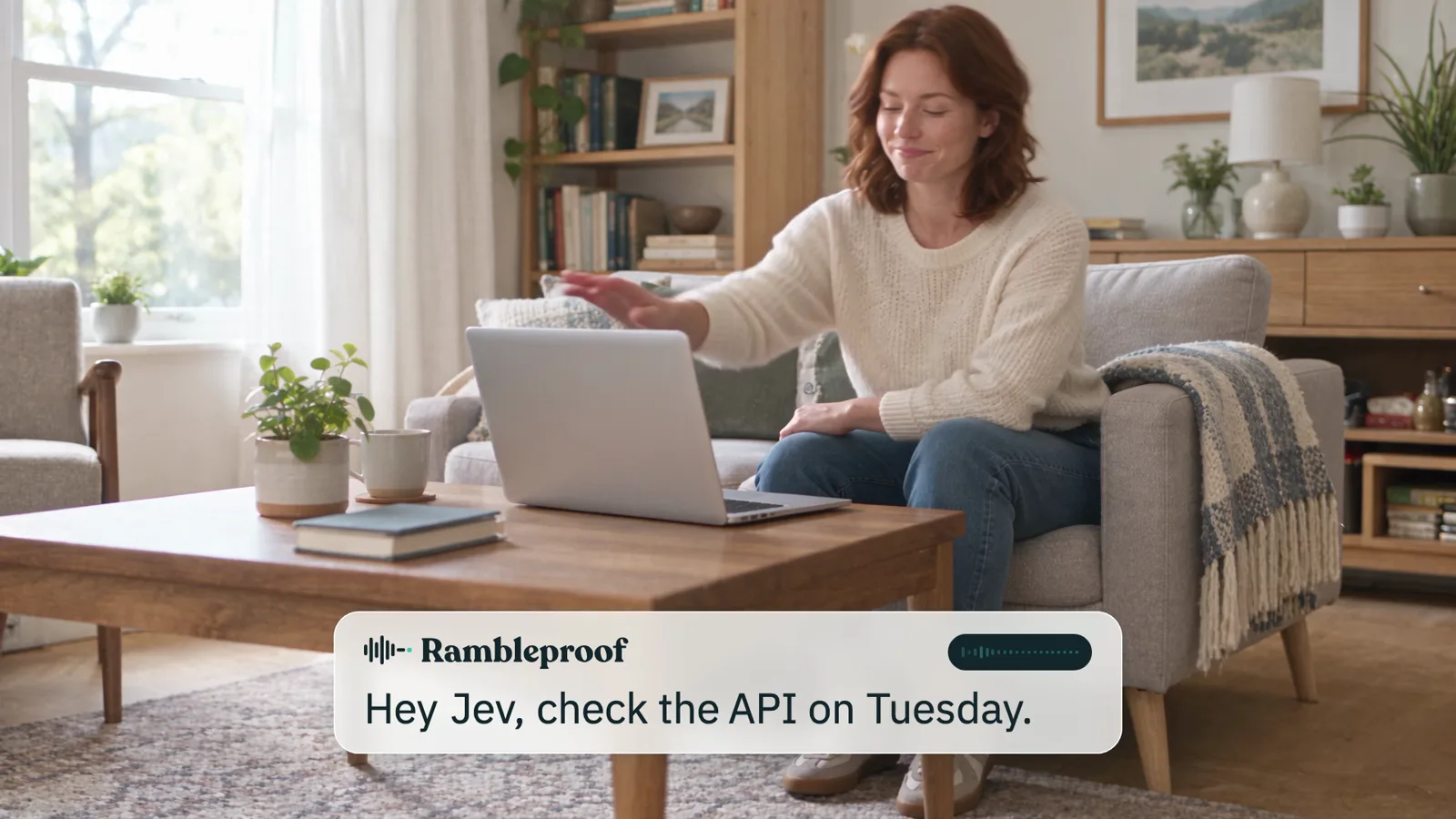
Yes, there are small defects. But for a couple of prompts, a video like this is impressive. And the more you use the skill, the more it learns what you like. Just tell Claude to remember your preferences.
The app in both ads is Rambleproof, the Mac dictation app I built. It cleans up your dictation in any app and learns the names and jargon you use, so it spells them right.
What it all cost#
| Video | Credits | About, on Artlist Unlimited (yearly) |
|---|---|---|
| The Scribe (ad 1) | 39,000 | $20 |
| The Quiet Floor (ad 2) | 24,900 | $13 |
| Dog short film (test) | 5,500 | $2.86 |
For the first ad, only about 2,000 credits went to the storyboard images. The other 37,000 went to video generation, mostly the Seedance 2.5 render at 1080p.
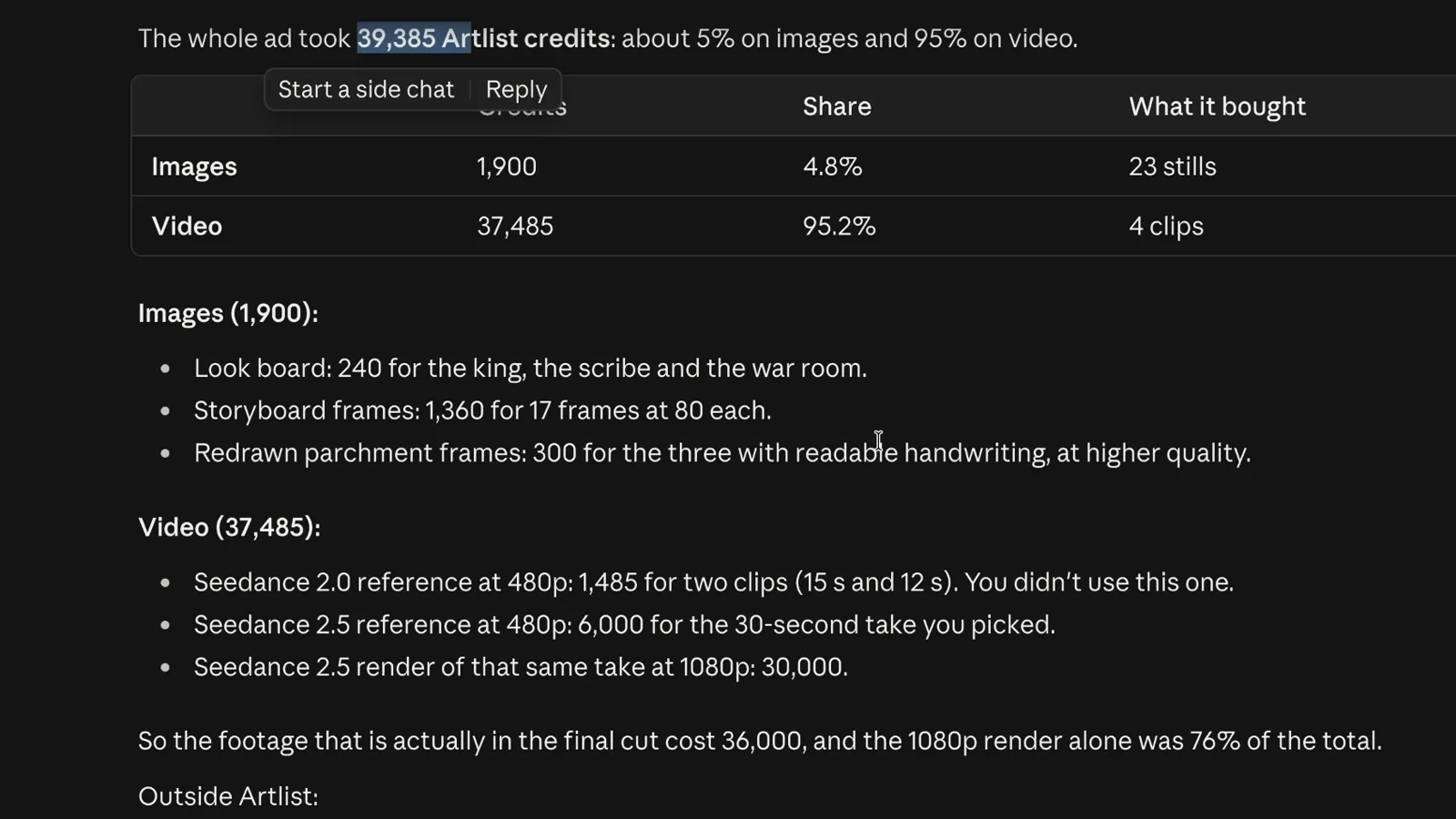
Keep in mind that Seedance 2.5 is one of the most expensive video models. With a cheaper one, you can probably make a whole 30-second clip for less than $5. The second ad was the same story: most of its credits went to Seedance 2.5.
If you'd rather use your unlimited credits inside the Artlist app directly, I made a cinematic Nike ad that way in this video.
Skip the build#
The finished skill from the video is ready to install, with the research library included.
The model can draw the frames. The skill is what makes it direct.
Watch the full walkthrough on YouTube: I Built an AI Video Director Skill with Claude Code
Moe shares tool walkthroughs and lessons from real projects. Mechanical engineer, then venture capital, now building AI tools for creators and small businesses. More about Moe
Get new videos in your inbox
Weekly AI workflows. No fluff.
No spam. Unsubscribe anytime.