Gamut AI Review: I Let 6 AI Agents Run My App for 4 Days
I gave the busy work behind my Mac app to six Gamut AI agents for four days. What they did, what it cost per day, and the result I didn't see coming.
 By Moe Lueker
For four days my phone kept buzzing with texts from my AI employees. One told me a competitor had just cut the free plan on their dictation app. Another found a bug report from one of my users and told me exactly which version they were on and how to fix it.
I didn't ask for either of those. A team of six AI agents in Gamut was doing the busy work behind my app, and the one that runs the team decided I needed to know.
Here's how I set it up, what the agents actually delivered, what it cost me per day, and the one result I didn't see coming.
The problem: two hours of busy work every morning#
I'm a solo developer. I build Rambleproof, a free dictation app for Mac: you hold a shortcut, talk, and clean text lands in whatever app you're in. Building it is the fun part.
Every morning from about 8 to 10 a.m. I'm stuck on the work around it. Check the numbers. See what competitors changed. Write posts. Find people who might list or share the app. It's work I know I should do, and it's exactly the work I keep putting off.
So I handed those two hours to an agent team for four days and kept score: what they got done, what it cost, and whether it moved the one number I cared about, downloads.
Why Gamut for an AI agent team#
I've built agent teams before. I run 20 OpenClaw agents on a $7 VPS and a Hermes Workspace team in a browser dashboard. Both are great if you want full DIY control, and both mean you own the server, the keys and the troubleshooting.
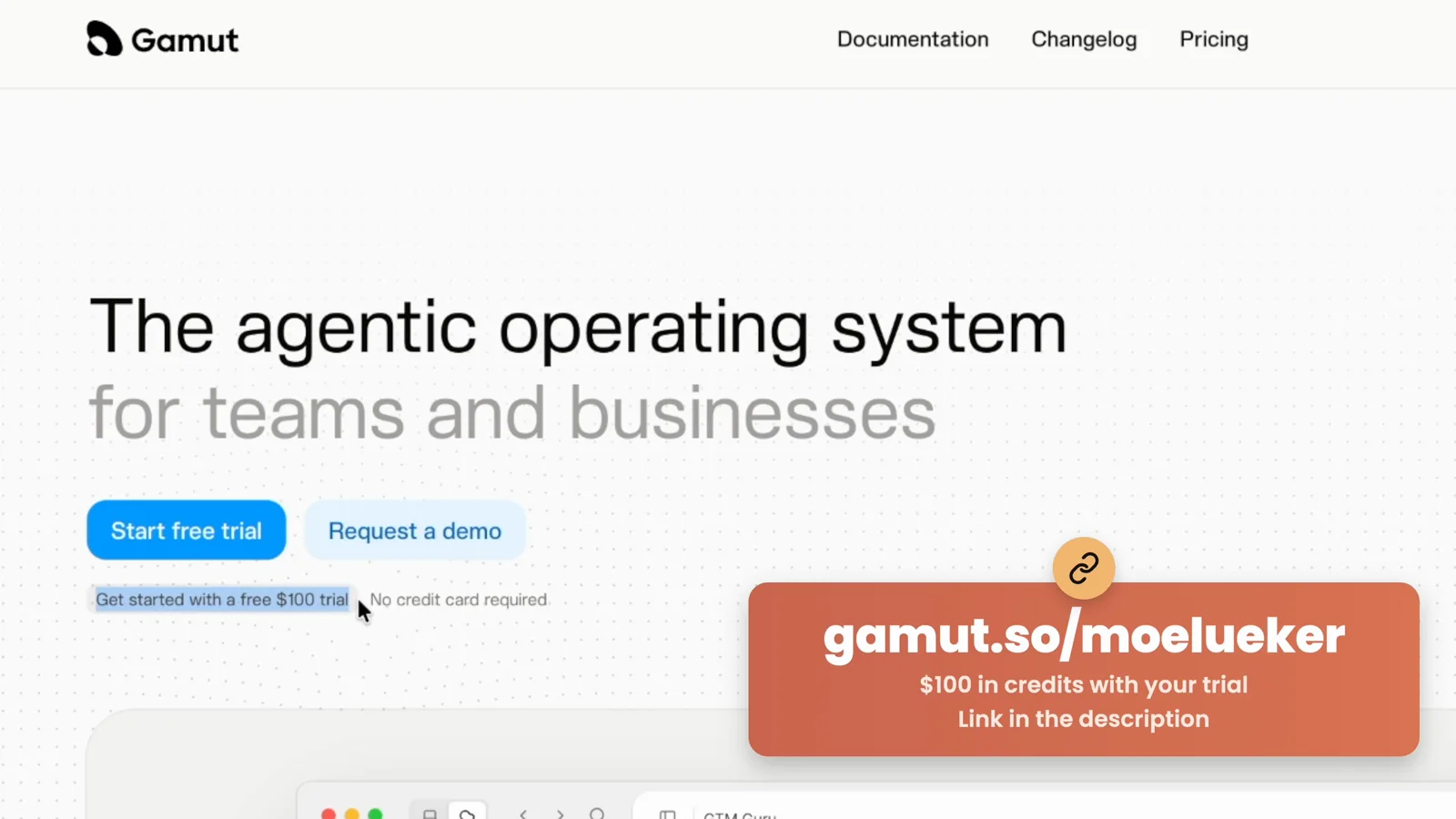
Gamut is the managed version. Each agent gets a job in plain English, its own schedule, connections to your tools, and a spot on a shared graph where you can see who hands work to whom. Gamut sponsored this video and gave me access, and I'm grateful they let me test it on a real app instead of a demo.
Gamut#
The team: six agents, one job each#
Setup took me about two hours from scratch, including connecting my tools. These are the agents I ended up with:
- Dash, the analyst. Reads my PostHog numbers every morning and reports downloads, activated Macs and what's worth doing next.
- Scout, the competitor watch. Checks the pricing pages, changelogs and homepages of Wispr Flow, Superwhisper, MacWhisper and others at 7 a.m., 1 p.m. and 7 p.m. Pacific, and compares them with its notes from the last run.
- Piper, outreach. Finds people and sites that might list Rambleproof or try it, and drafts the emails.
- Echo, chief of staff. Runs my social accounts and is the only agent allowed to text me. Everyone else reports to Echo.
- Rae, support. Watches for people talking about tools like mine and for messages that need an answer.
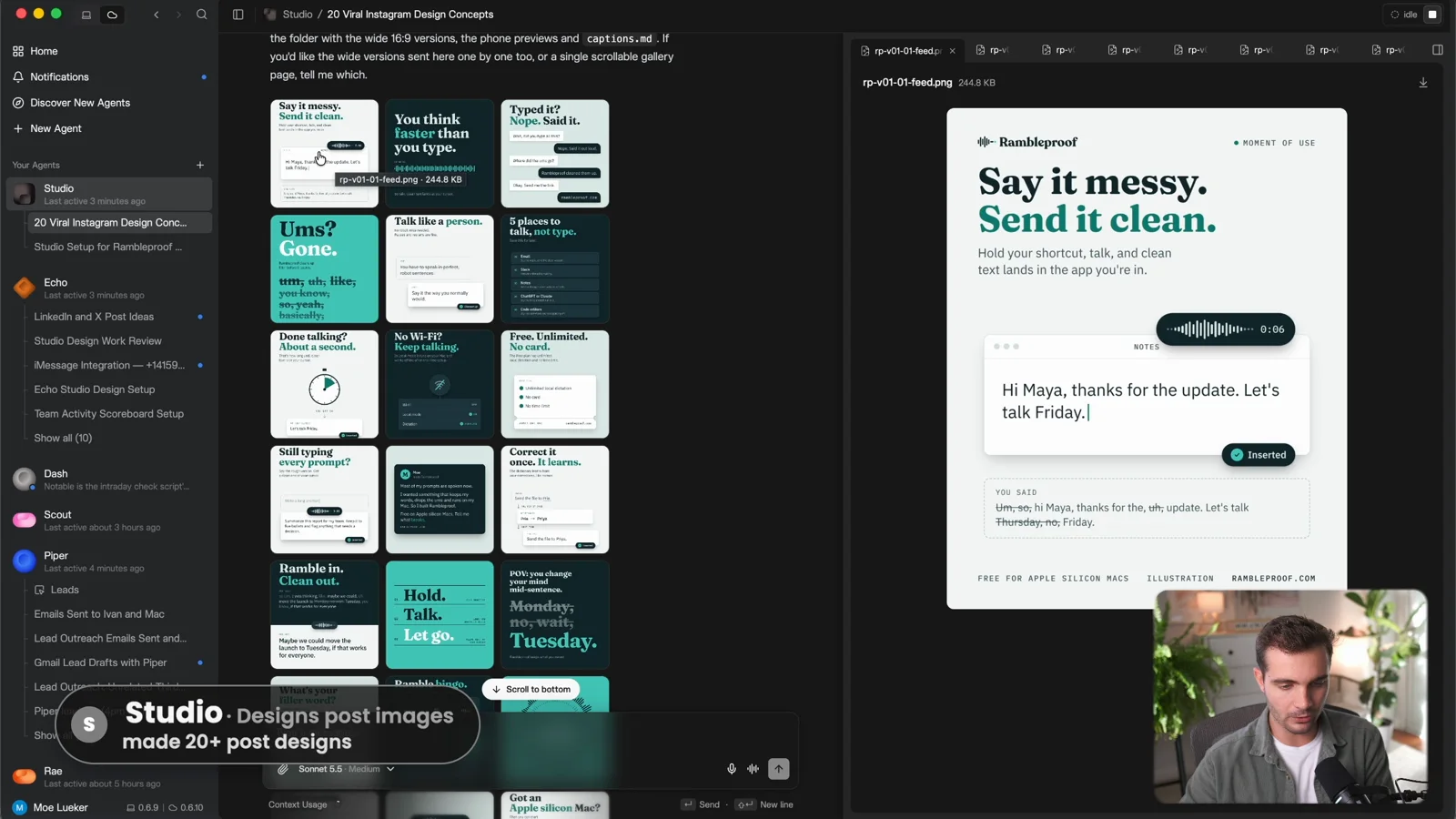
- Studio, the designer. Makes post designs from my style guide.
The Echo rule is the most important design choice. Six agents texting you is noise. One chief of staff that collects everything and sends one update is a team.
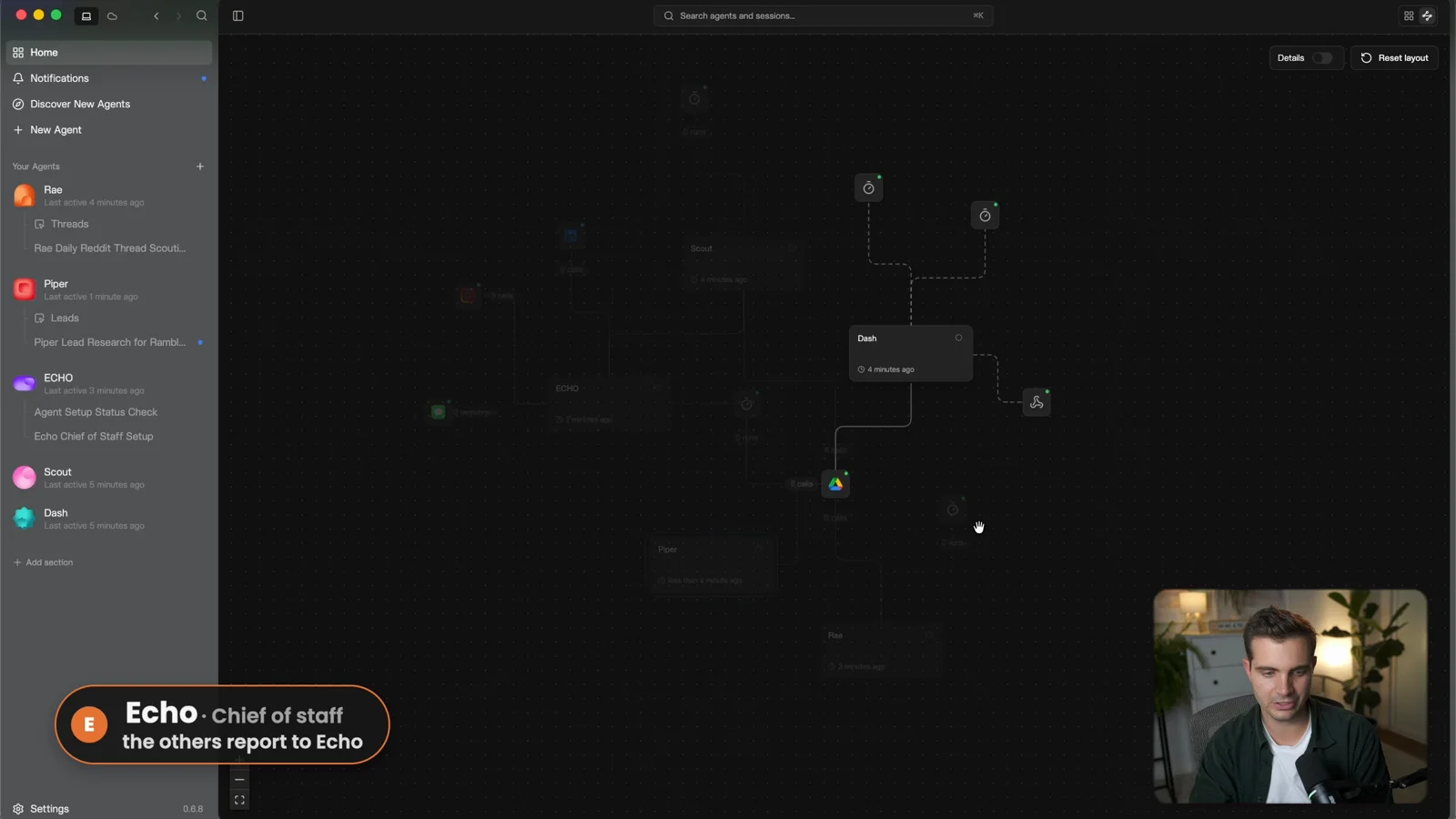
Two setup tips saved me time. First, open Settings and fill in Global guidance while your first agent builds: tone, conventions and how the agents should work together, once, for all of them. Second, give the team a drive with your assets and add your connections early (analytics, Google Drive, LinkedIn, Instagram, iMessage). You don't have to wire them by hand. When an agent needs PostHog or LinkedIn, it asks you to connect it.
Use the subscription you already pay for#
I built the agents on Claude Opus 5.5 because it's smarter for setup, then switched them to Claude Sonnet 5.5 for the daily runs. That one change is most of the cost story below.
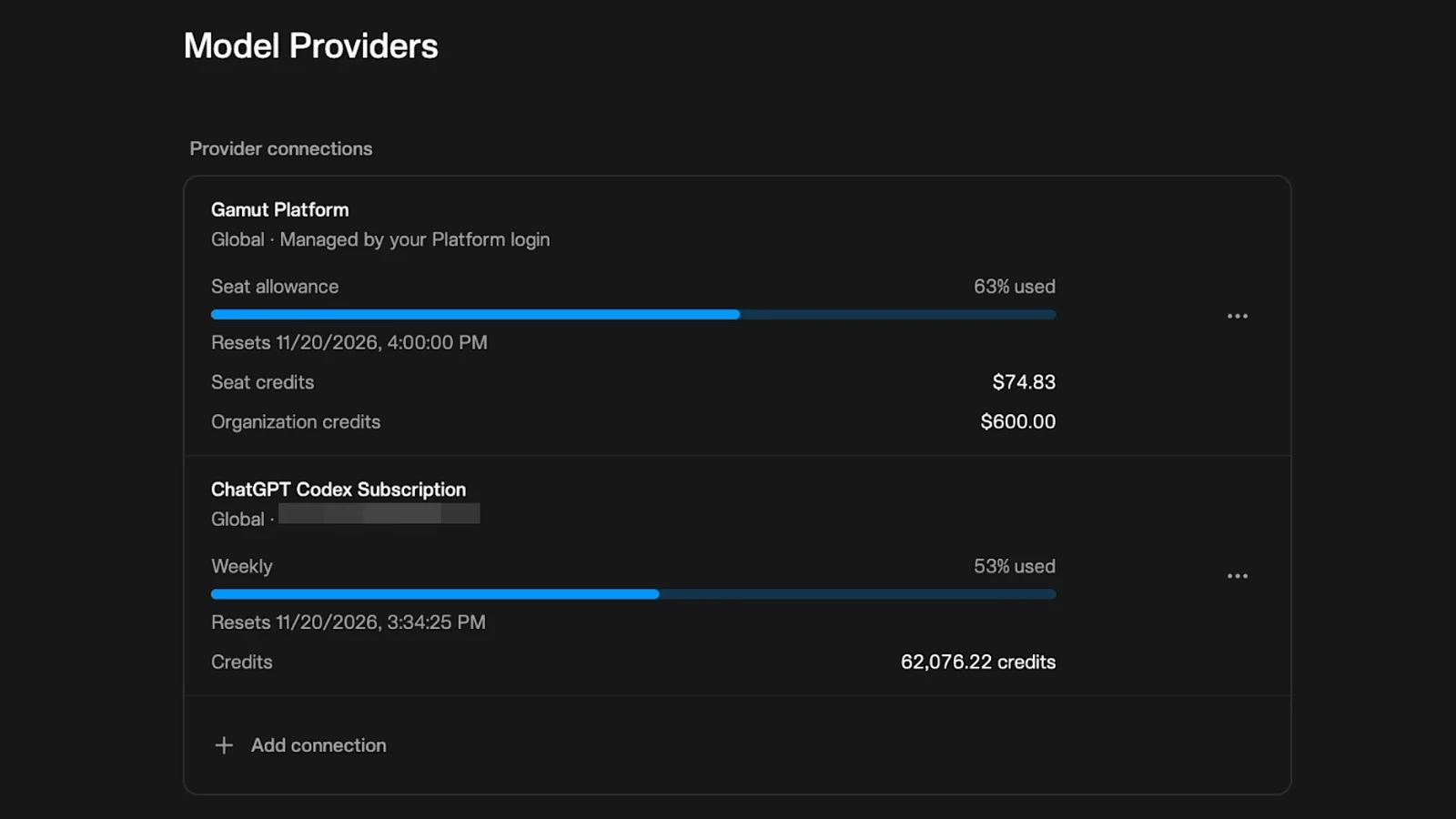
There's an even cheaper route. If you already pay for ChatGPT or Claude, go to Settings, then Model Providers, click Add connection and sign in with that subscription. Then open the model picker, switch it from Gamut Platform to your subscription and pick a model. I moved mine to GPT-6.2 Sol on my ChatGPT plan, so those runs use the tokens I already pay for instead of Gamut credits.
Days two to four: the texts started#
On the morning of day two Echo had already texted me: download numbers, usage, and three things that needed my approval. That afternoon it nudged me again about the one I hadn't answered.
I also realized I'd set everything up locally. Gamut's strength is that it's always on, so I moved the agents to the cloud: export each agent, then import it on the cloud side. Be careful not to export API keys when you do this. If an agent holds any, export it as a template instead.
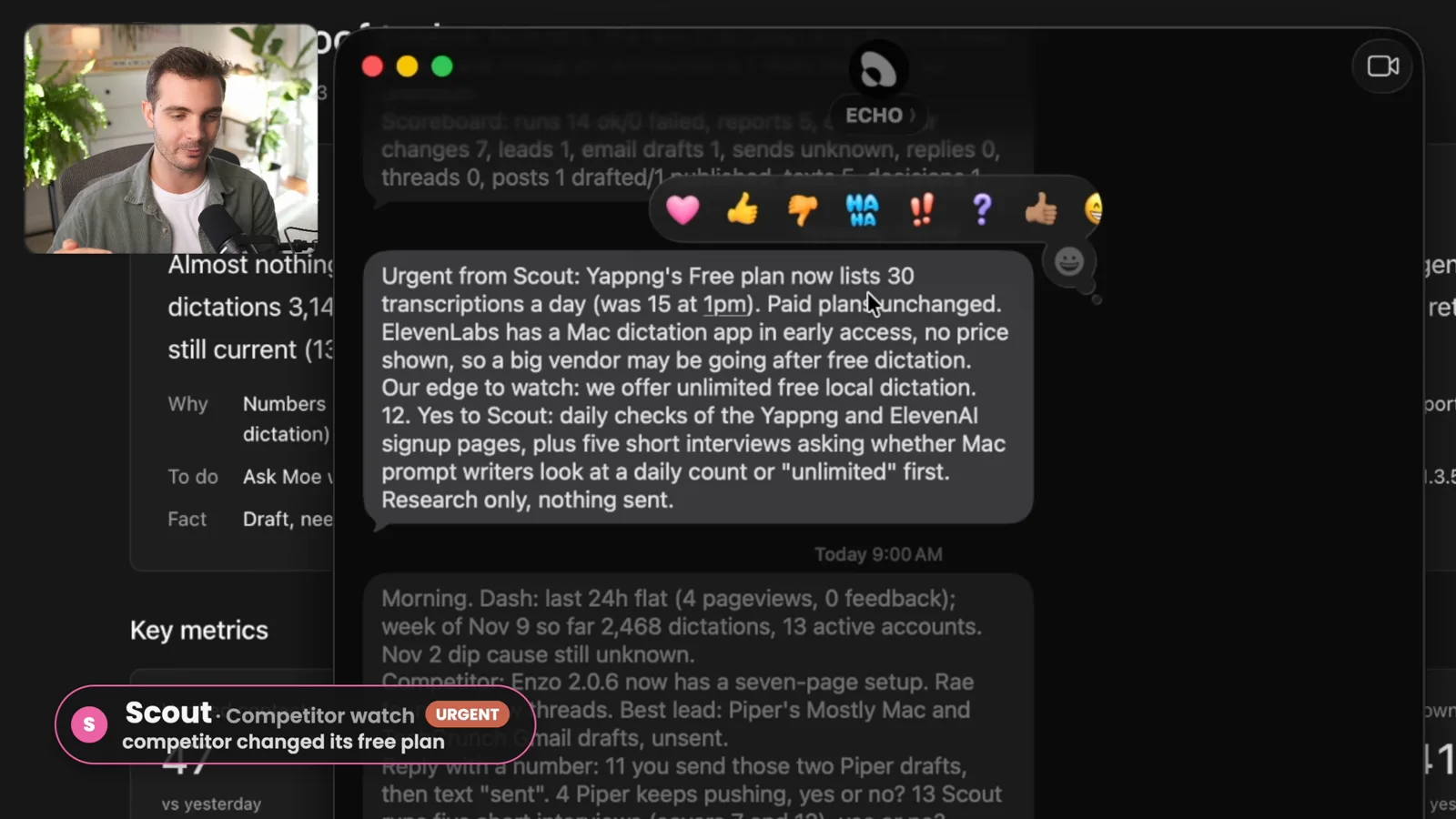
By day four the two texts from the start of this post had landed. Scout sent an urgent note that a competitor changed the usage limits on its free plan. Then a user filed a bug report, and Echo told me the app version they were on and what I needed to fix.
The results, bad news first#
I didn't get a single new download I could clearly credit to Gamut. Four days was always going to be short for that, and I'll keep watching whether the work below brings signups later.
Here's what the team delivered on its own:
- Designs. Studio made more than 20 post designs without me re-prompting it, and about 90% were usable. They followed my style guide.
- Posts. Three posts each on LinkedIn, X and Instagram, so nine posts I didn't touch. The accounts are new, so reach was small.
- A competitor dashboard. Scout tracked about 20 dictation apps: business model, platforms, price, free tier, and every change in the last three days. It caught a free tier dropping from 2,000 to 1,000 words, and it found that ElevenLabs has a Mac dictation app in early access, which none of my other research setups had found.
- A daily dashboard. Dash built a live metrics page on day one: key numbers, an activation and retention funnel, experiments and daily trends.
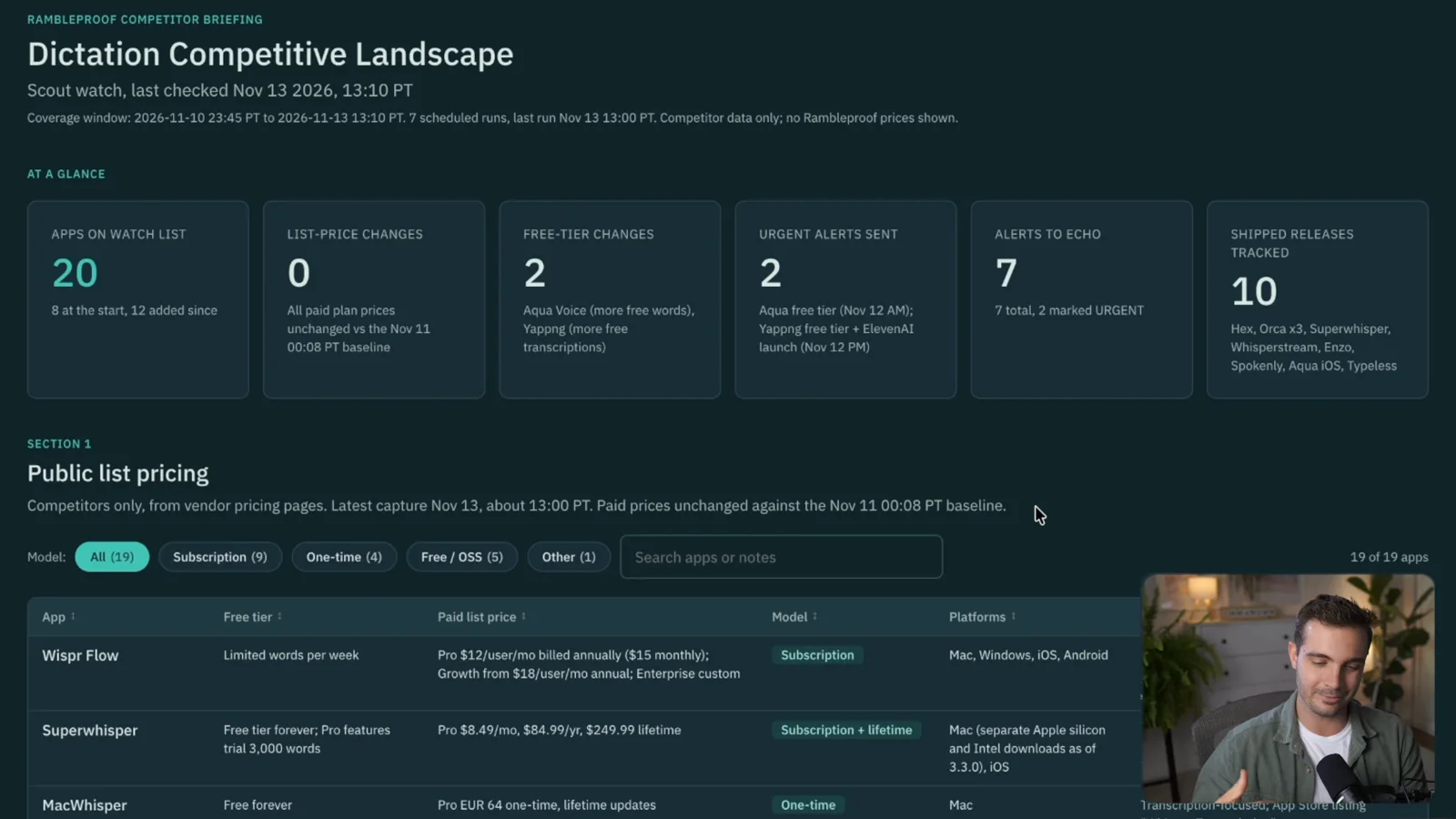
You can ask ChatGPT for a competitor list once. What you can't easily get is the same research every day on a schedule, so the patterns show up over time. That's the difference I felt most.
The result I didn't see coming: backlinks#
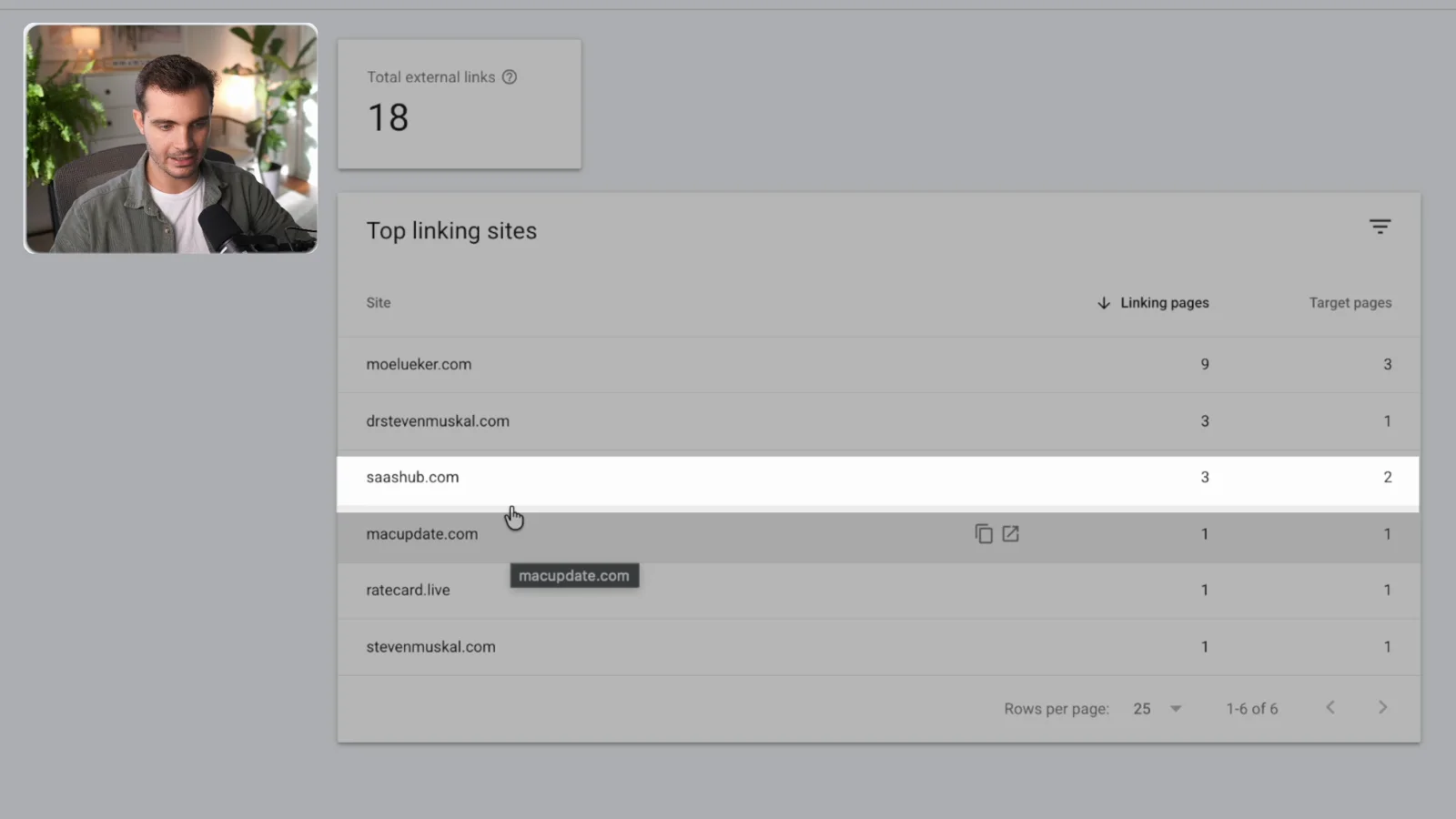
The biggest win wasn't on my list. Piper found sites that might feature a Mac dictation app and drafted the outreach emails. I reviewed them and sent them from my own inbox. Within the first three or four days Rambleproof was listed on MacUpdate and SaaSHub.
That's more backlinks, more trust for the site, and more places search engines and ChatGPT answers can find the app. It's also the kind of task I'd never get to on my own.
What it cost#
The setup was the expensive part, because I ran it on Claude Opus 5.5. The first night cost $23 in credits, and the setup total was about $54 by the end of day two. Once the agents moved to a cheaper model, the daily runs cost about $5 to $10, and only $4 to $5 on the last day. Realistically that's a small team for about $5 a day, or roughly $150 a month.
Gamut's own plans, as listed on gamut.so/pricing on November 20, 2026:
| Plan | Price | Included usage |
|---|---|---|
| Free trial | $0 | $100 in credits, no credit card |
| Plus | $30 per user per month | $30 of usage every month |
| Pro | $100 or $200 per user per month | $100 or $200 of usage every month |
Connecting your ChatGPT or Claude subscription moves model costs onto a plan you may already pay for.
My honest take on Gamut#
The experiment was a success. One or two hours of setup got me a team that did my morning busy work, and that's faster than any agent team I've built before.
The real strength is the connections and the way the agents work together. Hooking up Instagram, LinkedIn and my analytics was simple, and seeing the team on one graph with who reports to whom made it feel like a team. It runs 24/7 in the cloud with my laptop closed. I've also tried Claude Duet, and Gamut's setup felt far more business-minded.
The drawback is the one I started with: no attributable downloads yet. And for building the app and making the big decisions, I still use my own Claude sessions and my own team.
So here's the real choice. A hire who's a bit more proactive costs about $5,000 to $15,000 a month. An agent team you set up once and check for 15 to 30 minutes a day costs about $5 a day and does a lot of the tedious work, with clean dashboards on top. For the jobs in this test, the agents win.
Some links above are affiliate links, so I may earn a commission at no extra cost to you. I only recommend tools I actually use.
Watch the full walkthrough on YouTube: https://youtu.be/dfWTW_u9UEA
Moe shares tool walkthroughs and lessons from real projects. Mechanical engineer, then venture capital, now building AI tools for creators and small businesses. More about Moe
Get new videos in your inbox
Weekly AI workflows. No fluff.
No spam. Unsubscribe anytime.