Suno Speech (Beta): How to Use the New Suno Text to Speech
Does Suno have text to speech? Yes, with Speech in beta. Here are the exact script, tone prompt and settings I used to make an album intro, plus the audio.
 By Moe Lueker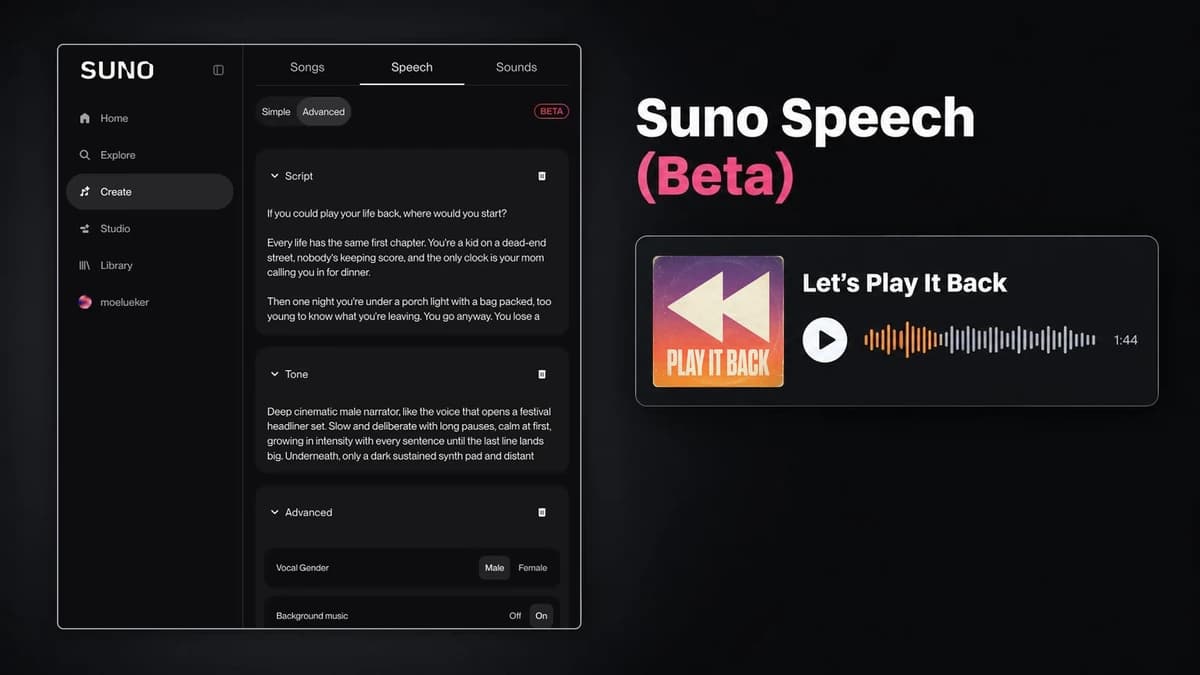
Does Suno have text to speech?#
Yes. As of early October 2026, Suno has a feature called Speech, and it's in beta. Think of it as Suno text to speech with music built in: you give it a script, describe the voice and the musical style you want, and it returns spoken audio set to original background music. Suno says you can start from an idea, a poem or something you've already written.
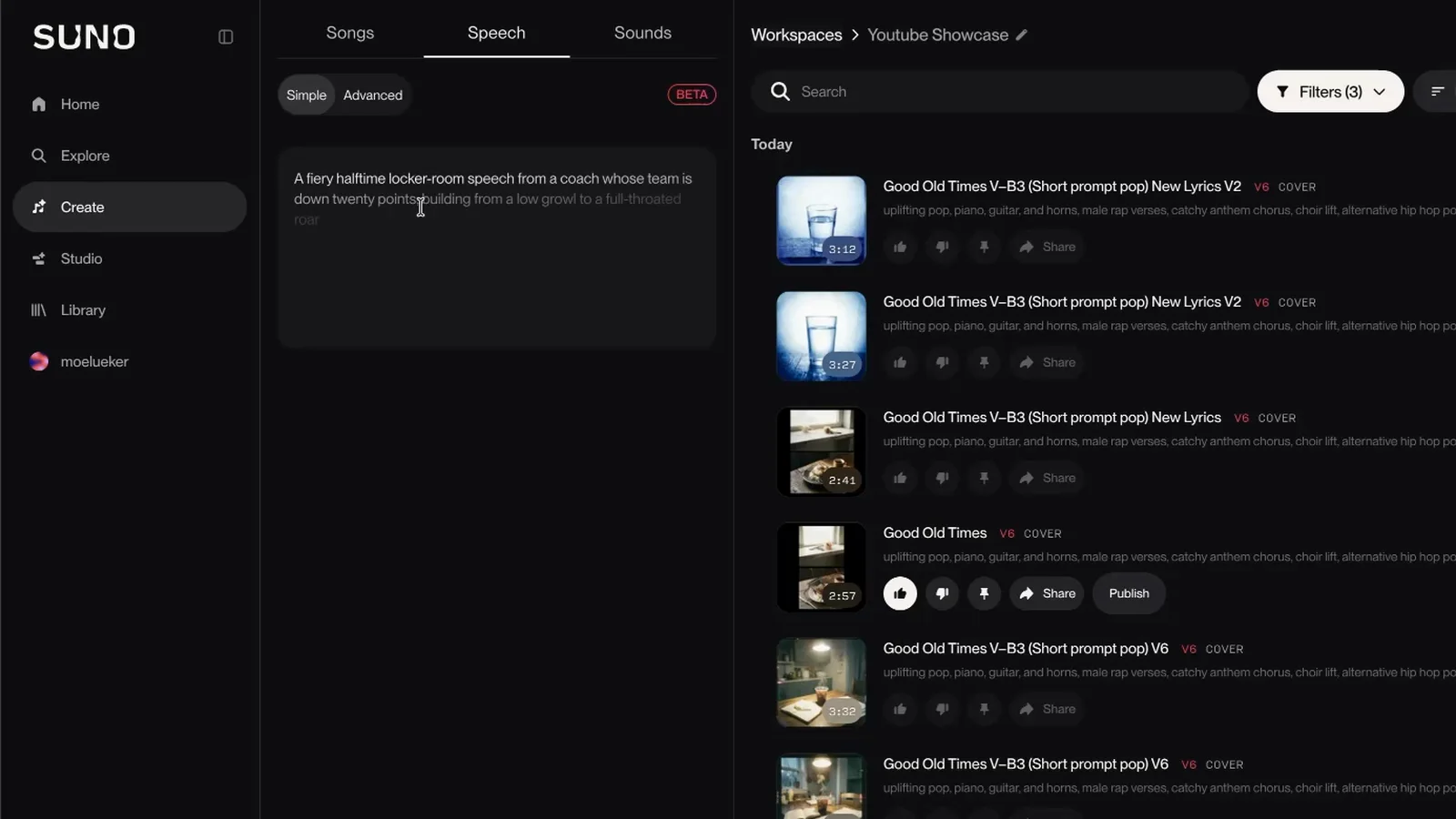
You'll find it under Create, in a Speech tab next to Songs and Sounds. A red BETA badge sits at the top right of the panel.
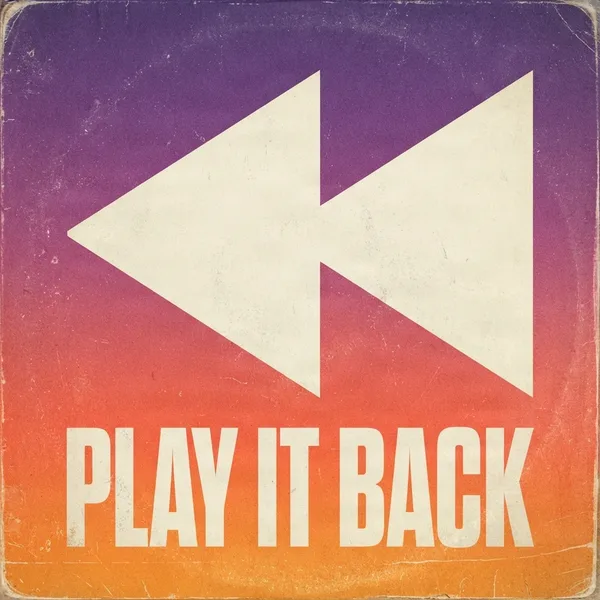
I used Suno Speech to make the intro for my album Play It Back. It runs 1:44, and Suno tagged it "cinematic, spoken word, electronic." Press play before you read on.
Suno sponsored the video this post comes from and gave me early access, so thank you to the team there. The script, the settings and the opinions are mine. The Speech part of the video starts at 8:56: https://youtu.be/xllSwcOZMK8?t=536
How do you use Suno Speech, step by step?#
Here's how to use Suno Speech, from a blank Create page to a finished track.
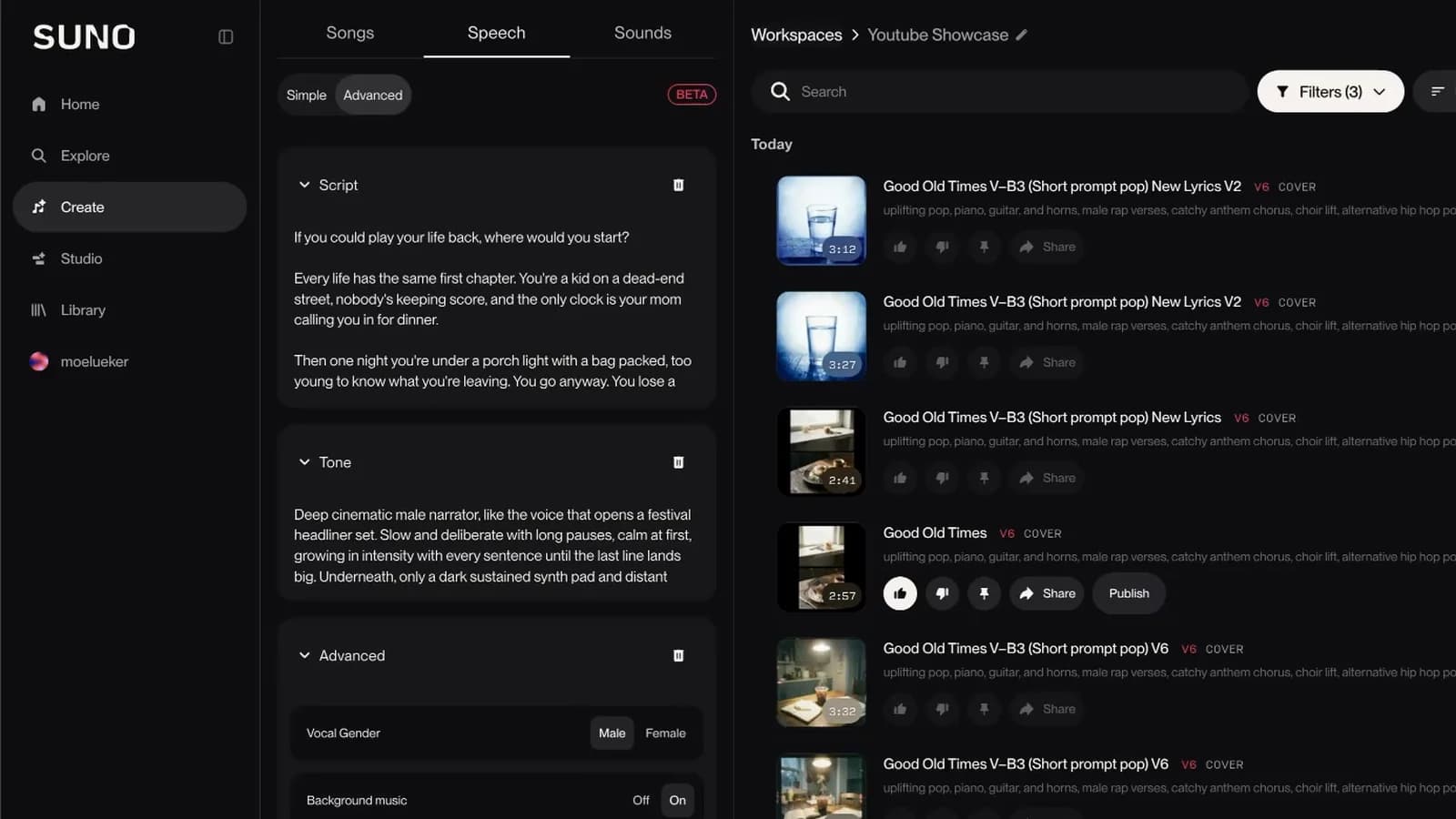
- Open Suno and click Create.
- Click the Speech tab.
- Pick Simple or Advanced. I used Advanced.
- In Advanced, paste your words into Script and describe the delivery in Tone.
- Open the Advanced section and set Vocal Gender, Background music and Variety.
- Click Create and listen.
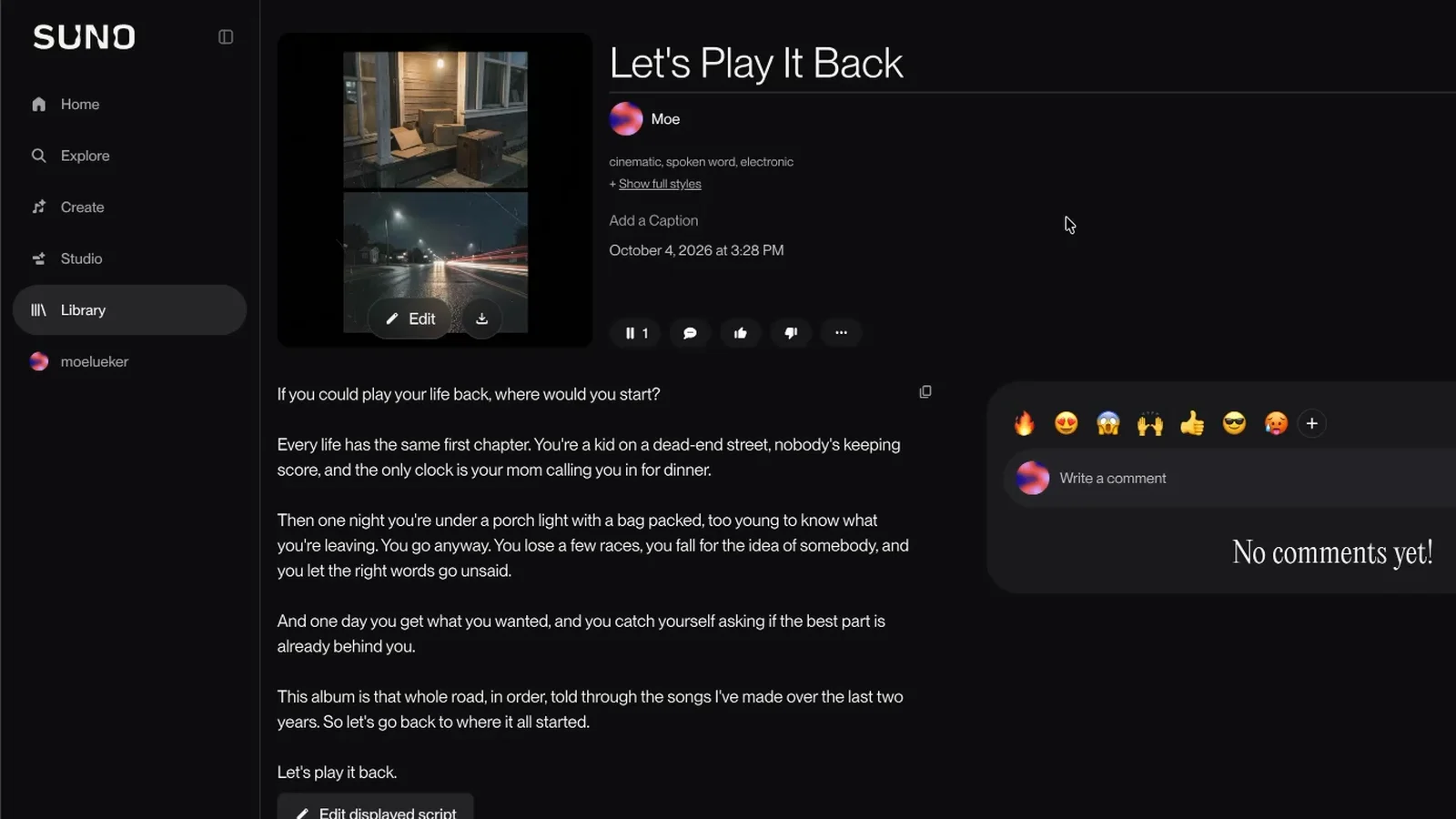
When the track finishes, you land on a normal Suno track page. The full script shows as text under the player, with an Edit displayed script button next to it. I liked what came back, kept it as is and made it track one on the album.
Simple mode or Advanced mode?#
Simple gives you one prompt box. Suno's placeholder example squeezes a whole speech into a sentence: a coach giving a fiery halftime talk with the team down twenty points, starting as a low growl and ending in a roar.
Advanced splits the job into parts. Script holds the exact words. Tone describes the delivery: tone, pacing, mood and setting. The Advanced section adds Vocal Gender (Male or Female), Background music (Off or On) and a Variety slider.
I went with Advanced because my intro has to say specific words and end on a specific line. When the words matter, that's the mode I'd pick. I haven't run Simple mode myself, so I can't tell you how it handles a short idea. If you don't have a script yet, it's a fair place to start.
How do you write the Tone prompt?#
Script first. This is what I pasted into the Script box, word for word:
If you could play your life back, where would you start?

Every life has the same first chapter. You're a kid on a dead-end street, nobody's keeping score, and the only clock is your mom calling you in for dinner.

Then one night you're under a porch light with a bag packed, too young to know what you're leaving. You go anyway. You lose a few races, you fall for the idea of somebody, and you let the right words go unsaid.

And one day you get what you wanted, and you catch yourself asking if the best part is already behind you.

This album is that whole road, in order, told through the songs I've made over the last two years. So let's go back to where it all started.

Let's play it back.
It's written in short paragraphs, one beat each. It opens on a question and closes on a line that echoes the album title.
And this is the Tone prompt:
Deep cinematic male narrator, like the voice that opens a festival headliner set. Slow and deliberate with long pauses, calm at first, growing in intensity with every sentence until the last line lands big. Underneath, only a dark sustained synth pad and distant crowd noise at the start. Halfway through, a warm nostalgic piano joins the pad, then a slow riser and a filtered four-on-the-floor kick fade in, a snare roll builds under the last two sentences, ending on one huge impact and a long reverb tail right after the final word. No singing.
Here's what each part asks for.
- The voice. "Deep cinematic male narrator, like the voice that opens a festival headliner set." That gives the voice a job and a place instead of a single adjective. This is where you shape your Suno AI voice, and I matched it with Vocal Gender set to Male.
- The pacing. "Slow and deliberate with long pauses, calm at first, growing in intensity with every sentence until the last line lands big." It sets a speed and an arc: where the delivery starts and where it ends. Suno's own placeholder works the same way, with a low growl that becomes a roar.
- The music that builds underneath. A dark synth pad and distant crowd noise at the start, a nostalgic piano halfway through, then a riser, a kick and a snare roll under the last two sentences. I wrote the music as a timeline, in the order it should happen. I left Background music on, so this is the part that tells Suno what to play.
- The ending. "One huge impact and a long reverb tail right after the final word." I said how the track should stop, so the last line has somewhere to land.
- "No singing." Speech sits next to Songs in the same panel, and I wanted spoken word with music under it, not a song. One short line says so.
To adapt it, keep the same five parts in the same order and swap the details. Change the voice to fit your project, change the instruments to fit your genre, and keep the ending specific. A quick test for your own Tone prompt: read it as a timeline. Can someone follow it from the first second to the last? Mine says what's there at the start, what joins halfway and how it ends.
My settings were Vocal Gender Male, Background music On and Variety at zero. I turned Variety down because my Tone prompt was already very specific. I haven't compared other values, so I can't tell you what the slider changes.
For more on writing prompts, my Suno AI music guide covers the v6 models and the prompting techniques I use for songs.
What can you make with Suno Speech?#
The first thing I made was an album intro. Festival sets open with a voice that builds until the first song hits, and I wanted that feeling at the start of my album. You can hear how it leads in on Play It Back on Suno. I walk through the whole album, from theme to cover art to track order, in my guide to making an album in Suno.
Since then I've rendered three shorter pieces the same way, with a Script and a Tone: a DJ set opener, a 10-second DJ drop and a concert walk-on.
Here are a few other ideas. I haven't tested any of them, so read them as ideas and not results:
- A Suno spoken word piece between two songs on an album or playlist.
- A Suno voiceover for the opening of a podcast episode or a video, with the music already underneath it.
- A poem or a piece of your own writing read aloud over a score. Suno lists poems as something you can start from.
If you plan to use a track somewhere commercial, check Suno's terms for your plan first. I didn't test that side.
If you need songs to go with a spoken intro, my Suno V6 guide covers the settings I use for V6 songs. I also built my own free AI music generator that runs in your browser.
Can you use your own voice or keep one voice across tracks?#
I haven't tested either one. The controls I used were Vocal Gender and the Tone box, so that's all I can speak to. If I needed the same narrator on several tracks, I'd start by pasting the same voice sentence from my Tone prompt into each one. That's a plan, not a result.
What I haven't tested#
The Suno Speech beta is new, and everything above comes from making that intro and three short pieces. I haven't tested what Speech costs in credits, which plans include it, how long a script can be or which languages it supports, so I won't guess. Suno's announcement of Speech (beta) is the official source.
Can you get help writing the script and the Tone?#
In the video I point to my free lyric and prompt generator, a custom GPT that more than 50,000 people have used, for writing the lyrics and the instructions for you.
If you only copy one thing from my prompt, copy its shape: a calm start that builds to a big last line.
Watch the full walkthrough on YouTube: https://youtu.be/xllSwcOZMK8
Some links above are affiliate links, so I may earn a commission at no extra cost to you. I only recommend tools I actually use.
Moe shares tool walkthroughs and lessons from real projects. Mechanical engineer, then venture capital, now building AI tools for creators and small businesses. More about Moe