Suno V6 Guide: What's New, Pricing and How to Prompt It
Suno V6 replaced every older model with three: V6, V6 Wild and V6 Mini. What's new, what each plan costs, and the settings and prompts I use after 150 songs.
 By Moe Lueker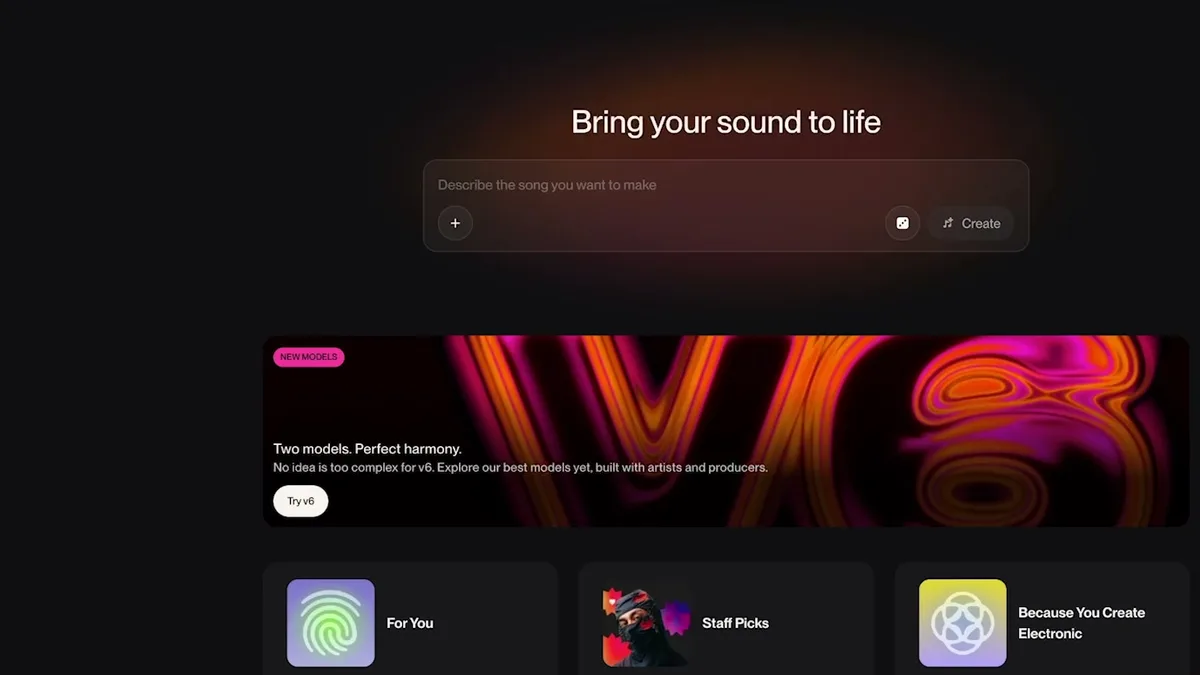
Suno V6 is the newest generation of Suno's AI music models, released on September 9, 2026, and it's three models, not one: V6, V6 Wild and V6 Mini. It also retired every model before it, from v4 to v5.5. Open Suno today and V6 is the only choice. The songs you already made stay in your library unchanged.
I've made about 150 songs with V6 so far, running the same prompts through all three models. Suno sponsored my V6 video and gave me early access, so I had time to push it before writing this. Below is what changed, what each plan costs, and the settings and prompts that worked for me. If you'd rather hear the three models side by side, the full V6 vs Wild vs Mini test is on YouTube.
What's new in Suno V6#
- Three models instead of one. V6 is the flagship, built to follow your prompt and make polished songs in any genre. V6 Wild is the experimental one: less predictable, more varied, and happy to push away from your prompt. V6 Mini is the faster, lighter version that every account gets, including free ones.
- Songs up to 8 minutes in a single generation, on all three models.
- Edits without starting over. You can change one section, or a single word or line, and keep the rest of the song.
- Mashups and samples in one request. Combine parts of different songs and describe how they should fit together.
- More ways to start a song. A written idea, a voice memo, an image or a video can all be the starting point.
- Built with label partners. Suno says V6 is its first model family released in partnership with artists and producers, including its label partners WMG and BMG.
- The same price per song. Each generation still makes two songs for 10 credits.
The rest of Suno moved to V6 too: Custom Models, Suno Sounds, and the Remix and Edit tools (Extend, Cover, Replace Section) all run on it now.
V6 vs V6 Wild vs V6 Mini: which one to use#
Suno's own advice is to start with V6 for control and try Wild when you want a surprise. After 150 songs, that's how I'd put it too:
- V6 for songs you want to finish. It does what you asked, and I usually get a keeper in one or two tries.
- V6 Wild for ideas. On an indie folk song it gave me a completely different interpretation that I loved, and on another song it ignored my intro instructions but found a post-chorus drop I'd never have written. Give it several tries.
- V6 Mini for drafts, and it's the model you get on the free plan. Next to V6 it sounds a little flatter and less full, but it's still a step up from v5.5.
Suno V6 pricing: what each plan gets you#
Checked on Suno's pricing page on September 19, 2026:
| Plan | Price | Credits | V6 models | Downloads | Commercial use |
|---|---|---|---|---|---|
| Free | $0 | 50 a day | V6 Mini | 7 trial downloads, lifetime | No |
| Pro | $10 a month, or $8 a month billed yearly ($96) | 2,500 a month | V6, V6 Wild, V6 Mini | 20 a month | Yes |
| Premier | $30 a month, or $24 a month billed yearly ($288) | 10,000 a month | All three, plus Suno Studio | 60 a month | Yes |
Since one generation costs 10 credits and makes two songs, that works out to about 10 songs a day on Free, 500 a month on Pro and 2,000 a month on Premier. Max Mode costs more credits (double, in my account), so those numbers drop if you leave it on.
Downloads are the real limit now, not generations. On a paid plan, a song needs a download spent on it before you can release or sell it. So audition in the browser, and only download the versions you'd actually publish. If you want to sell AI songs, my guide to copyright-free music for your business includes the $500 framework I use to sell songs to local businesses.
How to make your first song in Suno V6#
- Open Suno and sign up for free, or log in.
- Go to Create and pick Simple.
- Describe the song in one sentence: the genre, the mood, and what it's about. Mine was "an indie folk song about leaving your small hometown to chase your dreams."
- Choose a model at the top of the panel. Free accounts get V6 Mini.
- Hit Create and listen to both versions Suno gives you.
Suno turns your sentence into a detailed style prompt and writes the lyrics, and you can see both in the song details. My first V6 song from that one sentence had natural vocals, harmonies and a balanced mix in under a minute.
Suno V6 Advanced mode: every setting explained#
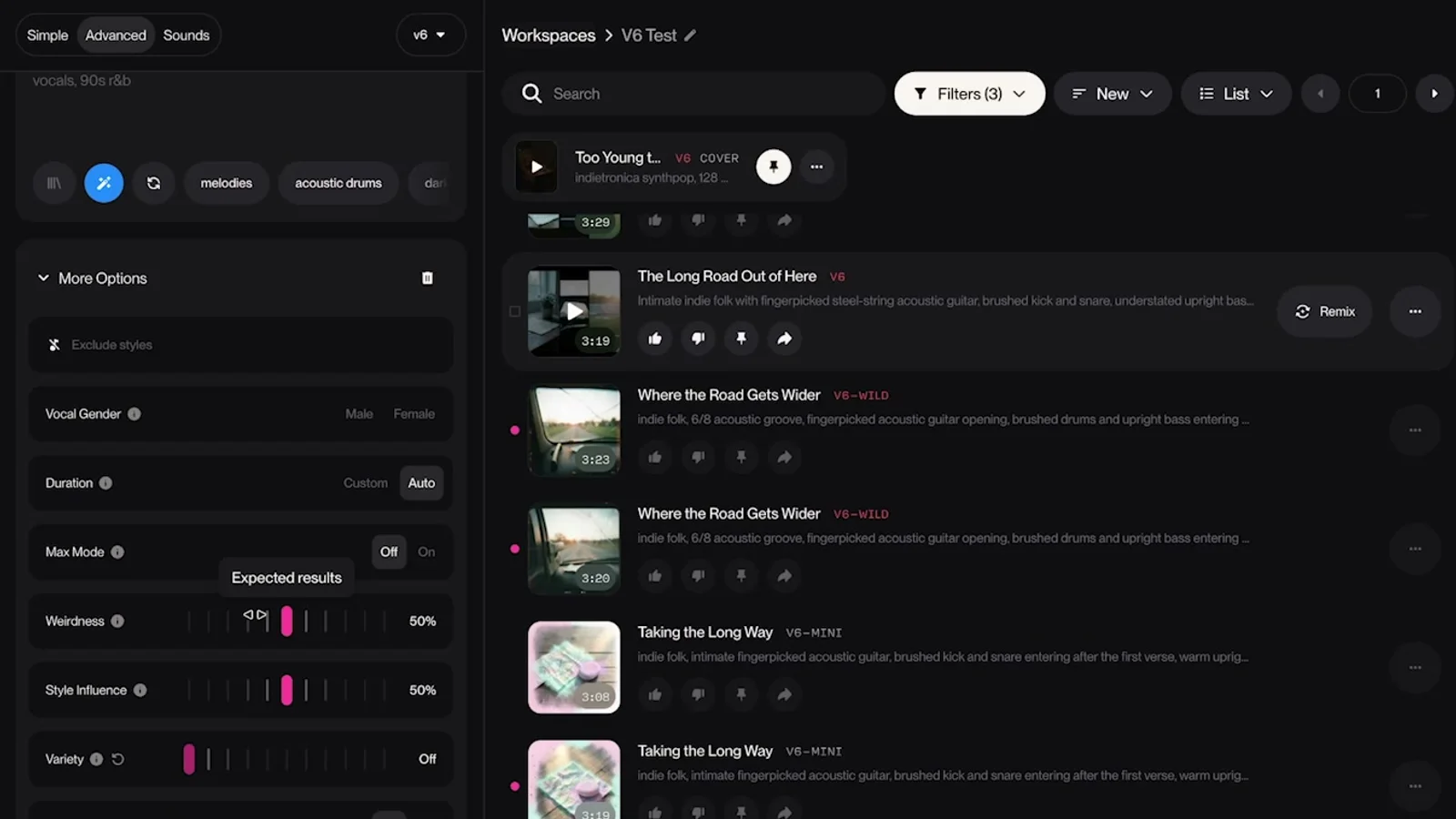
Advanced mode is where you write your own lyrics and style, and where most of the control lives. The lyric-structure basics from my Suno Custom Mode guide still apply in V6. What's changed is the set of sliders under More Options.
Lyrics and style#
These two matter most. The style prompt decides what the song sounds like, and the flow of your lyrics shapes the melody you end up hearing. Get these right before you touch a slider.
Exclude styles#
Tell Suno what to leave out: a genre, an instrument or a production habit. One of my exclude lists read "autotune, synth pads, orchestral swells, heavy reverb, distorted guitars, trap drums." It's the fastest fix when every take drifts toward a sound you don't want.
Weirdness#
How far the model experiments. At 0, songs tend to sound stale. For exploring, go above 50 but stay under 90, because past that you start hearing weird artifacts. For detailed, specific prompts I keep it between 30 and 50.
Style Influence#
How closely Suno follows your style prompt. If the prompt is generic, like "hip-hop, country, fusion, pop," lower it (I used 40) so the model can fill in the gaps. If you know exactly how the song should sound, down to the piano tone or the vocal, raise it (I used 65).
Variety#
At 0, Suno uses your style prompt as written. Turn it up and Suno rewrites the prompt its own way before generating. When I pushed it to Extra, the vocal changed right away and the style prompt in the song details had been rewritten. Use 0 with a detailed prompt, and turn it up when you want fresh ideas from the same lyrics.
Max Mode#
Max Mode spends more compute on keeping the whole song consistent, and it costs more credits (it showed as double in my account). I turn it on for anything I plan to publish or edit later, and Suno also recommends it for longer songs and covers. While I'm testing genres or prompts, I leave it off and still get good results.
Vocal gender, duration and Personalize#
Vocal gender and duration do what they say. Personalize tailors results to your taste profile, but you have to set that profile up first. I left it off for my tests.
How to prompt Suno V6: 7 tips from 150 songs#
- Start with a clear song idea. Genre, mood and vocal direction give the model something useful to work with.
- Set Variety to 0 when you've written a detailed style prompt. Judge your prompt before you add another variable.
- Match Style Influence to how specific you are. Higher for a precise sound, lower when you want room to explore.
- Change one setting at a time. Keep the lyrics the same too, especially when you compare models.
- Listen to both versions. I've had a flat first take and a great second one from identical inputs.
- Put the time into your lyrics. In my hip-hop and country test, the phrasing and flow of the lyrics mattered far more than a long list of style words. A detailed style prompt on the same lyrics wasn't clearly better than a four-word one.
- Use Wild to find ideas, then build on the parts you like. Its best moments are things you wouldn't have written yourself.
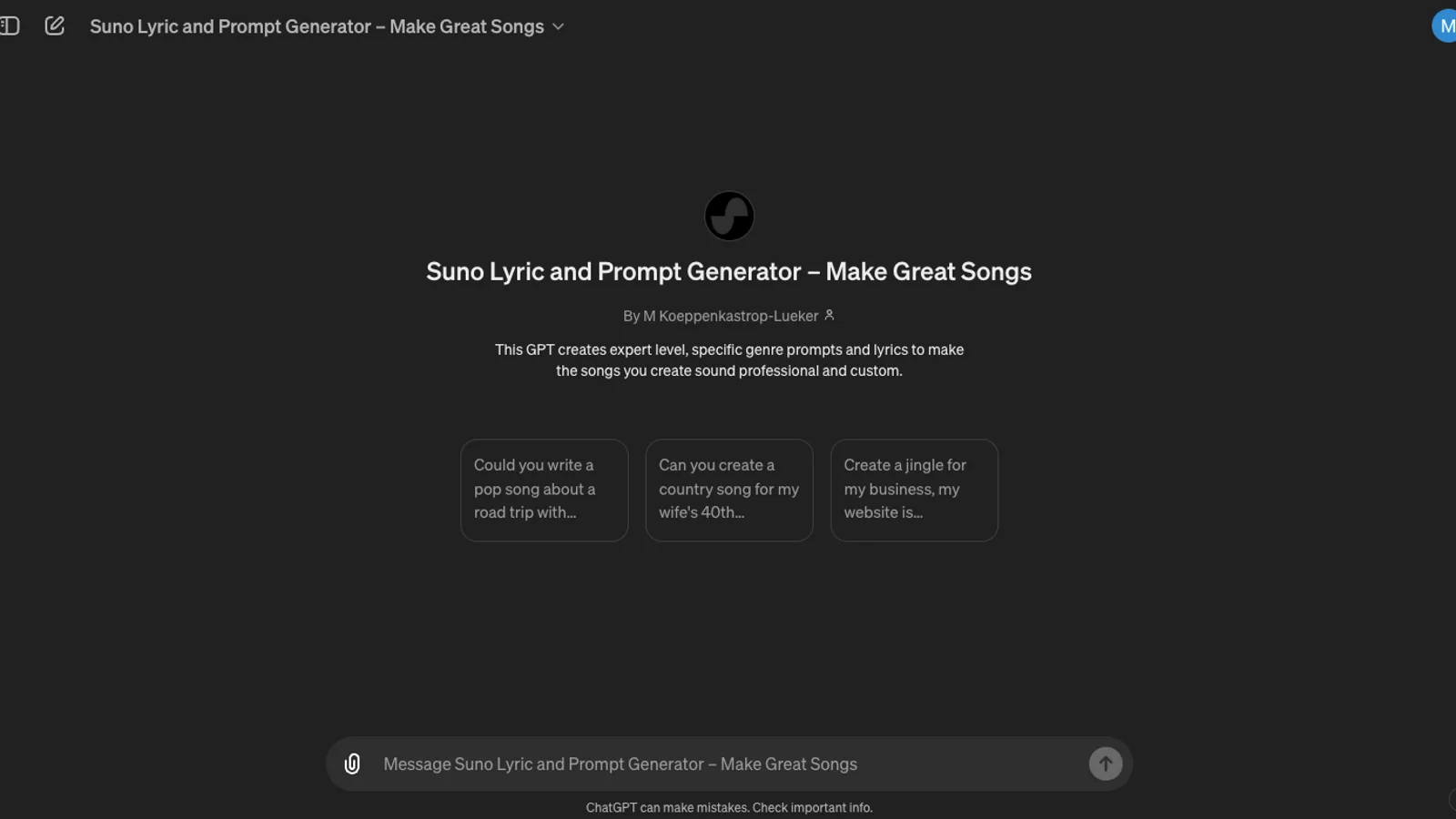
For tip 6, I don't write lyrics from a blank page. I talk the idea through with Rambleproof, the Mac dictation app I built, and paste that into my free lyric GPT. It returns a concept, the lyrics, a detailed style prompt, a shorter alternative and a styles-to-exclude list, all formatted for V6. It's been used more than 50,000 times.
The exact prompts I used in my V6 tests are in my Suno guide, which I updated after testing because V6 wants to be prompted differently than the older models did.
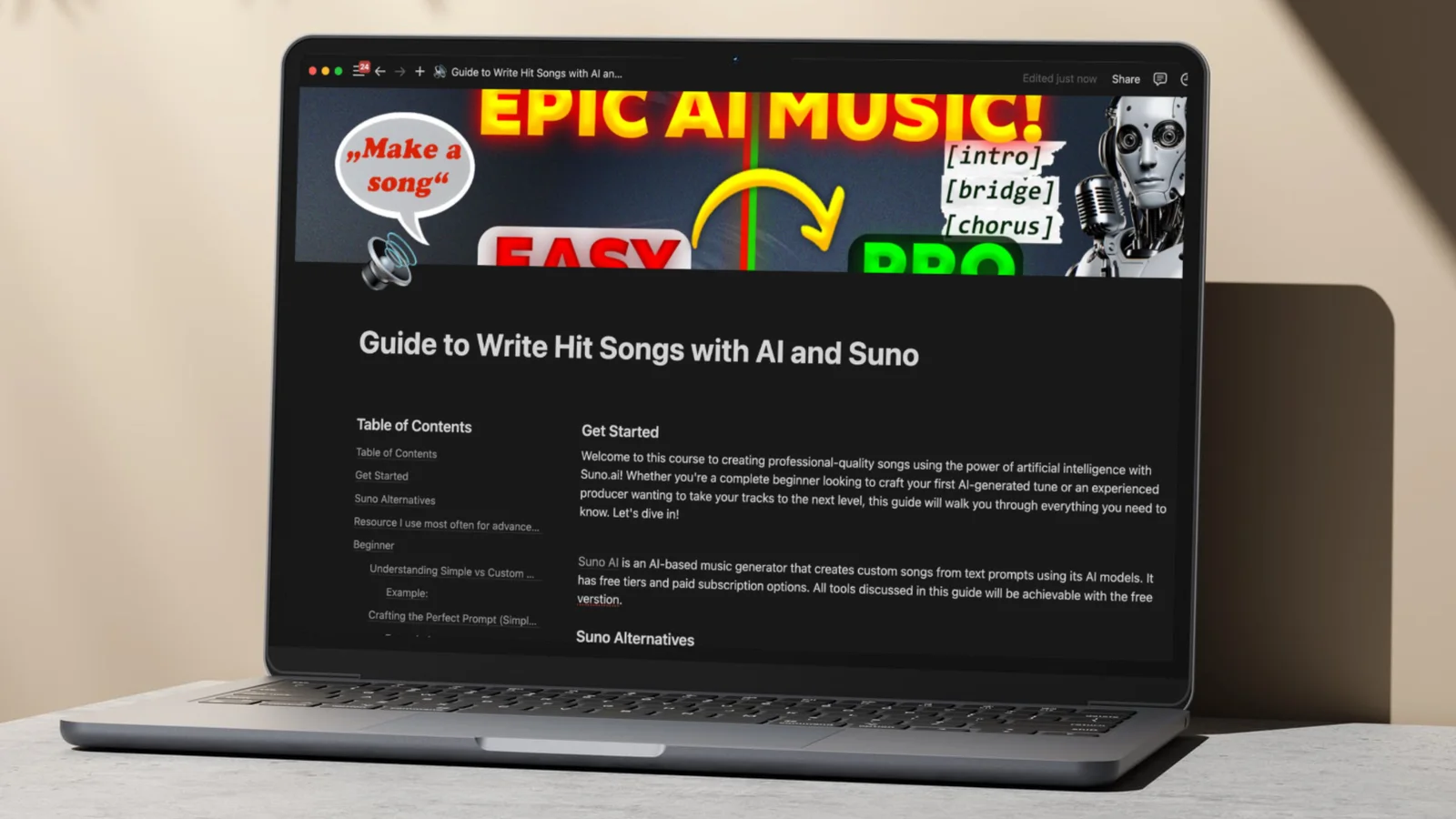
If you're after the business side of AI music, the Suno AI Playbook Bundle adds my money-making framework to the guide and the lyric GPT.
Suno V6 FAQ#
Is Suno V6 free?#
Partly. V6 Mini is on the free plan with 50 credits a day, which is about 10 songs. V6 and V6 Wild need Pro or Premier.
Can I still use Suno v5, v5.5 or v4.5?#
No. Every model before V6 is retired. Your old songs stay in your library, and you can still listen to, share, remaster and cover them.
What is Suno V6 Wild?#
The experimental version of V6. It's less predictable, pushes further from your prompt and blends genres more freely. It's great for ideas and hit or miss for finished songs, so generate several takes.
How long can a Suno V6 song be?#
Up to 8 minutes per generation, on V6, V6 Wild and V6 Mini.
Does Suno V6 cost more credits than v5.5?#
No. A standard generation still costs 10 credits for two songs. Max Mode costs more.
Do I need Premier for Suno Studio?#
Yes. Studio is Premier-only. It's where you edit stems, add instruments and work with MIDI.
Start on Mini if you're on the free plan, reach for V6 when you want a finished song, and give Wild at least three tries before you judge it.
Some links above are affiliate links, so I may earn a commission at no extra cost to you. I only recommend tools I actually use.
Moe shares tool walkthroughs and lessons from real projects. Mechanical engineer, then venture capital, now building AI tools for creators and small businesses. More about Moe