Suno V6 vs Wild vs Mini: I Tested 150 Songs (Full Review)
I ran the same prompts through Suno V6, V6 Wild and V6 Mini across 150 songs. Which model wins, where Wild surprised me, and when the free Mini is enough.
 By Moe Lueker
Suno didn't launch one new model this time. It launched three: V6, V6 Wild and V6 Mini. So I spent over 10 hours and made about 150 songs to figure out which one you should actually use, running the same lyrics and settings through all three.
The differences were bigger than I expected. Same song, same prompt, and one of the three rewrote the whole arrangement.
The short answer#
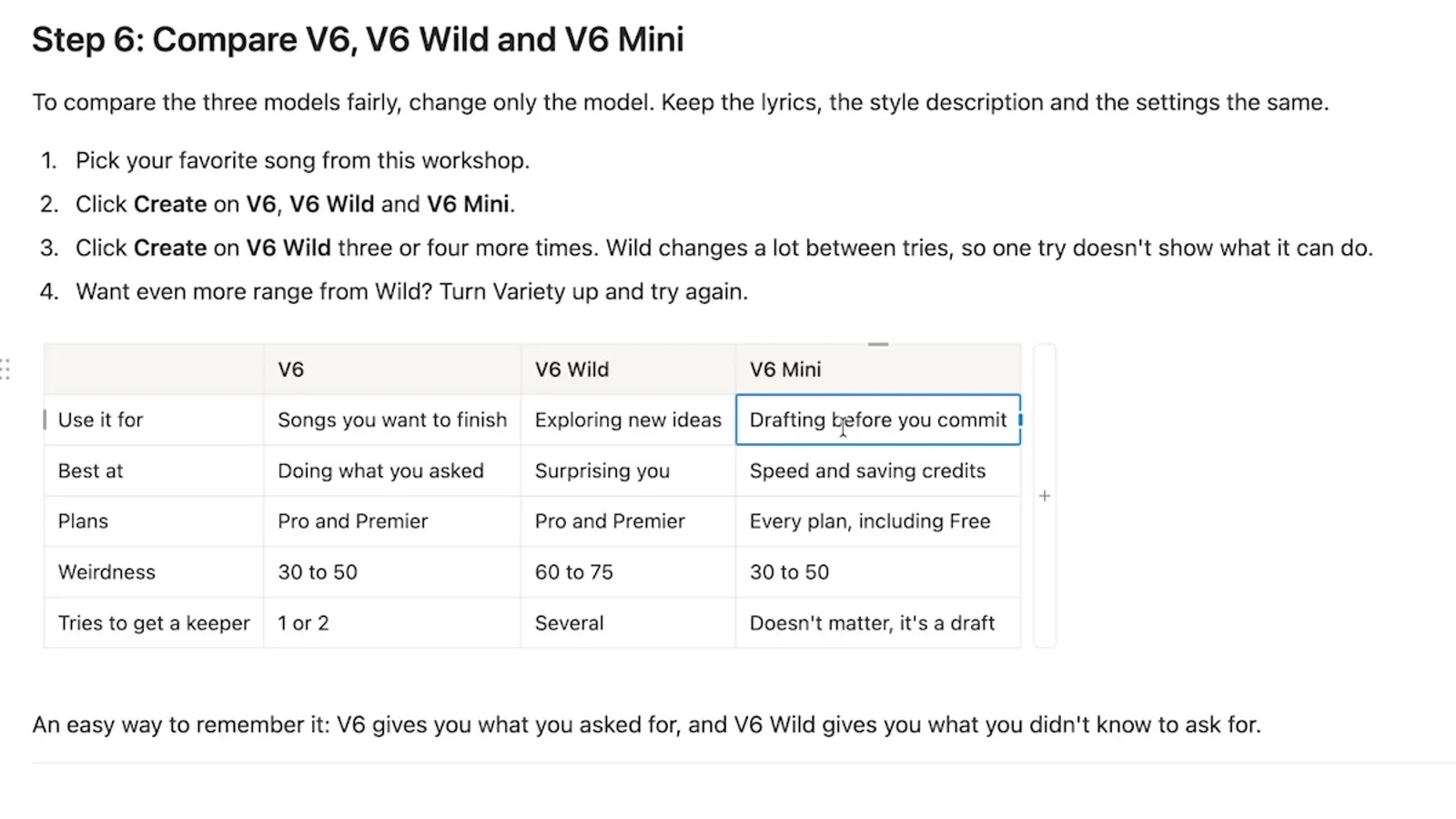
| V6 | V6 Wild | V6 Mini | |
|---|---|---|---|
| Use it for | Songs you want to finish | Exploring new ideas | Drafting before you commit |
| Best at | Doing what you asked | Surprising you | Speed and saving credits |
| Plans | Pro and Premier | Pro and Premier | Every plan, including Free |
| Weirdness I use | 30 to 50 | 60 to 75 | 30 to 50 |
| Tries to get a keeper | 1 or 2 | Several | Doesn't matter, it's a draft |
The easy way to remember it: V6 gives you what you asked for, and V6 Wild gives you what you didn't know to ask for.
V6 is my go-to for almost everything. It makes the most complete song, and it's where I start whenever I want to finish or publish something. Here's how I got there.
How I ran the test#
The rule was simple. Change the model and nothing else, so the lyrics, style prompt and settings stayed identical across all three. I'm grateful Suno gave me early access and partnered with me on this video, and the takes here are my own, including the parts I didn't like.
One thing to know if you're new to Suno: every time you hit Create, you get two versions. I listen to both before deciding whether a prompt worked. On one song the first version was super catchy and the second fell flat, with identical inputs. Judge a prompt on one take and you'll throw away good ideas.
Test 1: one sentence, three models#
I started in Simple mode with a single line: an indie folk song about leaving your small hometown to chase your dreams. Wholesome, I know. Suno turns that sentence into its own style prompt and writes the lyrics with its built-in lyric generator.
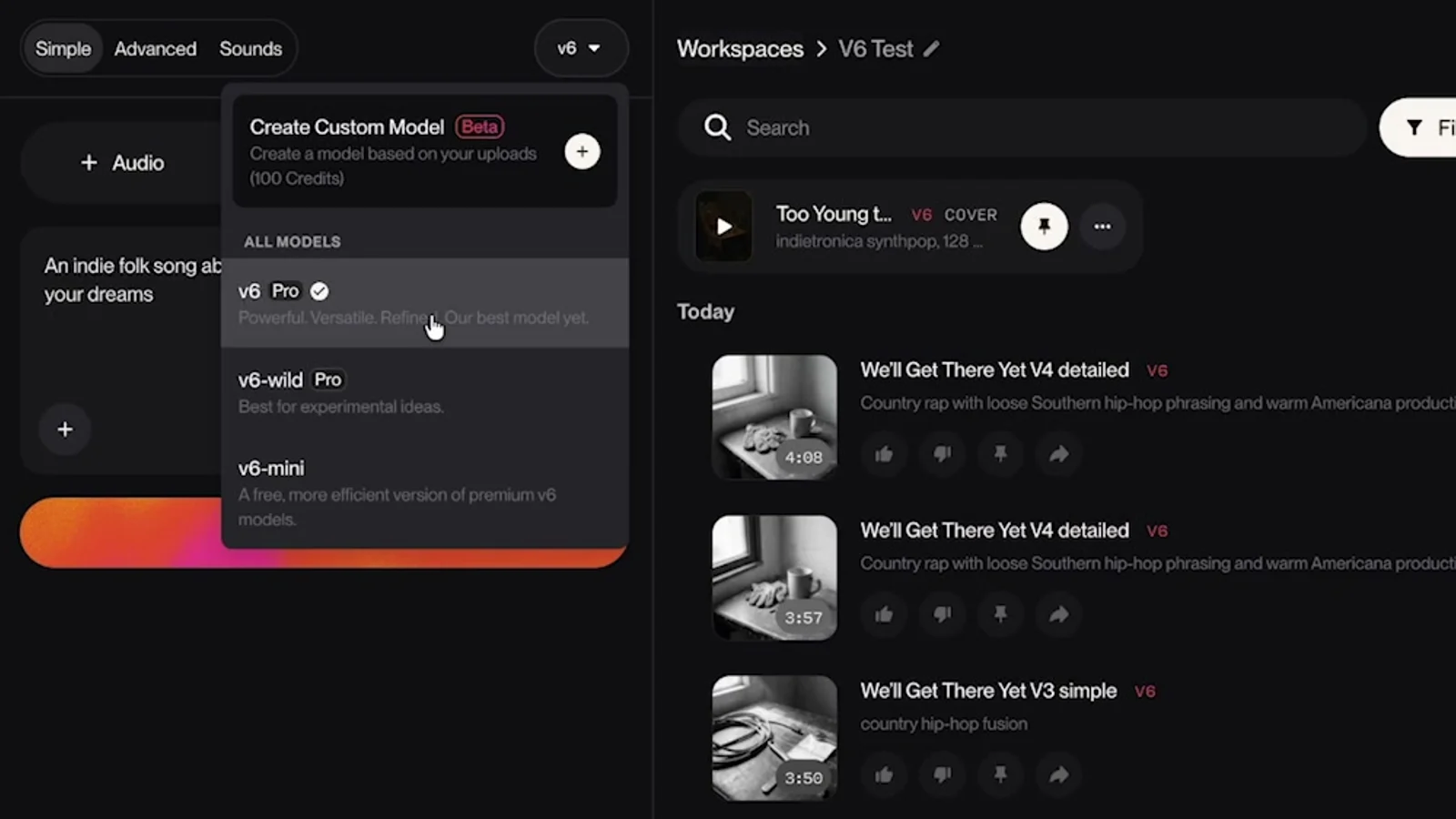
The model picker sits at the top of the Create panel. Pick a model, hit Create, switch, and hit Create again. Every song gets a tag (V6, V6-WILD or V6-MINI), so you always know which one you're hearing.
Mini was already a great start, and V6 was really good straight away. The voices sound natural, there's harmony going on, and the instruments and vocals are well balanced. That came from one sentence in less than a minute. Generation also felt faster than the older models, and the overall composition was better.
Test 2: custom lyrics from my free GPT#
Simple mode is fine for a sketch. For a song you care about, you want your own lyrics, or at least better ones than the default. I used the lyric and prompt generator I built for Suno, which I've updated for V6 and which you've used more than 50,000 times.
I gave it the same hometown idea. It came back with a title (We Said We'd Go), a concept, a detailed style prompt, a shorter alternative, a list of styles to exclude, and the full lyrics. The exclude list also filters out the clichés you hear in a lot of AI music.
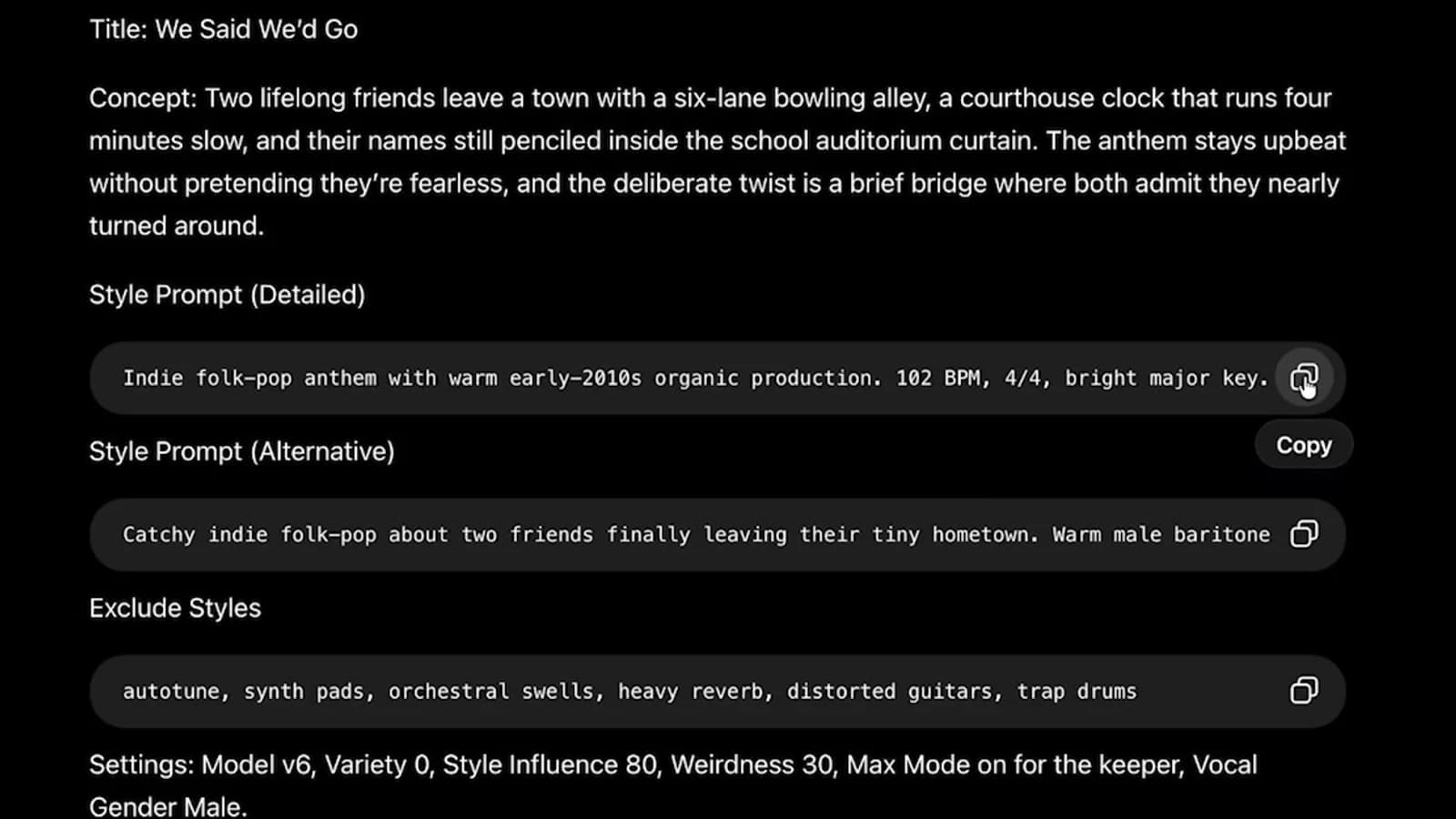
I pasted the detailed style prompt and the lyrics into Advanced mode with these settings:
- Variety at 0. With a detailed style prompt, I want Suno to follow it instead of rewriting it.
- Weirdness at 60.
- Style Influence at 65, so it sticks to my style instructions.
- Exclude styles pasted straight from the GPT.
The first V6 version was super catchy and I liked the song right away. The second sounded similar until the pre-chorus and chorus, which didn't land as well. I kept the first.
Then I turned Variety all the way up to Extra and generated again. Suno rewrote my style prompt on its own, and the voice sounded different from the first line. It wasn't better or worse. It was a different song built on the same lyrics, which is exactly what you want when you're hunting for ideas.
From there I made a cover. I switched the voice direction to a female baritone, set the vocal gender to female, kept Style Influence high and dropped Weirdness to 40. The melody and intro stayed close to the original, now with a female lead. If you want to go past covers and section edits, that's what Studio is for, and I produce a full song start to finish in my Suno Studio 2.0 walkthrough.
Test 3: a song I already loved, through all three#
"Too Young to Know" is an indie electro song I made with v5.5. I've listened to it 21 times, so I know it well. I remixed it into V6 with Audio Influence at 60%, kept my original style prompt (it spells out the chord progression, the BPM and the key), set a male vocal and turned on Max Mode. Then I ran the same thing on Wild and Mini.
V6 sounded really clean and high quality from the intro. Honestly, I wanted to skip the comparison and keep building on it in Studio.
V6 Wild started with vocals right away, which I had specifically asked it not to do. Then the post-chorus drop hit with energy I did not see coming. I didn't like the verse intro, and in the chorus the vocal tried to be too melodic for my taste. But that drop handed me a whole new direction for the song.
V6 Mini landed much closer to V6 than to Wild. Side by side, it's a little flatter. It doesn't have the same range and doesn't feel as full or powerful, but it's still really good, and I'd call it an improvement over v5.5. Some of that closeness probably comes from Audio Influence pulling all three toward the original.
When I replayed the chorus back to back, V6 just sounded fuller. The reverb gives it more space in the background, and everything sits together in a more balanced way.
Test 4: indie folk, and Wild's best moment#
Back to We Said We'd Go, this time with all three models on identical settings.
Mini's voice sounded a bit more synthetic, with a slight ring to it that reads as AI. That could also be my prompting. I loved how the melody climbed up, which made it sound euphoric, and overall it was close to V6, but V6 still won on a fuller, richer composition.
Wild was a completely different interpretation from the first second, with a different rhythm and experimental riffs. It kept me guessing where the melody and chorus would go next, and I loved it. A second Wild take gave me yet another version of the song. It was good too, but I preferred the first because it strayed so far from V6 and Mini.
That's the pattern with Wild. One try doesn't show you what it can do, so generate three or four times.
Test 5: hip-hop and country, where lyrics beat prompts#
For the last test I reset every setting and tried a genre fusion: hip-hop, country and pop. This is where V6 impressed me most. It's also where the style prompt matters less than the lyrics, because rap lives on flow, and no list of style words fixes lines that don't flow.
I don't type these ideas out. I talk them through with my dictation app and hand that to my V6 songwriter setup. My ask: a catchy hip-hop country fusion with melodic flow, unexpected rhymes and real meaning, less line-by-line rhyming, about a breakup that opens the door to a better life.
Rambleproof: how I dictate song ideas#
Rambleproof is the Mac dictation app I built and use every day. Hold a hotkey, talk, and clean text lands in whatever app you're in, with the "ums" stripped out. It's perfect for song ideas. A lyric generator writes better, less generic lyrics the more context you give it, and talking is much faster than typing.
The lyrics came back looser than the usual Suno structure. I gave V6 a deliberately simple style prompt, just "hip-hop, country, fusion, pop," dropped Style Influence to 40 so it could work out the rest, and turned on Max Mode.
The result is the best showcase of V6 I found. The rapping sounds natural. It figured out when to rhyme and how, and it made the two genres fit together. I honestly wouldn't be able to tell it's AI.
I also ran a detailed style prompt on the same lyrics. It had a slightly different feel, not a clearly better one. A longer prompt isn't automatically a better prompt.
The settings I use now#
- To experiment: Wild, higher Weirdness, lower Style Influence.
- For complex, detailed prompts: raise Style Influence and keep Weirdness between 30 and 50.
- Weirdness extremes: at 0 songs tend to sound stale, and above 90 you risk weird artifacts.
- Max Mode costs double the credits per song. I turn it on for anything I plan to publish or edit, and leave it off while I'm exploring.
If your credits disappear fast, my 3-step framework for not wasting Suno credits is still how I work. And if you want every V6 setting explained, plus what each plan costs, read my Suno V6 guide.
The exact prompts from this video are in my Suno guide, which I updated after these tests because V6 wants to be prompted differently than the older models. The comparison table at the top of this post comes straight from it.
Which one should you use?#
Start with V6 whenever you want a finished song. Open Wild when you're stuck or want something you wouldn't have written yourself, and give it several tries before you judge it. Use Mini for drafts, or on the free plan, where it's the model you get and still a step up from v5.5.
If you haven't tried it yet, you can sign up for Suno free and start on V6 Mini today.
Both full songs, "Too Young to Know" and "We Said We Would Go," play at 35:38 in the video. Listen, then tell me in the comments which model you'd have picked.
Watch the full walkthrough on YouTube: https://youtu.be/MGBv6MGSefQ
Some links above are affiliate links, so I may earn a commission at no extra cost to you. I only recommend tools I actually use.
Moe shares tool walkthroughs and lessons from real projects. Mechanical engineer, then venture capital, now building AI tools for creators and small businesses. More about Moe
Get new videos in your inbox
Weekly AI workflows. No fluff.
No spam. Unsubscribe anytime.