OpenGlass UI: Free Liquid Glass Components for React
OpenGlass UI is a free, open-source liquid glass component library for React. 40 accessible components, MIT licensed, zero dependencies, plus a skill so Claude Code builds with it.
 By Moe Lueker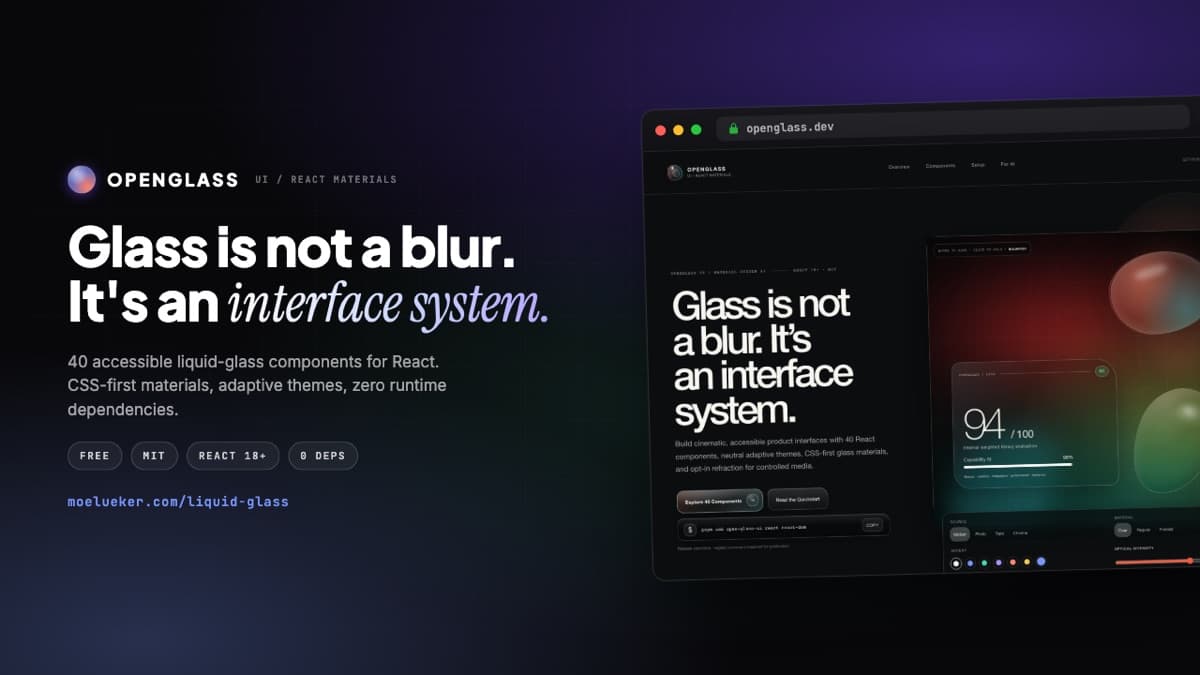
Every AI-built site ends up looking the same. The same flat cards, the same gradient, the same generic layout your AI reaches for by default. It works, but it does not feel like yours, and it definitely does not feel premium.
OpenGlass UI is my fix for that. It is a free, open-source liquid glass component library for React that I give away so your sites stop looking AI-made. Here is what it is and how to get it.
What it is#
OpenGlass UI is built the opposite way from most glass effects on the web. Most of them are a blur with a border stuck onto a div, and they fall apart the moment real text, a focus ring, or a screen reader shows up.
This is the other way around: 40 accessible components that happen to be made of glass, not a glass effect with components bolted on. What you get:
- 40 production-ready React components, from buttons and menus to dialogs, tabs, toasts, and full navigation
- Three glass materials (clear, regular, frosted) so hierarchy comes from optics instead of guesswork
- Adaptive light and dark themes with six accent presets, and contrast that stays safe automatically
- Zero runtime dependencies and one import, so your bundle stays tiny
- Accessibility built in, including reduced motion, reduced transparency, and forced-colors support
- A copy-paste AI skill so Claude Code, Cursor, or Codex build with it correctly on the first try
It is MIT licensed, so you can use it in anything, personal or commercial.
New in 0.4: the liquid look#
Version 0.4 rebuilds how the glass looks. It is clearer and brighter, every surface gets one clean lit edge, controls are pill shaped, and the selection in tabs and segmented controls slides between items like a drop of glass. Text stays readable over bright, dark, or busy backgrounds in both light and dark mode.
You can also make it yours. Pick a look (liquid, frosted, clear, smoked, or lensed), or set the frost, tint, edge highlight, and the direction the light comes from, for your whole site or a single card. Already using 0.3? Nothing changes until you upgrade, and one prop, design="classic", keeps the old look. Drag the before and after slider on the live demo to compare them.
Try it before you install anything#
You can play with all 40 components, switch themes, and drag the materials around on the live demo. Go poke at the OpenGlass UI live demo and docs. Every control there is the real shipped component, not a screenshot.
How to install it#
In any React 18+ project:
npm install open-glass-ui react react-dom
Then import the stylesheet once and wrap your app in the provider. The full quickstart is on the live demo page, and the source is on GitHub if you would rather read the code or star it.
Building with an AI agent#
This is the part I like. The download includes a short skill you paste into your coding agent so it knows the exact API and accessibility rules before it writes a line. Instead of your agent inventing fake components, it uses the real ones. Drop it into Claude Code and ask for a glass dashboard, and it comes out clean.
Want to put your glass site online?#
Building it is half the job. In my video I take this exact library live on a real domain in minutes using the free Hostinger Connector, straight from Claude Code. If you want to do the same, here is how to build and deploy a website with Claude Code, and here is what the Hostinger Connector is. You can grab Hostinger here with code MOE-LUEKER for 10% off.
If you like building things this way, you might also enjoy building a custom web app with AI in 15 minutes.
Go make something that actually looks like you meant it.
Open Glass works with any coding agent, not just Claude. I used it as the controlled variable when I built the same site twice on MiniMax M3, and the design system mattered more to the result than the model did.
Moe shares tool walkthroughs and lessons from real projects. Mechanical engineer, then venture capital, now building AI tools for creators and small businesses. More about Moe